Google Ads MCP server: the official server, setup in every AI client, no developer token (2026)
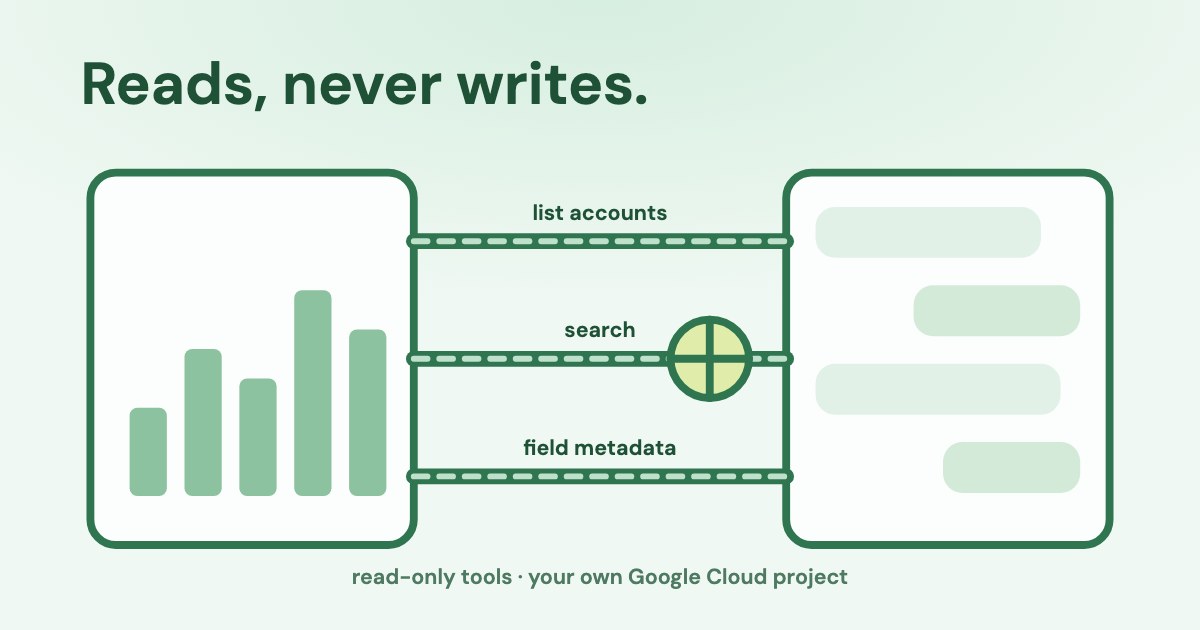
The Google Ads MCP server is Google’s open-source, read-only bridge between AI assistants and the Google Ads API (googleads/google-ads-mcp). You run it with Python on your computer or on Cloud Run, sign in with OAuth or a service account, and it gives the assistant three tools: list accounts, query reports, and look up fields.
Since 9 September 2026 it needs no developer token: access comes from your Google Cloud project.
Open the free google Ads MCP server config generator ↓
On this page11 sections
Is there an official Google Ads MCP server?
Yes. Google released it in October 2025 and maintains it on GitHub (googleads/google-ads-mcp, Apache 2.0, version 0.0.5 from 9 October 2026).
The Google Ads MCP server provides a standardized bridge to the Google Ads API, which lets AI agents analyze and retrieve campaign data using natural language.
| Official server | |
|---|---|
| Mode | Read-only in the current release: no bids, pauses or new assets |
| Runs | Python 3.10+ via pipx, on your computer (stdio) or on Cloud Run (Streamable HTTP) |
| Sign-in | OAuth 2.0 (your Google account) or a service account |
| Needs | A Google Cloud project with the Google Ads API enabled and Explorer access or higher; no developer token |
| Tools | list_accessible_customers, search, get_resource_metadata — in 0.0.5 clients list them with a prefix: customers_list_accessible_customers, search_search, metadata_get_resource_metadata |
| Hosted by Google | Only as a closed pilot for allowlisted participants |
If you only want to ask ChatGPT or Claude about your campaigns, our guide to connecting Google Ads to ChatGPT and Claude covers the chat side. This page is about the server itself.
Generate your Google Ads MCP config
Google Ads MCP server config generator
Where it goes:
Sign in once
Decode an error
The generator follows Google’s README but uses each client’s own documented format: ~/.claude.json for Claude Code (Claude Code docs) and servers in VS Code (VS Code docs). It never asks for a developer token.
Do you still need a Google Ads developer token?
No. Google sunset developer tokens on 9 September 2026. Access now belongs to the Google Cloud project that owns your OAuth client or service account, and you no longer need a manager account to start.
You no longer need a developer token or a Google Ads manager account to get started. API access is now managed directly in your Google Cloud project
| Accounts | Operations per day | How you get it | |
|---|---|---|---|
| Test | Test accounts only | 15,000 | Automatic when you enable the API |
| Explorer | Test and real accounts | 2,880 on real accounts | Apply on the Google Ads API overview page in Cloud Console; automated review |
| Basic | Test and real accounts | 15,000 | After Explorer, with brand verification |
| Standard | Test and real accounts | No limit | Manual review, about 10 business days |
Days are a sliding 24-hour window, a search counts as one operation however many rows it returns, paging is free, and requests the API rejects with an error can still count (access levels, quotas). Explorer cannot use Keyword Planner, account creation, user management or billing.
Explorer refusals in October 2026
Several developers reported Explorer applications refused within seconds between 30 September and 13 October 2026; Google said it is investigating (issue #133). Google also lists free-trial or suspended billing as a cause. The symptom in MCP: list_accessible_customers works, search fails with CLOUD_PROJECT_NOT_APPROVED_FOR_PRODUCTION.
What can the Google Ads MCP tools do?
Three things. They are enough for most reporting questions, with limits worth knowing before you trust an answer.
list_accessible_customersreturns the IDs of accounts your login can reach directly. Client accounts under a manager are not listed; ask for them by ID and set the manager as the login customer.searchbuilds a Google Ads Query Language (GAQL) query from fields, a resource, conditions and an optional limit. Conditions are joined with AND only, there is no default row limit, money arrives in micros (millionths of the currency), andchange_eventqueries need a limit of 10,000 or less.get_resource_metadatalists the fields a resource such ascampaignhas. The server’s own instructions tell the model to use it rather than guess field names — which also saves quota, since rejected queries can count.
Version 0.0.5 groups tools into namespaces set in tools_config.yaml, so after sign-in your client shows customers_list_accessible_customers, search_search and metadata_get_resource_metadata. The same file can switch tools off.
In Claude Code, a tool result over 25,000 tokens is cut off. Ask for date ranges and the columns you need, not “all campaigns, all time”.
Which AI clients can use the Google Ads MCP server?
| Run it on your computer | Run it on Cloud Run | |
|---|---|---|
| Claude Desktop | Yes, claude_desktop_config.json | Yes, as a custom connector |
| Claude Code | Yes, claude mcp add | Yes, --transport http |
| claude.ai and Claude mobile | No — Claude connects from Anthropic’s cloud | Yes, custom connector |
| ChatGPT (web) | Only through a Secure MCP Tunnel | Yes, Plugins → Add custom MCP server |
| Gemini CLI | Yes, ~/.gemini/settings.json | Yes, httpUrl |
| Cursor | Yes, ~/.cursor/mcp.json | Yes, url |
| VS Code (Copilot) | Yes, key “servers” | Yes |
| Codex | Yes, ~/.codex/config.toml | Yes, codex mcp add --url |
| Antigravity | Yes, mcp_config.json | Yes, serverUrl (not httpUrl) |
When you add a custom connector, Claude connects to your remote MCP server from Anthropic's cloud infrastructure, rather than from your local device.
ChatGPT respects the server’s read-only tool annotation, so it does not treat these tools as writes (OpenAI). For a local server without a public URL, OpenAI’s Secure MCP Tunnel connects it without opening firewall ports (OpenAI).
How do you use the official server in claude.ai or ChatGPT?
- Create a Web application OAuth client in the same Google Cloud project, with the redirect URI
https://YOUR-SERVICE.a.run.app/auth/callback. The server runs FastMCP’s OAuth proxy: Google sends the sign-in back to your server, and the server signs in Claude or ChatGPT, so their callback addresses do not go into Google Cloud. - Add the Google Ads scope
https://www.googleapis.com/auth/adwordsunder Data Access, and add yourself as a test user while the app is in Testing. - Build and deploy the server image to Cloud Run with
GOOGLE_ADS_MCP_OAUTH_CLIENT_ID,GOOGLE_ADS_MCP_OAUTH_CLIENT_SECRETandGOOGLE_ADS_MCP_BASE_URL(the service URL). Google recommendsGOOGLE_ADS_MCP_JWT_SIGNING_KEYandGOOGLE_ADS_MCP_STORAGE_TYPE=firestorefor production, so sign-ins survive restarts; Firestore needs the[firestore]extra in the image and a database in the project. - Add a custom connector pointing to the URL with
/mcp, leave the client ID and secret empty, and sign in with Google.
Never deploy without the OAuth settings
Google warns that without the two OAuth variables the server falls back to the container’s own credentials. With an unauthenticated Cloud Run service, anyone who finds the URL could then read your Google Ads data.
Updating means rebuilding the image; Cloud Run does not follow new releases on its own.
Is the Google Ads MCP server really read-only?
Its tools are; its access is not. Google Ads has no read-only OAuth scope, and the server’s own code says so.
Google Ads does not publish a separate read-only scope; access is restricted to read methods by the tools this server exposes
- Scope:
adwords— full access, whatever the server does with it. - Google Ads role: sign in as a user, or a service account, with the Read-only role (access levels). This is the real safeguard.
- Server tools: three read tools, each marked read-only.
- Client approvals: keep confirmations on — in Gemini CLI leave
trustfalse.
Search terms and ad text in your account are written partly by strangers. If the same chat also has tools that can send data out, such as email, that is the combination Simon Willison calls the lethal trifecta. Keep Google Ads chats separate from tools that publish or send.
Why does the sign-in stop working after a week?
- Testing OAuth apps get refresh tokens that expire in 7 days (Google). Publish the consent screen to keep the server working.
- Passkeys: from 5 August 2026 Google is rolling out a passkey requirement for creating new Google Ads API refresh tokens; one-time codes by SMS or app no longer count (Google). Service accounts are not affected.
- Old versions: version 0.0.5 fixed a bug that wrote users’ access tokens to the server log in HTTP mode. Update before you deploy.
What does Google’s 2026 policy say about Google Ads MCP servers?
Google’s developer policies now name MCP servers. Running the open-source server with your own credentials is allowed; a hosted service that only passes Google Ads through to others is not.
Google prohibits third-party hosted interface, secondary API, wrapper service, or MCP server, proxy endpoint, or any similar service that solely replicates, wraps, or re-exposes Google Ads programmatic capabilities as an intermediate layer
The same policy says it does not restrict open-source tools that users download and connect with their own access credentials, and that end users must sign in themselves to make changes (Google). A hosted product is not banned as such: the line is a service that does nothing more than pass the API through. A tool that builds its own reports and checks, where each user signs in with their own Google account, is a different thing. Before you connect a hosted Google Ads MCP service, ask whose Google Cloud project carries your requests, what it adds beyond passing the API through, and how changes are approved.
How we checked
Checked on 23 Oct 2026 against Google’s MCP server guide, the server’s GitHub repository (README, source, releases and issues), Google Ads API pages on developer tokens, access levels, quotas and rate limits, Google Ads Developer Policies and the programmatic proxy definition, Google Ads user roles, Google’s OAuth and passkey announcements, and the MCP documentation of Claude Desktop, Claude Code, Gemini CLI, Cursor, VS Code, OpenAI and Anthropic. We read the eleven pages that rank for these searches; most still tell readers to get a developer token.
The config generator writes the formats each client documents; we checked the syntax, not every client against a live account. The error decoder covers errors from Google’s known issues and the server’s GitHub issues.
Questions
Is there an official Google Ads MCP server?
Yes: googleads/google-ads-mcp on GitHub, maintained by Google, open source under Apache 2.0. It is read-only in the current release.
Do I need a developer token for the Google Ads MCP server?
No. Google sunset developer tokens on 9 September 2026. Your Google Cloud project needs Explorer access or higher to read real accounts.
Can the Google Ads MCP server change bids or budgets?
Not the official one: its three tools only read. Some third-party servers can change campaigns, usually after an approval step.
Does the Google Ads MCP server work with ChatGPT or claude.ai?
Yes, if you deploy it as a remote server, for example on Cloud Run with your own OAuth client, and add it as a custom connector. A local server reaches ChatGPT only through a Secure MCP Tunnel.
Why is my project only approved for test accounts?
It has Test access. Apply for Explorer access on the Google Ads API overview page in Cloud Console; if it is refused, check that billing is active and not a free trial.
Does Google Ads have a read-only OAuth scope?
No. The adwords scope gives full access. Use a Google Ads user or service account with the Read-only role to limit what the server can do.
How many requests can the Google Ads MCP server make?
With Explorer access, 2,880 operations a day on real accounts in a sliding 24-hour window; Basic allows 15,000 and Standard has no daily limit. Each search counts once; requests rejected with an error can count too.
Can I use a manager (MCC) account?
Yes. Set the manager account ID as the login customer ID; the server lists only accounts you reach directly, so ask for client accounts by ID.
Is a hosted Google Ads MCP service allowed?
Google’s policy bans hosted services that solely replicate or re-expose the Google Ads API. Open-source servers you run with your own credentials are allowed. Ask any hosted service whose Cloud project it uses.