Facebook spending limit vs budget vs billing threshold
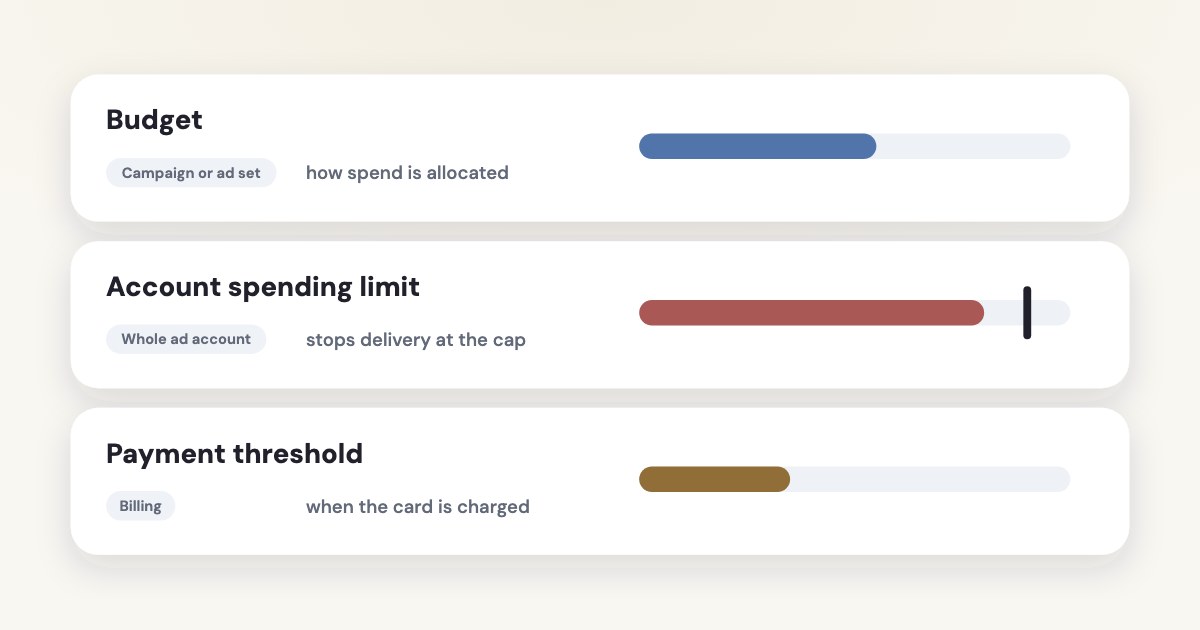
A budget tells Meta how to allocate campaign or ad set spend, an account spending limit caps spending across the account, and a payment threshold determines when automatic billing charges you. A daily budget is an average, while a lifetime budget is a total cap for its run. Reaching a payment threshold does not itself stop ads, so it cannot replace a spending limit. [1] [2] [3]
On this page10 sections
Match the control to the decision
Start with the decision you need to enforce: how much this campaign may use, how much the whole account may spend, or how large an automatic charge may become. Those are different instructions, even when the same person manages them. [1]
| Control | Purpose and delivery effect |
|---|---|
| Daily budget | Average campaign or ad set spend per day; not a hard daily ceiling. [2] |
| Lifetime budget | Total allowed across the campaign or ad set’s run. [2] |
| Campaign spending limit | Stops that campaign’s ad sets and ads when reached. [1] |
| Account spending limit | Stops account spending across campaigns when reached. [4] |
| Meta-set daily spending limit | Pauses ads at the daily account allowance, then resets the next day. [1] |
| Payment threshold | Triggers an automatic charge; ads can continue afterward. [3] |
If ads already stopped, use the failed-payment and spending-limit guide. This article’s job is to help you choose controls and approval responsibilities before a delivery incident, rather than repeat that recovery procedure.
Record the scope beside every amount in your plan. “Limit approved” is ambiguous; “account total approved” or “campaign lifetime budget approved” gives the person configuring the account a clear instruction.
Choose the campaign or ad set budget
Meta documents campaign budgets through Advantage+ campaign budget, which distributes spend across ad sets, and separate ad set budgets when you want individual allocations. Your choice should reflect whether the business is comfortable letting allocation move among those ad sets. [2]
For example, a business may need one service to receive its own allocation because another service cannot absorb more appointments. That is an editorial planning example, not a claim that separate budgets will improve performance.
A daily budget does not mean the same amount will be spent every day. Meta’s budget guidance describes daily flexibility and weekly limits, so read the applicable account notice before promising an owner a strict daily cash ceiling. [2]
Use a lifetime budget when the decision is a total amount over a defined run and that structure suits the campaign. Do not treat a payment threshold or the balance of a bank card as a substitute for writing the campaign’s intended authorization. [1] [2]
STEPS: 1. Open Ads Manager. [7] 2. Select Edit for the campaign or ad set where its budget is configured. [7] 3. Change the approved budget amount. [7] 4. Select Publish. [7]
For the setup choice between campaign and ad set allocation, use the CBO versus ABO guide. Put budget duration, start date, end date and who may approve a change in the same work record.
Set the account-level backstop
An account spending limit applies to total spending across campaigns and is unavailable for accounts set up for available funds, according to Meta’s dedicated setup page. It is a backstop for the account, not a separate budget that feeds or funds campaigns. [4]
The documented labels below are from English Meta help read November 4, 2026, as of November 2026. Setting or raising this limit authorizes additional account spending capacity, so make the approved amount concrete before saving it. [4]
STEPS: 1. Open Payment settings in Ads Manager. [4] 2. Find Account spending limit and select Options. [4] 3. Select Set limit when creating a limit. [4] 4. Enter the approved amount. [4] 5. Select Save. [4] 6. Select Done. [4]
Meta’s setup page says you need ad account admin permission and that a new limit cannot be below the amount already counted toward it. A proposal to spend an additional amount must therefore be translated into the correct cumulative limit, not pasted blindly into the total field. [4]
Record both the chosen limit and the amount already counted at approval time. The remaining room is the difference between them; it is not necessarily the same as the campaign budget entered today.
Adjust billing without mistaking it for a budget
A payment threshold belongs to automatic billing: when accrued costs reach the threshold, Meta charges the payment method. Meta says successful payments may increase the threshold over time, while its adjustment page lets you request a maximum threshold. [3] [5]
The current adjustment path is below. It concerns billing timing; changing it is not an instruction to stop advertising after the next charge. [5]
STEPS: 1. In Ads Manager, open Billing & payments. [5] 2. Select Payment settings. [5] 3. Under Current balance, select the pencil icon beside When you’ll pay. [5] 4. Enter the intended threshold amount. [5] 5. Select Save. [5]
Meta says a lower threshold takes effect immediately, while a requested higher threshold increases through successful payments and requires approval. Its guidance also says payment thresholds do not apply to available-funds accounts. [5]
Ask finance whether the concern is charge size, available card funds or total ad authorization. Only the first is primarily a threshold question; if a payment fails, use the linked payment-recovery guide instead of increasing a campaign budget.
Write a clear spending-control record
Use one record with the ad account ID, budget level, budget duration, account cap, current counter and approval owner. Keep payment timing in a separate field within that record, so a billing adjustment cannot be mistaken for a new media allowance.
Check the scope before changing anything during a delivery interruption. If only one campaign has stopped, investigate its schedule, budget and campaign-specific controls; if the whole account has stopped, check account-level limits, funds and payment status. [1]
Keep Meta’s own daily spending limit separate in the record. Meta sets it using advertising and payment history, so raising your self-imposed account limit does not establish that Meta’s daily allowance changed. [1]
Review changes against the owner’s actual business capacity, not just delivery availability. If the appointment book is full or a promotion ended, removing a cap to restart ads can solve the interface symptom while violating the business decision.
For statements and charges, use the Meta invoices and receipts guide. Report delivery spend and billing charges with their meanings intact rather than treating each charge date as the date the advertising happened.
What to do next
Write the decision you need: a campaign allocation, a total account backstop or a billing-charge preference. Check the corresponding scope and obtain a specific approved amount before editing its setting.
Record the current counter and whether your account offers automatic reset. Set a review responsibility before the next authorization period, then confirm the account still has the intended controls after any budget change.
Where Variafy fits
Variafy can connect your ad account to ChatGPT or Claude for free data reading, and ad account changes are shown as previews before confirmation. It does not replace the owner’s spending authorization or Meta’s payment settings. It is in a free beta by invitation. Join the waitlist.
How we checked
Checked on 4 November 2026 against the pages below, read in English; Meta’s pages were read in a browser. We checked the documentation only: we did not run these steps in a live ad account.
- www.facebook.com/business/help/998181913623584 — Scope of controls, delivery effects, Meta’s daily limit and conditional automatic monthly reset
- www.facebook.com/business/help/214319341922580 — Campaign/ad set budgets, daily averaging, lifetime caps and spending flexibility
- www.facebook.com/business/help/776240779095515 — Automatic payment thresholds and successful-payment progression
- www.facebook.com/business/help/203321833042958 — Account spending-limit setup labels, permission, cumulative scope and non-resetting default
- www.facebook.com/business/help/1342874532544030 — Exact threshold-editing labels, requested increases and available-funds caveat
- www.facebook.com/business/help/1892523930869907 — Separate amount-spent reset operation
- www.facebook.com/business/help/196976447912140 — Budget location and Edit/Publish procedure
What we could not confirm
- A universal monthly-reset option
- A daily budget as a strict daily cap
- A threshold that stops delivery
- Guaranteed approval of a higher threshold
- An exact bank-charge timing
- That the illustrative dollar amounts are recommended budgets
- A live billing-setting change
Variafy is our product.
Questions
What is the difference between a budget, a spending limit and a billing threshold?
A budget tells Meta how to allocate spend for a campaign or ad set. An account spending limit caps spending across the account. A payment threshold determines when automatic billing charges you.
Will ads stop when I reach my payment threshold?
Reaching a payment threshold does not itself stop ads, so it cannot replace a spending limit.
Is a daily budget a hard cap?
A daily budget is an average, while a lifetime budget is a total cap for its run.