Facebook ads payment failed or spending limit reached: how to fix it
Three money problems stop Facebook ads: a failed payment, the account spending limit you set, and the daily spending limit Meta sets. Each has its own fix, and the most common one leaves your ads looking active while nothing spends. Here is how to tell which one you hit, fix it in minutes, and see it coming next time.
On this page11 sections
Which one stopped your ads
Meta’s comparison page is short:
Only budgets, spending limits and available funds will affect or pause your ads.
Match what you see to the cause:
| What you see | Fix | |
|---|---|---|
| Failed payment | Ads paused; Billing & payments may say the account is unsettled | Pay the amount due with Pay now |
| Account spending limit | Ads look active but spend nothing; a notification about the pause | Raise, remove or reset the limit |
| Meta’s daily spending limit | Ads stop for the rest of the day | Wait for midnight, or verify your card or business |
| Prepaid balance ran out | Ads stop when available funds reach zero | Add funds, then turn on auto reload |
| Temporary hold | Ads can’t run until a hold on your card succeeds | Ask your bank to allow it |
| Payment restriction | A banner such as “Verify your payment method to run ads” | Verify the card, or add funds with a verified one |
The payment threshold isn’t on the list: Your ads continue running after you reach your payment threshold.
It only decides when Meta charges you (source).
Fix a failed payment
When a charge fails, Meta pauses the ads until you pay:
your ads are paused and your ad account is disabled until you pay the amount due
. Nothing else is charged in the
meantime (source). To get running again:
- See what failed. Payment activity in Billing & payments shows each charge and its status (source).
- Add a working payment method first. You can’t remove the failed card while money is owed — Meta allows it only when
there’s no outstanding balance on your account(s)
(source). Adding one needs admin rights on the ad account, or full control if it sits in a business portfolio (source). - Pay the balance. Billing & payments → select the ad account → Payment methods → Pay now, then pick the card. Adding money with Add funds can clear it too, though the account may take a little longer to recover.
- Wait about 5 minutes.
Your selected payment method is charged immediately. It may take up to 5 minutes for this change to be visible on your account.
Existing ads then resume (source), and Meta tries to make up the lost time against your original budgets and dates (source). - Still paused? Meta’s own next step:
you may have reached your daily spending limit, set by Meta.
Switch cards instead of retrying the same one
Meta’s advice when a payment keeps failing is to
try again later with a different card.
It also lists high rates of failed or disputed payments
among
the reasons it restricts accounts (source).
Once the balance is paid, remove the old card if you want to. And add a second one: if the default method fails,
we'll charge another payment method on your ad.
(source)
Why the payment failed
Meta lists eight reasons on its failed payment page. Most are fixed with your bank, not with Meta:
- Payment method not supported — not available in your country, or the same card is on more than 10 ad accounts.
- Card or recurring payment not active — update the payment details.
- Expiration date invalid — check it and update the payment details.
- Card couldn’t be verified — 3D Secure failed: a wrong security code or a one-time code that never arrived.
- We couldn’t charge your payment method — re-check the card details.
- Declined by your bank — under the bank’s own rules; ask the bank why.
- Connection error — try later or use another method.
- Insufficient funds — not enough money, or a limit on the card.
Before adding a card, Meta asks that it is enabled for online transactions
, has a security code, and that you can
receive one-time codes on the phone linked to it. The postal code must match your card statement exactly
(source).
What Meta doesn’t say
Some blogs, mostly by sellers of ad payment cards, claim a third failed attempt locks the account, that Meta retries charges after 24–72 hours, or that the grace period lasts 30 days. We found none of this in Meta’s documentation, so don’t plan around it.
Unsettled, grace period, restricted
Meta’s help pages mention “unsettled” only as an error in Billing & payments. The Marketing API reference is more telling:
The ad can be running or in review only if the ad account status is in 1 - active, 8 - pending settlement, 9 - in grace period.
- Unsettled (3) — a balance wasn’t paid. Ads can’t run until you pay it.
- In grace period (9) — ads can still run. Meta doesn’t publish what starts it or how long it lasts, so treat it as the last warning: check Billing & payments now.
- Disabled (2) — the account can’t advertise. If failed payments caused it, paying the balance may fix it (source).
A payment restriction is different: Meta applies it after unusual payment activity, and a banner tells you what to do. If it was a mistake, an admin requests a review in Business Support Home → Account status overview. Meta says review typically takes 48 hours, and adds:
Any ads running before the restriction will not be automatically restarted.
Account spending limit reached
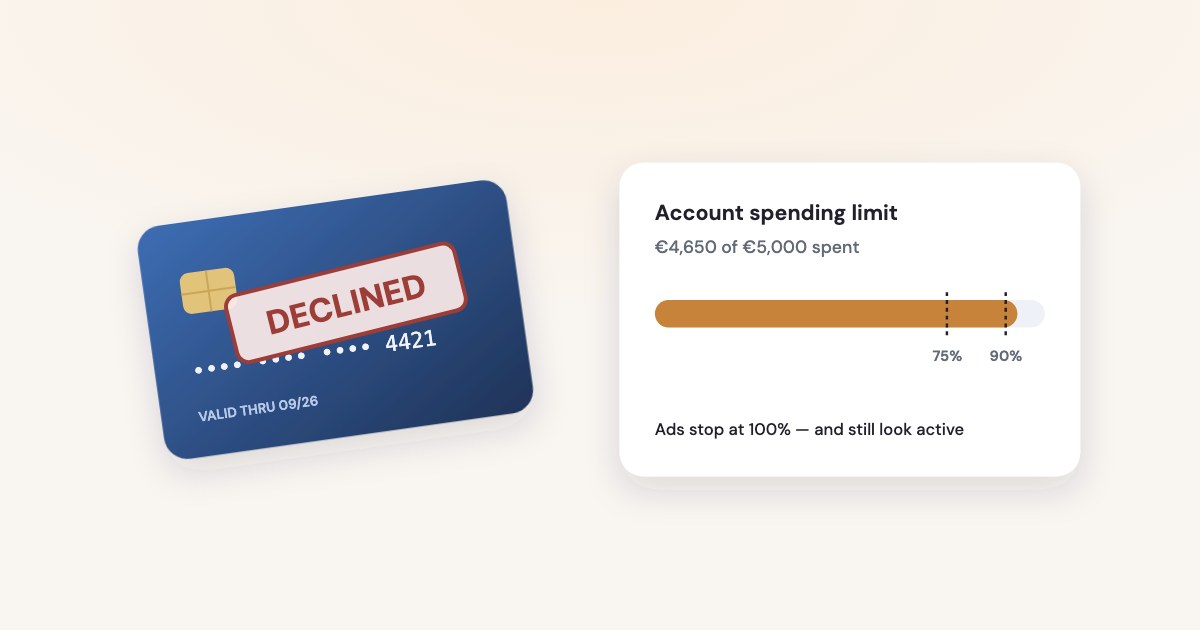
An account spending limit is a cap you set on everything the ad account spends from the moment you set it. When spending reaches it, every ad stops — quietly:
Ads look active but don’t spend
You get a notification about the pause, but
ads will still be listed as active in Meta Ads Manager
(source). If no one reads that
notification, the account looks healthy while it spends nothing.
An admin has three ways back, all in Payment settings → Account spending limit → Options:
- Change it — set a new number. It can’t be lower than what you’ve already spent (source). After too many changes, Meta asks you to wait about an hour (source).
- Reset it to $0 — keeps the same limit and starts counting again:
Resetting the amount spent to $0 lets your ads resume running while keeping your spending limit the same.
(source) - Remove it — no cap at all (source).
Each takes effect in about 15 minutes, then ads run again. Some accounts can also reset the limit automatically on the 1st of each month (source). Accounts on prepaid funds can’t set this limit at all.
Meta’s pages disagree on whether changing the limit restarts the count. If you want a clean month, reset to $0 rather than change the number. Every change is logged under Billing → Transactions → Account spending limit (source).
Meta’s daily spending limit
Meta also caps how much most ad accounts can spend per day, based on advertising and payment history. It isn’t your budget, and it isn’t a limit you set:
| Who sets it | When reached | |
|---|---|---|
| Daily spending limit | Meta | Ads pause until midnight in the ad account’s time zone |
| Account spending limit | An admin | All ads pause until it’s raised, reset or removed |
| Campaign spending limit | You, per campaign | Every ad set in the campaign stops |
| Payment threshold | Meta; you can lower it | Meta charges you; ads keep running |
You’ll find it in Payment settings, under Current balance (source). It usually grows on its own as you spend and follow the policies. To raise it sooner, Meta offers two routes when you’re eligible (source):
- Verify your payment method — through the prompt in Payment settings, or a $1.00 temporary hold with a 4-character code on your bank statement.
- Verify your business —
a decision can be made in as little as 10 minutes and as long as 14 business days.
Accounts on monthly invoicing have no daily spending limit (source); their ads may pause when they reach the credit limit instead (source).
Prepaid funds, thresholds and card holds
Prepaid (available funds). Ads run until the balance is gone:
Your active ads will continue to run based on your chosen budget until your available funds balance is depleted.
(source) Funds don’t expire. Turn on auto reload — it adds a fixed
amount whenever the balance falls below a level you choose.
Payment threshold. Meta charges your card each time spending reaches the threshold, plus on your monthly bill date — so several charges a month are normal (source). If your card caps single transactions, lower the threshold to match: lowering takes effect immediately, raising happens gradually (source).
Temporary hold. Meta may reserve money on your card before ads run. If the bank refuses the hold, ads wait:
Ads will resume as soon as Meta confirms the temporary hold with your bank.
(source)
How to know before ads stop
Every fix above works in minutes. The expensive part is the hours nobody notices. Meta’s own advice is blunt:
You should regularly check the Billing & payments section on your ad account to check for any issues like payment restrictions.
Five habits make that check rarely necessary:
- Turn on billing notifications. Ads Manager → All tools → Ad account settings → Notification settings → Billing and payments, by email or SMS (source). See our guide to alerts for the rest.
- Keep a backup card on every ad account, and check expiry dates before they bite.
- Fund the card before the monthly bill date — Meta singles it out (source).
- Watch the account spending limit. Payment settings shows a real-time estimate of the amount spent toward it (source). Meta documents a notification when the limit is reached, not a warning before it — so look when it’s three quarters used.
- On prepaid funds, set auto reload so the balance never reaches zero.
If you check accounts through the API, the fields are on the ad account: account_status, spend_cap,
amount_spent and balance (source). Amounts come in the currency’s minor
units: in most currencies 50000 means 500.00.
How Variafy warns you
Variafy reads your ad accounts and tells you before money problems stop delivery:
- Account check. Ask “Audit my ad account”: it flags the account spending limit at 75% used, as high priority from 90%, and says what to do.
- Watchdog. Every 15 minutes it checks each connected account and emails the people who can approve changes when the spending limit is reached, when the account enters its grace period while ads still run, and when it becomes unsettled or disabled.
- Questions in the chat. “How much of my spending limit is left?” or “Why did spend stop yesterday?” — answered from the account’s own data.
Variafy doesn’t touch billing: payments, cards and the account spending limit stay in Meta’s Billing & payments. Add
https://www.variafy.com/mcp to your assistant. Variafy is in private beta:
join the waitlist. If ads stopped for another reason, the
2-minute check goes through the rest.
How we checked
Checked on 15 October 2026 against Meta’s Business Help Center (failed payments, Pay now, adding, changing and removing payment methods, payment activity, temporary holds, payment restrictions and their review, account spending limits — setting, changing, resetting, removing and their history — daily spending limits and how to raise them, available funds and auto reload, payment thresholds, monthly invoicing) and Meta’s Marketing API Ad Account reference (updated 3 August 2026).
Meta doesn’t define the grace period or pending settlement statuses; we describe them only from the one API sentence quoted above. Meta’s pages disagree on whether changing an account spending limit restarts the count, so we don’t claim either way. The thresholds in the last section come from our code. Variafy is our product.
Questions
How do I fix a failed payment on Facebook ads?
Add a working payment method, then go to Billing & payments, select the ad account, open Payment methods and click Pay now. The card is charged immediately and existing ads resume within about 5 minutes. If they stay paused, you may have reached Meta’s daily spending limit.
Why are my Facebook ads active but not spending after reaching the spending limit?
When the ad account reaches its spending limit, Meta pauses spending but the ads stay listed as active in Ads Manager. An admin can raise, remove or reset the limit in Payment settings; ads start again in about 15 minutes.
How do I increase my Facebook daily spending limit?
It grows on its own as you spend and follow the policies. To raise it sooner, verify your payment method or your business when Meta offers it in Payment settings. Otherwise it resets at midnight in the ad account’s time zone.
Can I remove a declined card from my Facebook ad account?
Not while there is an outstanding balance. Add another payment method, pay the balance with Pay now, then remove the old card.
What does unsettled mean on a Facebook ad account?
A balance on the account wasn’t paid. Meta’s Marketing API counts ads as able to run only when the account is active, pending settlement or in grace period, so an unsettled account doesn’t deliver until you pay the amount due.