GA4 Direct and (not set) traffic from ads: find the cause
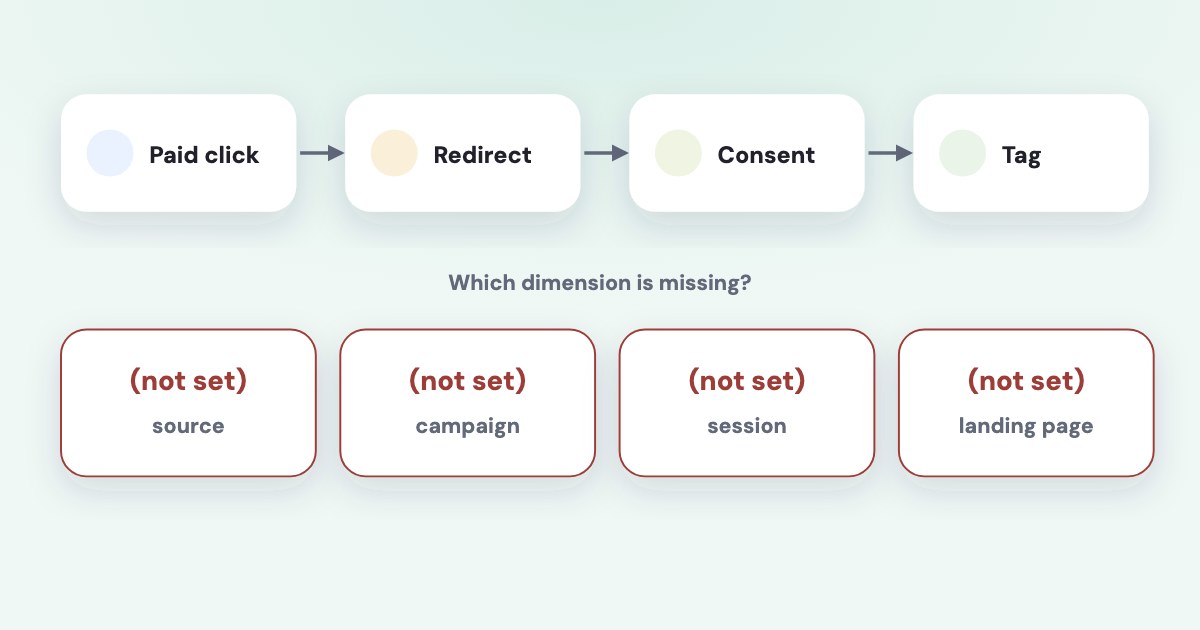
Start by identifying which GA4 dimension shows the problem: Direct means there is no clear referral source, while (not set) means information is missing for that particular dimension. Then follow one landing journey through campaign tagging, redirects, account linking, tag initialization, and consent behavior before changing your campaign labels. [1] [2] [3]
On this page10 sections
What exactly is missing in your report?
Name the dimension before naming the cause. Google’s current documentation defines (not set) as a placeholder for missing dimension information, while (direct) / (none) describes traffic without a clear referral source. [1] [2]
| What you see | First distinction to make |
|---|---|
| Direct or (direct) / (none) | Was referral or campaign information available? |
| (not set) in a Google Ads dimension | Could GA4 resolve the linked advertising detail? |
| (not set) in Session source / medium | Was the session context collected correctly? |
| (not set) in Landing page | Did the session include a page_view? |
| Unassigned | Did the source information match a channel rule? |
Unassigned is a channel-classification result, not another spelling of Direct. Google explains that traffic can be unassigned when its source does not fit channel definitions or when necessary identity or source information is missing. [4]
For session acquisition, use a session-scoped view. Google’s documented route, as of November 2026, is Reports → Acquisition → Traffic acquisition; the help page notes that customized navigation can omit the report. [9]
Record the property, date range, dimension, and affected landing page before investigating. You want to solve a specific missing field, not reduce every unfamiliar row with the same change.
Does the landing URL retain the campaign information?
Take the actual final URL used by the affected ad and inspect what reaches the landing page. Google documents redirects and URL shorteners as possible causes of lost referral or campaign information. [1]
For Google Ads, check whether the click identifier survives to the final landing page. Google’s auto-tagging guidance explicitly says redirects must pass the GCLID through for conversion tracking. [7]
For another paid platform, check whether the relevant manual campaign parameters reach the page unchanged. Keep your existing naming convention unless you find a specific defect; a new convention does not repair a redirect that removes the values.
Ask your developer to compare the initial URL, any intermediate redirects, and the URL available when measurement begins. Include any consent-related reload or page navigation that occurs before the tag receives its first usable page information.
Google documents a simple landing-page check using an added test parameter to see whether the page loads and retains it. That checks parameter handling, not whether a fabricated click identifier maps to a real Google Ads campaign. [8]
For the tagging convention itself, use the Facebook UTM parameters guide. This article focuses on tracing a missing value after the ad sends someone toward your site.
Are auto-tagging and account linking configured correctly?
For missing Google Ads dimensions, Google lists unlinked accounts and disabled auto-tagging among the causes. It also notes that an unlinked account can send a GCLID without GA4 being able to map the advertising detail. [2]
Confirm the particular Google Ads account that bought the click, not just any account belonging to your business. If several accounts advertise the same website, keep the account identifiers in your investigation note.
These button names follow Google’s official help read November 4, 2026, as of November 2026. Use the route to check the setting before deciding whether it needs changing. [7]
STEPS: 1. In Google Ads, click Admin. 2. Click Account settings. 3. Open Auto-tagging. 4. Check the state of Tag the URL that people click through from my ad. 5. If you make an intended change, click Save. [7]
Google recommends auto-tagging for detailed Google Ads reporting. Manual tags alone provide a more limited set of advertising information, so adding a campaign name does not replace the linked integration. [8]
Keep the configuration question separate from report timing and scope. A linked account can still appear confusing when you compare different dimensions, periods, or sets of campaigns.
Can UTMs conflict with auto-tagging?
Google’s current guidance says auto-tagged values normally supply source, medium, and related traffic classification when both methods are present. It separately states that if GCLID or DCLID cannot be used and any UTM is present, cross-channel traffic-source values are derived exclusively from UTMs. [3]
That fallback is why a partial manual tag can matter. Google recommends supplying all relevant fallback parameters, especially `utm_source`, `utm_medium`, `utm_campaign`, `utm_id`, and `utm_source_platform`, rather than adding an isolated value. [3]
Do not summarize this as “UTMs always override auto-tagging” or “UTMs can never affect auto-tagged traffic.” Both descriptions miss the documented conditions.
Review the full URL configuration your team uses, including any values inserted by a tracking template or the final destination. Look for conflicting ownership of the same campaign label and decide which system should maintain it.
For a paid-social link, keep source and medium meaningful to the campaign you actually ran. Avoid changing them to `google` and `cpc` merely to make the row resemble your Google Ads report.
Diagnose the fallback
Identify which campaign information was available in the affected journey before choosing a tagging fix.
Did the tag initialize with usable session information?
Google says Session source / medium can show (not set) when `session_start` is missing, and Landing page can show it when there is no `page_view`. Those are different failures from a lost campaign name. [2]
Its tagging guidance recommends initializing the Google tag before event calls and making relevant configuration available early. Incorrect ordering can disrupt session or user identity and produce reporting problems. [4]
Ask your implementer to trace the first measurement activity on the affected page. An event sent before the configuration is ready may create a different problem from a correctly initialized tag whose URL lacks campaign information.
Check the property receiving the events and the page journey under review. A healthy stream elsewhere on your website does not establish that the ad’s particular landing template has the same implementation.
If the main issue is disagreement between advertising clicks and sessions, use the Facebook link clicks versus GA4 sessions guide. Do not try to make those totals identical by relabeling traffic.
What should you check about consent?
Google documents basic consent mode, which blocks tags until consent, and advanced consent mode, which adjusts behavior with consent settings and can send measurements without cookies. Consent denial is therefore not a universal instruction to label the visit Direct. [5]
Its current traffic-source guidance also describes aggregate identifiers for some cases where GCLID cannot be used, including denied `ad_user_data` consent. That attribution requires the Google Ads account to be linked to the Analytics property. [6]
Review what happens before a choice, after acceptance, and after refusal in your own implementation. Keep the visitor’s choice intact while you investigate when the tag receives configuration and landing information.
Google’s (not set) troubleshooting page identifies mistakes in consent updates, including using `default` rather than `update` after interaction. Ask your implementer to inspect the actual command sequence instead of treating the banner’s visible appearance as sufficient evidence. [2]
Once you find the cause, make one documented correction and repeat the same diagnostic journey. Preserve the before-and-after observations without promising that every historical attribution gap can be recovered.
What to do next
Choose one affected ad, landing page, and reporting dimension, then trace the URL information and first measurement activity. Check the specific account link and auto-tagging setting before introducing a manual fallback.
If the URL survives but session context is missing, hand the tag-order and consent observations to your implementer. Use the Google Ads versus GA4 conversions guide if the remaining discrepancy concerns attribution definitions rather than missing traffic information.
Where Variafy fits
Variafy connects Google Ads and Google Analytics to an AI assistant, helping you compare the reported data after you identify the affected journey. It does not repair redirects or your consent implementation; use your website’s responsible developer for those changes. Reading data is free in the free invitation beta; sign-up is closed. Join the waitlist.
How we checked
Checked on 4 November 2026 against the pages below, read in English. We checked the documentation only: we did not run these steps in a live ad account.
- support.google.com/analytics/answer/15258820?hl=en — Direct traffic and lost referral information
- support.google.com/analytics/answer/13504892?hl=en — Dimension-specific causes of (not set), linking, missing session/page events, and consent-update mistakes
- support.google.com/analytics/answer/11242870 — Manual/auto-tagging precedence and complete UTM fallback
- support.google.com/analytics/answer/14847402?hl=en — Unassigned and tag-order/identity problems
- developers.google.com/tag-platform/security/concepts/consent-mode — Basic and advanced consent-mode behavior
- support.google.com/analytics/answer/15612152?hl=en — Aggregate identifiers and linking requirement
- support.google.com/google-ads/answer/3095550?hl=en — Auto-tagging labels, GCLID, and redirects
- support.google.com/analytics/answer/10723132?hl=en — Recommended auto-tagging, parameter-persistence check, and manual-tag limitations
- support.google.com/analytics/answer/12923437?hl=en — Traffic acquisition report, session dimensions, and current navigation
What we could not confirm
- That all Direct traffic came from ads
- That every (not set) value has the same cause
- That consent denial inevitably produces Direct
- That manual tags always override auto-tagging
- That a synthetic GCLID verifies real campaign attribution
- A guaranteed recovery of historical data. No website, property, tag container, or consent setup was tested or changed. No Data Studio/Looker Studio workflow is used in this article
Variafy is our product.
Questions
Why does GA4 show my paid traffic as Direct?
Direct means GA4 found no clear referral source. Redirects, lost campaign parameters, tag initialization problems or consent behavior can all cause it, so trace one landing journey before changing labels.
Is (not set) the same as Unassigned?
No. (not set) means information is missing for that dimension, while Unassigned is a channel classification result. Name the dimension first.
Can UTMs override Google Ads auto-tagging?
Normally auto-tagged values supply source and medium. If the click identifier cannot be used and any UTM is present, traffic-source values come from UTMs alone, so supply the full set rather than a single parameter.