How to connect LinkedIn Ads to ChatGPT or Claude (MCP)
To connect LinkedIn Ads to ChatGPT or Claude, add a third-party MCP connector that uses LinkedIn’s Marketing API, then sign in with a LinkedIn member who has a role on the ad account. LinkedIn has no official MCP server as of 23 October 2026. A Viewer role is enough to read reports, and it stays read-only whatever the tool asks for.
On this page12 sections
Is there an official LinkedIn Ads connector for ChatGPT or Claude?
No. We found no first-party MCP server or chat connector in LinkedIn’s Marketing API documentation on 23 Oct 2026. What exists are third-party connectors built on the same Marketing API, plus LinkedIn’s own AI features inside Campaign Manager.
That matters for one reason: the connector’s operator, not LinkedIn, decides what the tools can do. Some only read; others can create, pause or re-budget campaigns, sometimes after an approval step. Ask which before you connect a client’s account.
| Read-only connector | Connector that can change campaigns | |
|---|---|---|
| Good for | Reports, comparisons, “why did cost per lead rise?”. | Teams that want the assistant to pause or re-budget after confirming. |
| What to check | That it states the date range, time zone and coverage of each answer. | Whether every change is previewed, who approves it, and where it is logged. |
Which LinkedIn Ads connectors exist?
LinkedIn itself has none, so every option below is a third party on the Marketing API. The column that matters most is what the tools can change.
| Where it runs | What its own page says it can do | |
|---|---|---|
| Adspirer | Connector address with a browser sign-in | Reads and writes; cannot delete existing campaigns. |
| Coupler.io | Hosted connector | A read-only layer over LinkedIn Ads data. |
| jamiequint/linkedin-ads-mcp | Open source, runs on your computer (Node 20+), needs your own access token | 31 tools that read, create, update and delete. |
| Markifact | Managed remote MCP server | Reads and writes; holds every account change until someone approves it. |
| Opus Growth | Hosted remote MCP connector | Changes are previewed first and applied only after approval. |
| PaidSync | Hosted | Advertises full write access. |
| Porter Metrics | Hosted MCP server | Reporting; can pause or re-budget campaigns you confirm on ChatGPT Business, Enterprise or Edu. |
| Supermetrics | ChatGPT app and MCP server | Says it has write access in ChatGPT. |
| Variafy | Hosted remote MCP server | Read-only for LinkedIn Ads. |
| Windsor.ai | Through a Windsor account | Write access: pause or enable campaigns and change budgets. |
Listed alphabetically, from each project’s own page on 23 October 2026; we did not test the others, and what they can do may change. Variafy is ours.
Tools that drive a LinkedIn browser session are a different category: they are not built on the Ads API, and some say they are not affiliated with LinkedIn.
Which LinkedIn role does the connection need?
Any Campaign Manager role can read: LinkedIn’s roles table shows “View campaign performance” for Billing admin, Account manager, Campaign manager, Creative manager and Viewer. For a reporting-only connection, the Viewer role is the safest choice.
VIEWER (Read-Only, even with rw_ads scope).
In practice: if a tool’s sign-in screen asks to “manage” ad accounts, a member with the Viewer role still cannot change anything through it. For an agency, that means the client can add your person as Viewer and keep editing rights to itself.
Who signs in matters
The connector acts as the LinkedIn member who signs in. It sees the ad accounts that member has a role on, and nothing else. Use a named work account, not a shared login.
How do you add a LinkedIn Ads connector in Claude?
Use Claude’s custom connector flow with the URL your connector’s operator gives you. Anthropic’s connector guide, checked 23 Oct 2026, lists custom connectors on Free, Pro, Max, Team and Enterprise; Free allows one custom connector.
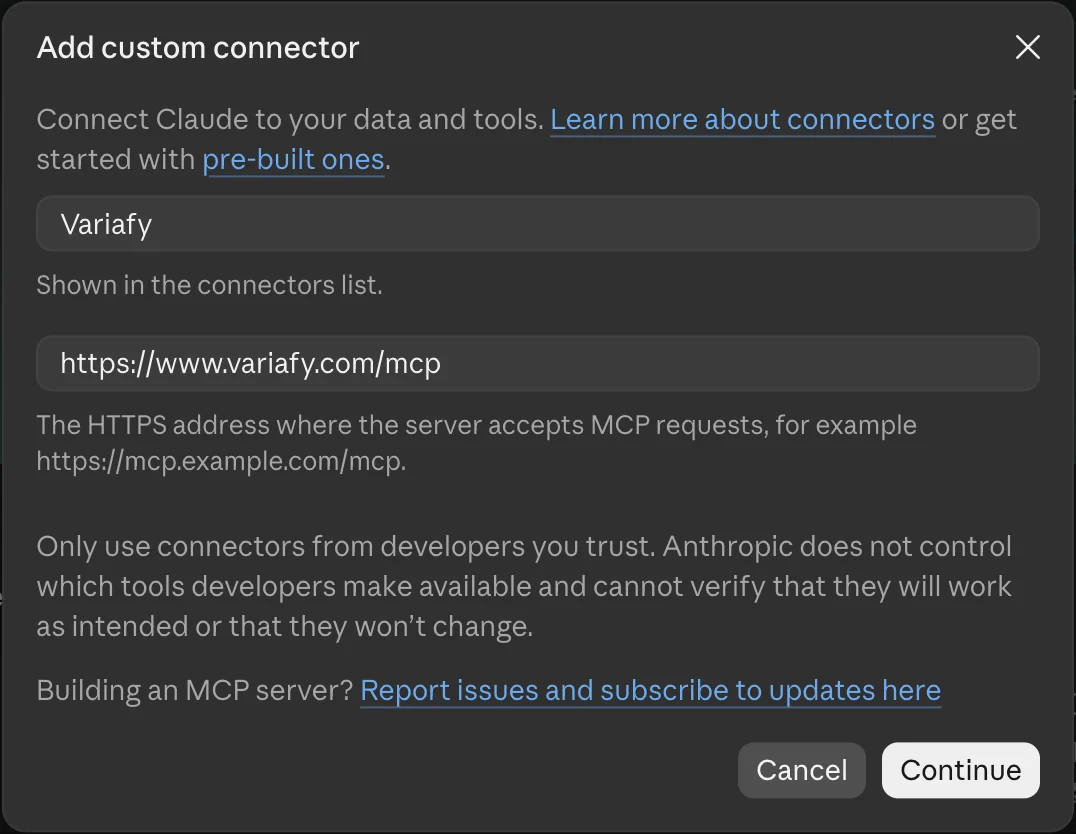
- Open Customize → Connectors. Click + Add, then Add custom connector.
- Enter a name and the remote MCP server URL, then Continue.
- Add, then Connect. Sign in to the connector, then to LinkedIn, and read the permissions before you allow them.
- Turn it on in a chat with + → Connectors and ask the first question below.
On Team plans only Owners and Primary Owners add custom connectors, in Organization settings; members then connect their own sign-in. Claude reaches the server from Anthropic’s cloud, so a server that runs only on your laptop needs Claude Desktop’s local setup instead.
Claude Code. Run claude mcp add --transport http NAME URL with the connector’s address, then /mcp to sign in.
How do you add a LinkedIn Ads connector in ChatGPT?
ChatGPT adds custom MCP servers as plugins on the web, following OpenAI’s plugin guide, checked 23 Oct 2026.
- Open ChatGPT Plugins, select the plus button, then Add custom MCP server.
- Name it and paste the server URL under Connection.
- Set up the sign-in the server requires and accept the risk warning only for a server you trust.
- Create it as a plugin, install it, then type @ in a new chat to use it.
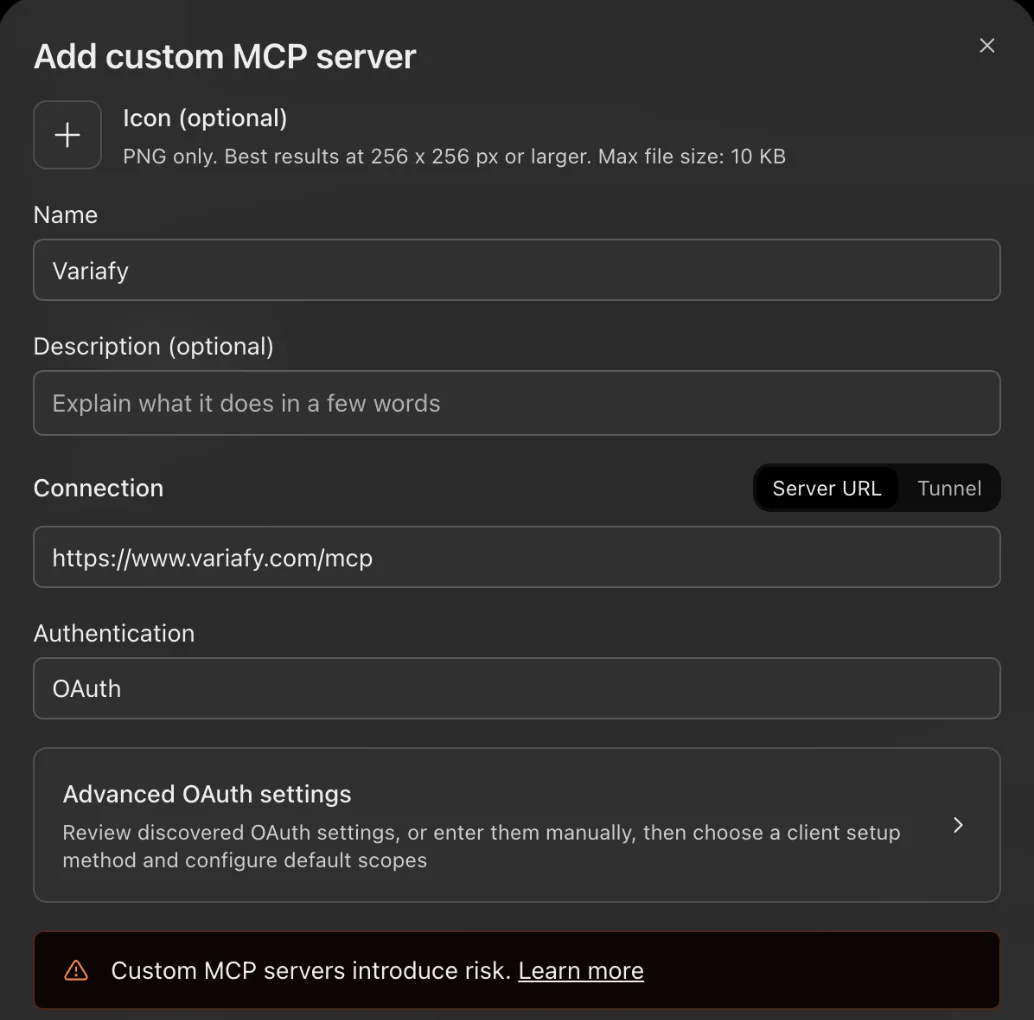
We also saw Add custom MCP server in the Add menu of a ChatGPT Plus account on 23 October 2026, although OpenAI’s help page names only Business, Enterprise, Edu and Pro.
Plan rules for custom servers change often, and some plans get only read tools. Check OpenAI’s help page on the day you connect; in Business, Enterprise and Edu workspaces an admin adds the plugin.
Why won’t the AI’s numbers match Campaign Manager exactly?
Mostly because of time zones, delays and privacy rules that LinkedIn documents for its reporting API.
Date is specified in UTC. Start and end date are inclusive.
| What LinkedIn documents | What to ask for | |
|---|---|---|
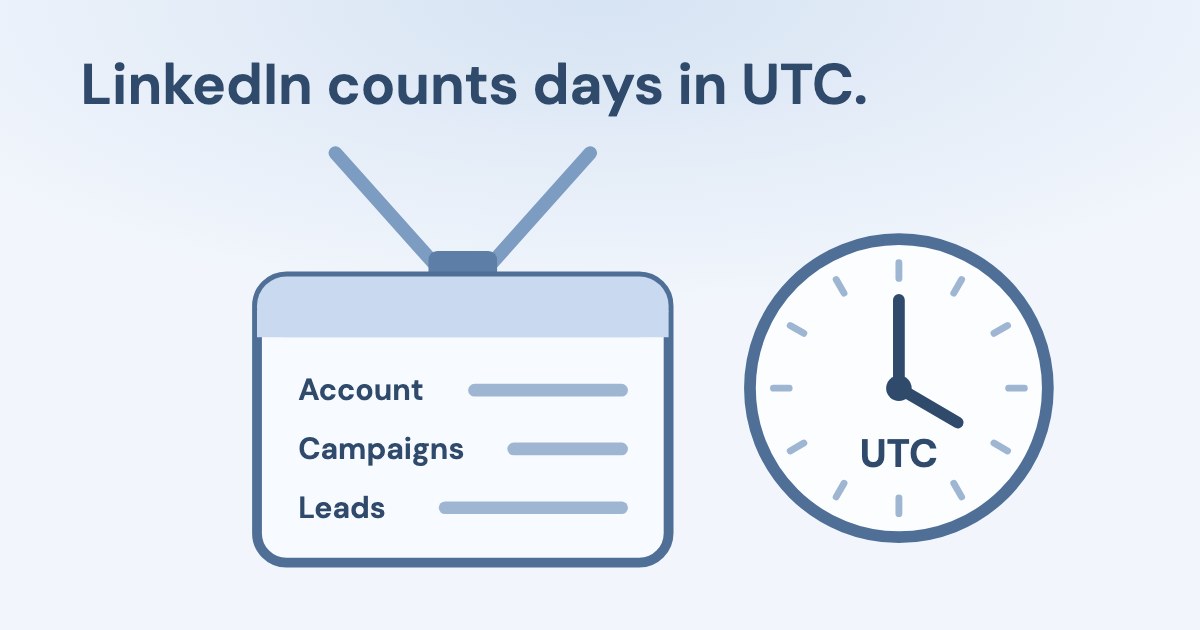
| UTC days | The reporting API returns dates in UTC, whatever your local time zone. | Compare whole UTC days, or a week, not “today”. |
| Delays | Campaign and account metrics are near real-time; demographic metrics can be delayed by 12 to 24 hours; video watch time up to 48. | Ask for demographics from the day before yesterday or older. |
| Privacy rules | Demographic values with fewer than 3 events are dropped, and demographic metrics are approximate. | Read job titles and companies as directions, not exact counts. |
| Limits | One response returns at most 15,000 elements; unique reach only for ranges of 92 days or less. | Ask the assistant to say if a breakdown was cut, and keep reach questions under 92 days. |
Conversion counts also depend on each conversion rule’s window; Campaign Manager’s default is 90-day click, 90-day view. Name the conversion you mean, and compare the same window in Campaign Manager. Reporting rules are from LinkedIn’s reporting guide.
What should the first answer prove?
The ad account, the UTC period and the coverage. A fluent paragraph without those three is not yet a report.
First prompt
“Use only the connected LinkedIn Ads tools. Name the ad account and its currency. For the last 7 full days in UTC, show spend, impressions, clicks and leads by campaign, and say whether any rows were cut. Do not change anything.”
- Account. The account name and ID are the ones you see in Campaign Manager.
- Period. Seven whole UTC days, not a window ending at this hour.
- Totals. Spend matches Campaign Manager for the same days; small gaps in demographic splits are expected.
For lead forms, also compare the lead count with your CRM: the lead quality checks we use for Meta apply to LinkedIn lead gen forms too.
How long does the LinkedIn sign-in last, and is it allowed?
Up to a year. LinkedIn’s token rules give access tokens 60 days and refresh tokens 365 days, and refreshing does not extend the year.
By default, access tokens are valid for 60 days and programmatic refresh tokens are valid for a year.
Connectors use LinkedIn’s Advertising API, part of the Marketing API, which LinkedIn approves app by app; a new app starts on a tier with read access to unlimited ad accounts and edits on up to five. Avoid tools that log in to LinkedIn as you in a browser instead of using the API: they are not the approved route.
Which LinkedIn Ads prompts should you copy?
Each one names the period in UTC and asks for coverage, so you can check the answer in Campaign Manager. Replace the parts in brackets.
For the last 14 full days in UTC, show spend, impressions, clicks, leads and cost per lead by campaign, sorted by cost per lead. Say whether any rows were cut.
Compare the last 7 full UTC days with the 7 before, by campaign. Which campaign’s cost per lead rose most, and was it more spend or fewer leads?
Which campaigns are active but spent nothing in the last 3 full days? Show their status, budget and bidding.
For campaign [name], show performance by job function for the 30 days ending two days ago, and say which values are approximate. Do not change anything.
The last prompt needs a connector that reads demographic breakdowns; LinkedIn delays and rounds them, as described above.
How does Variafy read LinkedIn Ads?
Variafy is a hosted connector: you sign in to LinkedIn from the Variafy console, choose the ad accounts, and add one connector to ChatGPT or Claude.
It reads the account summary (name, currency, status, whether it can serve ads, and on whose behalf it advertises), the campaigns with objective, status, budgets and bidding, and performance: spend, impressions, clicks, leads from lead forms and website conversions, by campaign or account, per day or in total. Every answer counts days in UTC and says so.
It is read-only: Variafy asks LinkedIn only for the read permissions (r_ads and r_ads_reporting) and does not change LinkedIn Ads. A Viewer role is enough.
LinkedIn Ads works right after your beta invitation.
Join the free beta to read LinkedIn, Meta, Google and Microsoft from one assistant.
How we checked
Checked on 23 Oct 2026 against Microsoft Learn’s LinkedIn Marketing API pages (account access controls, reporting, reporting schema, refresh tokens, access tiers) and LinkedIn Help (roles, conversion windows), OpenAI’s plugin guide and Anthropic’s custom connector guide. “No official server” is an absence finding from LinkedIn’s documentation on that date.
The screenshots of Claude and ChatGPT come from our own accounts on 23 October 2026. We had no LinkedIn ad account with spend connected while writing, so this guide has no numbers of our own. The connector table lists what each project says about itself; we did not test the others.
Questions
Does LinkedIn have an official MCP server for LinkedIn Ads?
Not as of 23 October 2026: LinkedIn’s Marketing API documentation lists no first-party MCP server or chat connector. Connectors that exist are third-party and use the Marketing API.
Which LinkedIn role do I need so an AI tool can read my reports?
Any Campaign Manager role can view campaign performance, including Viewer. LinkedIn documents Viewer as read-only even when an app requests the manage permission.
Why are the AI’s totals different from Campaign Manager?
LinkedIn’s reporting API counts dates in UTC, delays demographic metrics by 12 to 24 hours, drops demographic values under 3 events and approximates them. Compare whole days or weeks at campaign or account level.
Can I use a LinkedIn Ads connector on Claude’s free plan?
Yes, with one custom connector: Anthropic lists custom connectors on Free, Pro, Max, Team and Enterprise, and limits Free to one.
How long does the LinkedIn connection stay signed in?
Up to a year. Access tokens last 60 days and refresh tokens 365 days; refreshing does not extend the year, after which the member signs in again.
Can the AI pause or change my LinkedIn campaigns?
Only if the connector has tools for it and the signed-in member has a role that can edit. A Viewer role cannot change anything, whatever the connector asks for.