How to connect Microsoft Advertising (Bing Ads) to ChatGPT or Claude
You can connect Microsoft Advertising (formerly Bing Ads) to ChatGPT or Claude through an MCP server. Microsoft now runs its own read-only server in an open pilot; you register your own Microsoft Entra app to use it. Whichever route you take, check the reporting delay, time zone and conversion definition before you trust the first answer.
On this page13 sections
Can ChatGPT or Claude read a Microsoft Advertising account?
Yes. An MCP server sits between the assistant and Microsoft Advertising, makes the API requests and returns the data. There are two practical routes: Microsoft’s own server, or a hosted connector that someone else operates.
The Microsoft Advertising MCP (Model Context Protocol) server is expanding to open pilot with read-only access.
| Microsoft’s official server | A hosted connector | |
|---|---|---|
| Who runs it | Microsoft. The address is published in its setup guide. | The connector’s operator. You sign in to Microsoft through their app. |
| What you set up | An Entra app registration with Azure CLI (PowerShell runs its redirect commands), then the connector in your client. | Usually only the connector address and a Microsoft sign-in. |
| What it can do | Read accounts, campaigns, ad groups, ads, keywords, assets, audiences and change history. | Whatever its operator implemented. Ask whether it can change campaigns before you connect. |
Our suggestion: choose by who will maintain the connection. If nobody on your team is comfortable registering an Entra app, the official route will stall at step one.
What can Microsoft’s official MCP server do?
It reads. Microsoft’s tool reference, checked 23 Oct 2026, lists retrieval tools only.
The tools never modify account data. They only return information from Microsoft Advertising.
- Entities: accounts, campaigns, ad groups, ads, keywords, Performance Max asset groups, assets and audience associations.
- History: account change history, useful for “what changed before the drop?”.
- Performance: spend, impressions, clicks, conversions, CPA, revenue and ROAS for preset periods from today to last month. Microsoft documents no custom date range and no daily breakdown for these reads.
Most entity tools need both a customer ID and an account ID; the accounts tool can find them for you. The account number shown in the interface is not the account ID the API uses, so let the assistant look it up rather than pasting the number.
It is a pilot
Microsoft calls the server an open pilot and we found no general-availability date. Its setup guide was last updated on 20 Oct 2026; check it again before rolling the connection out to a team.
Which Microsoft Advertising connectors exist?
Microsoft’s own server comes first because it is the only one Microsoft runs. The others use Microsoft’s APIs on your behalf.
| Where it runs | What its own page says it can do | |
|---|---|---|
| Microsoft Advertising MCP server (official) | Microsoft’s servers; you register your own Entra app | Read-only, open pilot: accounts, campaigns, ads, keywords, assets and 180 days of change history. |
| Data Bloo | Hosted, listed in Claude’s directory | Seven tools, all read-only; from $24.99 a month for up to 10 accounts. |
| Insightful Pipe | Hosted remote server | 92 actions: 35 read and 57 make changes; from $29.99 a month. |
| mcp-bing-ads | Open source, runs on your computer | Read-only by default; write tools appear only when you turn them on. |
| mcp-microsoft-ads | Open source, runs on your computer (Python) | 47 tools; every tool that changes something is off by default. |
| microsoft-ads-mcp-server | Open source, runs on your computer | Reads and writes, including creating campaigns and ads. |
| Pipeboard | Hosted | Its pages describe it both as read and write and as read-focused. |
| Supermetrics | Hosted ChatGPT app | Says it has write access. |
| Variafy | Hosted remote MCP server | Read-only for Microsoft Advertising. |
| Windsor.ai | Hosted connector | Reads, pauses or enables campaigns and changes budgets; advertises a free plan. |
Listed alphabetically, from each project’s own page on 23 October 2026; we did not test the others, and what they can do may change. Variafy is ours.
What do you need before connecting?
A Microsoft Advertising user with access to the account, the account itself, and a client that allows custom connectors. Write access is not needed for reading.
Viewer This role has read-only permissions. Read operations for all services are available.
| What to check | Why it matters | |
|---|---|---|
| User role | Viewer is the lowest role and can read. Super Admin, Standard user and Advertiser Campaign Manager can read too. | Give the connection the least role that answers your questions. |
| Customer and account | Agencies often see many customers under one sign-in. | Name the exact account in the first prompt so the answer is not a different client’s data. |
| Entra app (official route) | Microsoft’s guide has you register your own app and, for Claude, its callback address. | Someone must own that app registration, its secret or redirect settings, and later changes. |
Microsoft’s guide asks you to register Claude’s callback https://claude.ai/api/mcp/auth_callback on your app and to choose your own OAuth client in Claude.
That is a one-time task for an administrator, not for every user.
How do you add it in Claude?
Use Claude’s custom connector flow with the server address of the route you chose. Anthropic’s connector guide, checked 23 Oct 2026, lists custom connectors on Free, Pro, Max, Team and Enterprise; Free allows one custom connector.
- Open Customize → Connectors. Click + Add, then Add custom connector.
- Enter a name and the server URL. For Microsoft’s server, that is
https://partner.api.bingads.microsoft.com/ext/mcp/vnext. - Choose the OAuth client. Microsoft’s route needs your own OAuth client from the Entra app; a hosted connector usually works with the default choice.
- Add, then Connect. Sign in to Microsoft and approve access.
- Turn it on in a chat. Use + → Connectors and ask the first question below.
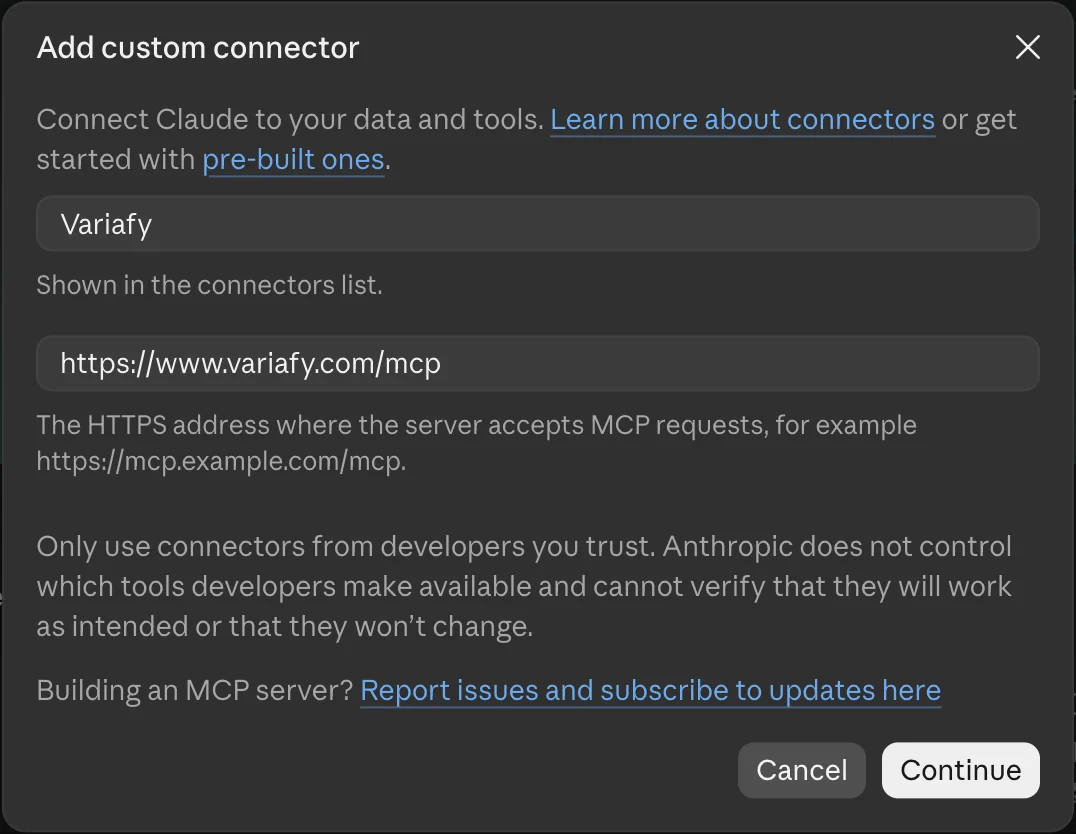
On Team and Enterprise, an Owner adds the connector for the organization and members then connect their own Microsoft sign-in. Microsoft’s guide still says “Settings > Connectors”; Anthropic’s current menu is Customize > Connectors.
Claude Code. Run claude mcp add --transport http NAME URL with the connector’s address, then /mcp to sign in.
How do you add it in ChatGPT?
ChatGPT adds custom MCP servers as plugins on the web. OpenAI’s developer guide, checked 23 Oct 2026, describes the flow.
- Open ChatGPT Plugins. Select the plus button, then Add custom MCP server.
- Name it and enter the server URL under Connection.
- Set up authentication as the server requires and read the risk warning before you accept it.
- Create it as a plugin and install it.
- In a new chat, type @, pick the plugin and ask the first question.
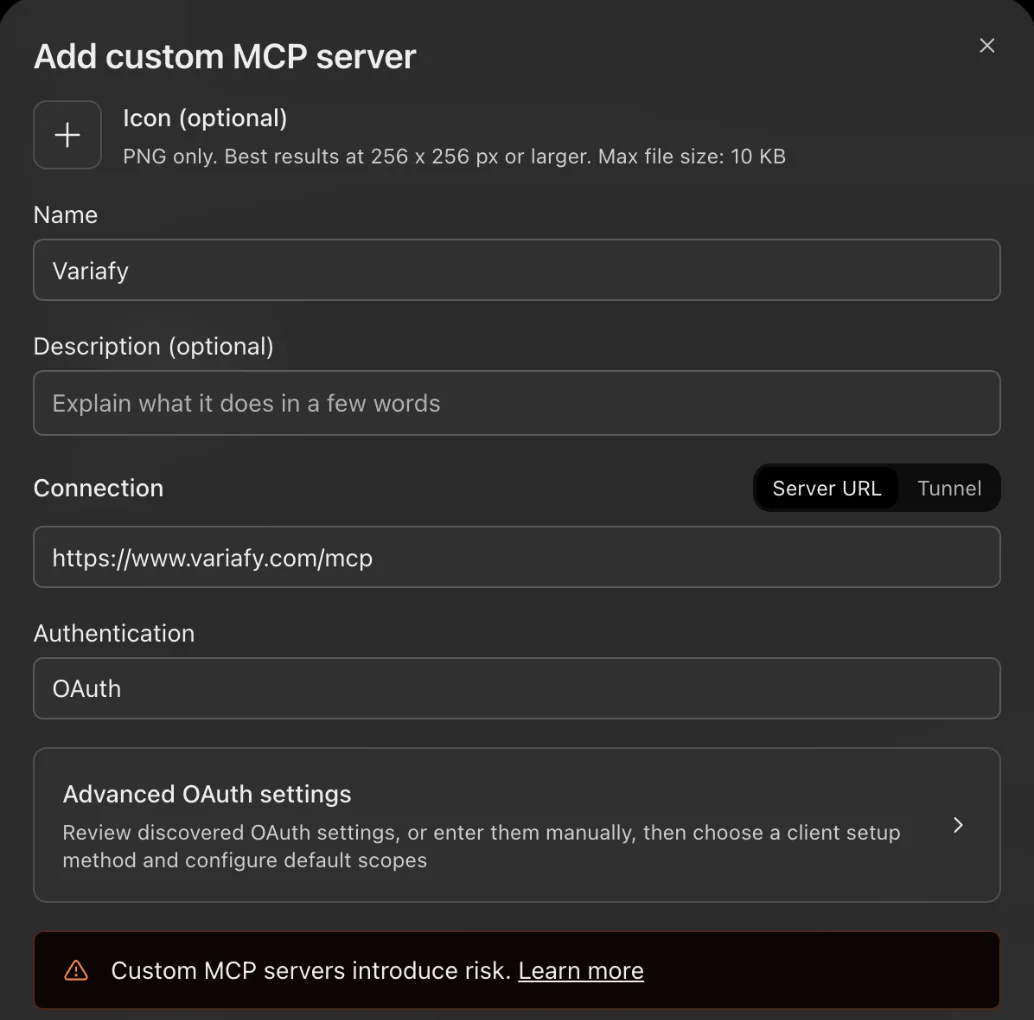
We also saw Add custom MCP server in the Add menu of a ChatGPT Plus account on 23 October 2026, although OpenAI’s help page names only Business, Enterprise, Edu and Pro.
Which ChatGPT plans can add custom servers, and with which permissions, has changed several times. Microsoft’s guide lists Plus, Pro, Business, Enterprise and Edu; check OpenAI’s help page for your plan on the day you connect. In Business, Enterprise and Edu workspaces an admin may need to allow it.
For Microsoft’s official server, its setup guide adds the OAuth fields: a user-defined OAuth client with your Entra app’s client ID and the Microsoft Advertising scope. Its menu wording still mentions Developer mode, which OpenAI no longer requires.
Why do AI answers differ from the Microsoft Advertising interface?
Usually because of time, not because of the assistant. Microsoft documents several delays and conventions that change the totals.
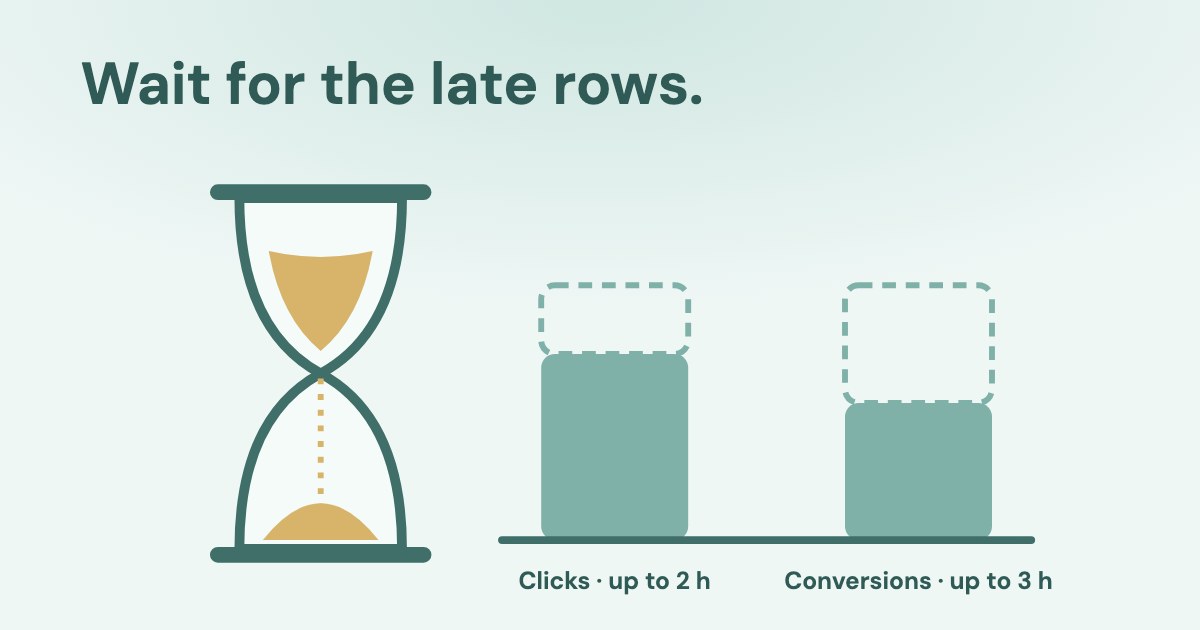
it can take up to two hours for the system to process the click (3 hours for conversions)
| What Microsoft documents | What to ask for | |
|---|---|---|
| Late data | Clicks up to 2 hours, conversions up to 3. Invalid-traffic adjustments “might take a week or more to resolve”. | Compare closed days. Treat today and the last few hours as provisional. |
| Time zone | Microsoft’s reporting service returns UTC times and defaults to Pacific Time when no time zone is set; the official server’s change history also defaults to Pacific Time. | Ask which time zone the answer used and match it to the account’s. |
| Period | The official server reads preset periods up to last month; change history goes back 180 days. Microsoft’s reporting service keeps most daily data for 36 months. | For longer history or daily rows, use a connector built on the reporting service, or the interface. |
| Conversions | Conversion goals have their own windows, count types and attribution models. The official server returns conversions, conversion rate and CPA, with no “all conversions” metric. | Name the goal you mean and compare the same column in the interface. |
Retention figures are from Microsoft’s data retention table; the server’s periods and metrics from its tool reference. When a number still differs on a closed day, compare the same account, dates, time zone and goal before suspecting the data.
Your account was imported from Google Ads: what should the AI check?
Many Microsoft Advertising accounts are copies of Google Ads campaigns. Microsoft supports one-off and scheduled imports, and its import guide warns that not everything comes across.
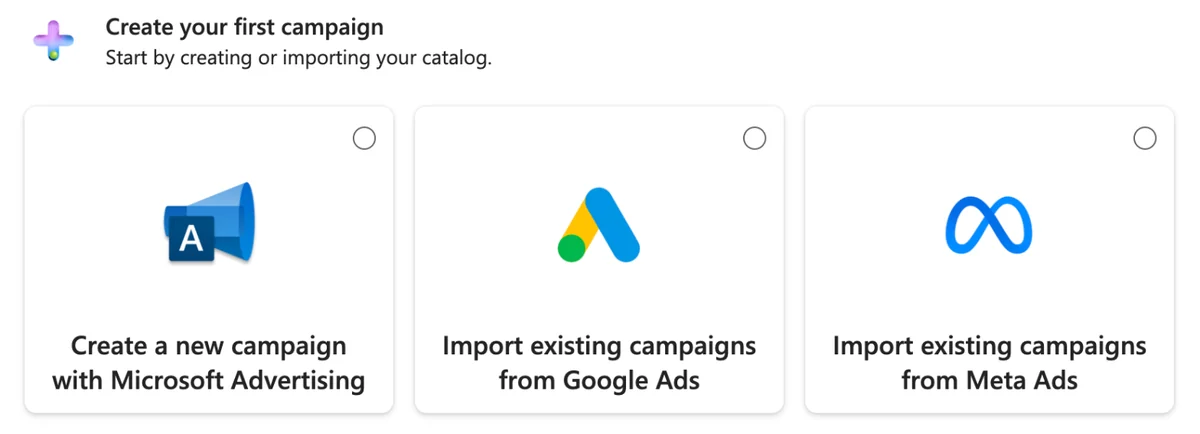
Read the change history first
A scheduled import can change budgets, bids and statuses on its own timetable. Ask the assistant for the change history of the period before it explains a drop: the “change” may be the import job, not a person or Microsoft’s bidding.
Our suggestion: in the first week, compare the imported campaign settings with the Google originals for one campaign, then decide which side you edit from. If you also run Google Ads, see connecting Google Ads and checking the first read.
What should the first answer prove?
That the assistant read the account you meant, for the dates you meant, with the conversion you meant.
First prompt
“Use only the connected Microsoft Advertising tools. Name the account, its currency and time zone. For yesterday and the 7 days before it, show spend, clicks and conversions by campaign, and say which time zone and conversion goal you used. Do not change anything.”
- Account. The name and account ID match the one you opened in the interface.
- Period. The dates are closed days in the account’s time zone, not a rolling window ending now.
- Totals. Spend matches the interface for the same days within the rounding of the currency.
If it passes, keep that prompt as the team’s acceptance check. The prompts that use your own numbers work the same way for Microsoft once the first read is trusted.
Which Microsoft Advertising prompts should you copy?
They ask for closed periods and name the time zone, so they hold up against the interface. Replace the parts in brackets.
List the Microsoft Advertising accounts you can see, with account ID, account number, currency and time zone.
For last month, show spend, clicks, conversions and CPA by campaign in account [ID], and list campaigns that spent without a conversion.
What changed in account [ID] in the last 14 days? Group the changes by who or what made them: a person, an import or Microsoft.
Compare the last 7 days with the 7 before, by campaign, and treat today as provisional. Do not change anything.
How does Variafy read Microsoft Advertising?
Variafy is a hosted connector: you sign in to Microsoft from the Variafy console, choose the accounts, and add one connector to ChatGPT or Claude. No Entra app registration is needed on your side.
It reads the account summary (name, number, currency, time zone and status), every campaign type with its status and budget, and performance by day or in total: spend, impressions, clicks, conversions and revenue. Each answer states the period in the account’s time zone and warns that the last hours are still being counted.
It is read-only: Variafy does not change Microsoft Advertising. Microsoft Advertising works right after your beta invitation.
Join the free beta if you want Microsoft, Google, Meta and LinkedIn in one assistant.
How we checked
Checked on 23 Oct 2026 against Microsoft Learn (MCP tools, MCP setup updated 20 Oct 2026, reporting, user roles, data retention, Google Ads import), the Microsoft Advertising blog of June 2026, OpenAI’s plugin guide and Anthropic’s custom connector guide. OpenAI’s plan-by-plan rules were not quoted because they change often.
The screenshots come from our own accounts on 23 October 2026; the Microsoft Advertising one from a new account. No account with spend was connected while writing, so this guide has no numbers of our own. The connector table lists what each project says about itself; we did not test the others.
Questions
Is there an official Microsoft Advertising connector for ChatGPT or Claude?
Yes. Since June 2026 Microsoft runs its own MCP server in an open pilot with read-only access, with setup steps for ChatGPT and Claude on Microsoft Learn. You register your own Microsoft Entra app to use it.
Can the AI change my Microsoft Ads campaigns?
Not through Microsoft’s official server: its tools never modify account data. Other connectors may differ, so ask the operator what the tools can do before you connect.
Which Microsoft Advertising role do I need?
Viewer is enough to read. Microsoft documents read operations for all services for the Viewer role and for every role above it.
Why is today’s data different from the interface?
Clicks can take up to two hours and conversions up to three to appear, and invalid-traffic adjustments can take a week or more. Compare closed days in the same time zone.
How far back can the assistant read?
Through Microsoft’s official server: preset periods from today to last month, and change history for the last 180 days. Microsoft’s reporting service keeps most daily performance data for 36 months, which connectors built on it can read.
Can I use it on a free Claude plan?
Custom connectors are available on Claude Free with a limit of one custom connector, according to Anthropic’s connector guide.