Facebook ads not spending: every cause and a 2-minute check
When a Facebook ad isn’t spending, Meta usually names the reason in the Delivery column of Ads Manager — hover over the status. If it doesn’t, check five things in this order: payment and limits, review, budget and schedule, bid and cost goals, audience and learning. The whole check takes about two minutes.
On this page12 sections
The 2-minute check
Work from the top down. Each step either finds the cause or rules it out.
- Read the Delivery column at every level. Open the campaign, the ad set and the ad, and hover over any warning or error status — Meta adds an explanation and the fix there.
- Check payment and limits. In Billing & payments: a failed payment, the ad account spending limit, a campaign spending limit or Meta’s daily spending limit.
- Check review. Is the ad still In review, Rejected or Preparing? A brand-new ad may simply need more time.
- Check budget and schedule. Start and end dates, delivery hours, and whether the budget is large enough for the result you optimise for.
- Check bid, audience and learning. A bid cap or cost per result goal set too low, an audience that is too narrow, or an ad set stuck in Learning limited.
We recommend checking the status of your ad at all levels if you are experiencing delivery issues.
What each Delivery status means
These are the statuses Meta lists for Ads Manager, with what to do about each:
| What it means | What to do | |
|---|---|---|
| Active | Running normally, or at least one ad inside is | If it still spends nothing, go to payment and limits |
| In review | Meta is checking the ad against its Advertising Standards | Wait; most reviews finish within 24 hours |
| Preparing | Passed review; the system is matching it to the right bid and audience | Give it up to 24 hours |
| Processing | Your edits are being applied | Usually minutes, some updates up to 8 hours |
| Rejected | The ad doesn’t comply with the Advertising Standards | Fix it or request another review |
| Learning | The ad set is still in the learning phase | Avoid significant edits for now |
| Learning limited | Not enough results to exit learning | More budget, a broader audience or a more frequent event |
| Bid limited | The bid is too low to win enough auctions | Raise or remove the bid cap |
| Scheduled | Set to start at a future date | Change the start date if that’s a mistake |
| Completed | The end date has passed | Extend the end date |
| Off, Ads off, Ad set off | Something in the chain is switched off | Turn on the campaign, ad set and ad |
| No ads | The campaign or ad set has no published ad | Publish an ad |
| Update required | Something the ad depends on broke, such as an unpublished Page | Fix it, then switch the ad set back on |
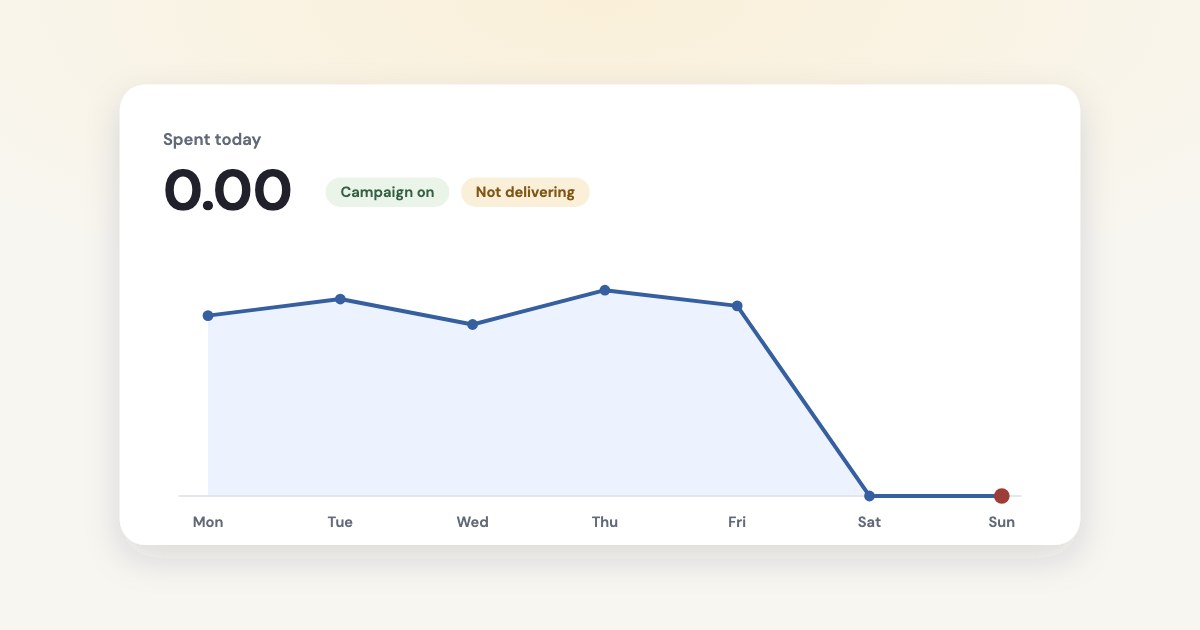
Not delivering isn’t in Meta’s current status list. Meta’s help page says it
will appear if the ad, ad set or ad campaign has been turned off or has finished its scheduled course of delivery
— and that it is different from a rejection.
Payment and spending limits
Money problems stop everything at once, so check them first. Meta’s comparison page puts it plainly: only budgets, spending limits and available funds pause ads.
Ads look active but don’t spend
When an ad account reaches its spending limit, Meta pauses
spending, but ads will still be listed as active in Meta Ads Manager
(source). You get a notification; Ads Manager itself looks normal. After you raise or reset the
limit, it updates in about 15 minutes.
- Failed payment.
your ads are paused and your ad account is disabled until you pay the amount due
(source). Billing & payments may show the account as unsettled. - Campaign spending limit. Once reached, every ad set and ad in the campaign stops (source).
- Meta’s daily spending limit. Meta sets one for most advertisers; when you reach it, ads pause and resume after midnight in the ad account’s time zone.
- Payment threshold. Not a cause:
Your ads continue running after you reach your payment threshold.
- Restricted account or Page. A restricted ad account has its ads disabled, and a restricted Page isn’t allowed to advertise (source).
Ads in review or rejected
New and edited ads go through review first.
Most ads are reviewed within 24 hours, although in some cases it may take longer.
(source)
Even after review, Meta says you may need to wait up to 24 hours to see delivery. If an ad has been published for at least 48 hours and nothing else fixes it, Meta recommends deleting and recreating it.
If the ad was rejected, fix what the rejection names or request another review; Meta aims to decide within 48 hours. Update required is different: the Page running the ad was unpublished, or a post or product it uses is gone. Fix that and switch the ad set back on yourself — it doesn’t restart on its own.
Budget, bids and schedule
An ad set can be fully approved and paid for and still not spend, because its settings leave the auction nothing to work with:
- Budget too small for the result. Meta’s rule of thumb: a daily budget at least 10 times the average cost of your optimisation event. With a cost per result goal, at least 5 times that goal (source).
- Bid cap or cost per result goal too low.
A low bid can limit or prevent delivery.
(source) To test, Meta suggests removing the cap and seeing whether delivery starts. - Campaign budget spread unevenly. With Advantage+ campaign budget, Meta may not spend the budget equally on each ad set, so one ad set can get almost nothing.
- Schedule. A start date in the future shows Scheduled; a passed end date shows Completed. Delivery hours work with a lifetime or daily budget — but very short hours leave little time to spend.
- Late or frequent changes. Raising the budget late in the day leaves only a few hours to spend it, and frequent pauses interfere with pacing (source).
Audience size and learning
An ad set leaves the learning phase after about 50 results in the week after its last significant edit. If that looks unlikely, Meta marks it Learning limited:
An ad set becomes learning limited when it is unlikely to receive about 50 optimization events in the week after your last significant edit.
Meta lists the usual reasons: small audience size, low budget, low bid or cost control, high auction overlap, an infrequent optimization event
.
It also says learning limited isn’t a penalty — the ad set still delivers, just less steadily.
Edits that restart learning include any change to targeting, creative or the optimisation event, adding a new ad, changing the bid strategy, and pausing the ad set for 7 days or longer (source). Making them every day keeps an ad set learning for good.
Spending, but less than the budget
A daily budget is an average over the week, not a fixed amount per day. Meta’s daily budget page: on some days spending can reach 175% of the daily budget, on others less, and over a week it won’t go above 7 times the daily budget.
So one slow day is normal. A week well below budget usually comes from the same causes as above in a milder form: a narrow audience, a low bid or cost goal, or a campaign budget that favours other ad sets.
When the conversion event is the problem
If you optimise for purchases or leads, delivery depends on Meta seeing those events. Meta warns you when it predicts zero conversions for an ad set, and suggests choosing an event that happens at least about 50 times a week.
A sudden drop in pixel events — broken pixel code, a site that was down, a wrong domain allow list — has the same effect. Meta’s troubleshooting page recommends checking with the Test Events tool in Events Manager.
Run the check with an AI assistant
Everything above is readable through Meta’s Marketing API, so an assistant connected to your ad account can do the check in one question: “Why is my ad set not spending?” It reads:
- the ad account’s
account_status— 1 is active, 2 disabled, 3 unsettled, 9 in a grace period after a failed payment — and itsspend_cap, where Meta’s reference saysWhen the amount is reached, all delivery stops.
(source); - each campaign’s, ad set’s and ad’s
effective_statusandissues_info, the issues that prevented delivery; - the ad set’s
learning_stage_info, where FAIL means it isn’t getting enough results to exit learning (source).
Meta’s own ads MCP server has a tool for exactly this — ads_get_errors, which
Return delivery-blocking errors for campaigns, ad sets, ads, or an ad account.
(source)
Setup is in our guides for ChatGPT and
Claude.
How Variafy catches it before you look
The checks above work when you already suspect a problem. Variafy runs them on its own: every 15 minutes its watchdog looks at each connected ad account and emails you when:
- nothing was spent yesterday and nothing is running today, though campaigns are active;
- a campaign is active with a daily budget but spent nothing yesterday while the rest of the account did;
- the ad account reached its spending limit, a payment failed, or the account is disabled or unsettled;
- ads were rejected, or an ad set can’t deliver at all;
- conversion tracking stopped sending events.
Ask in plain words
In the chat, “Are any of my ads rejected or limited?” lists rejected and limited ads in running campaigns across all connected ad accounts, with Meta’s reasons and the ad sets stuck in Learning limited.
Add https://www.variafy.com/mcp to your assistant to try it. Variafy is in private beta:
join the waitlist.
How we checked
Checked on 15 October 2026 against Meta’s Business Help Center (delivery statuses, delivery troubleshooting, spending limits, payments, review, budgets, bidding, learning, scheduling, pixel troubleshooting), the Marketing API reference for ad accounts, campaigns, ad sets and ads, and the tool list of Meta’s ads MCP server.
Meta doesn’t date its help pages, so the wording is as it read on that day. Variafy is our product.
Questions
Why are my Facebook ads not spending?
Most often: a failed payment or a spending limit, an ad still in review or rejected, a schedule or budget that leaves nothing to spend, a bid or cost goal set too low, or an audience too narrow to exit learning. Hover over the status in the Delivery column — Meta names the reason there.
What does Not delivering mean on Facebook ads?
Meta says Not delivering appears when the ad, ad set or campaign has been turned off or has finished its scheduled run. It is different from a rejection: check that every level is switched on and that the end date hasn’t passed.
Why is my Facebook ad active but not spending?
The most overlooked cause is the ad account spending limit: when it is reached, Meta pauses spending but the ads still show as active in Ads Manager. Also check for a failed payment, Meta’s daily spending limit, and whether a new ad simply needs up to 24 hours to start.
How long does it take for a new Facebook ad to start spending?
Most ads are reviewed within 24 hours, and Meta says you may need to wait up to 24 hours more to see delivery. If an ad has been published for 48 hours and nothing else fixes it, Meta recommends deleting and recreating it.
Why is my ad set not spending its full daily budget?
A daily budget is an average over the week: Meta can spend up to 175% of it on some days and less on others, never more than 7 times it in a week. A week well below budget usually means a narrow audience, a low bid or cost goal, or a campaign budget favouring other ad sets.