Meta business verification: what it is and how to finish it
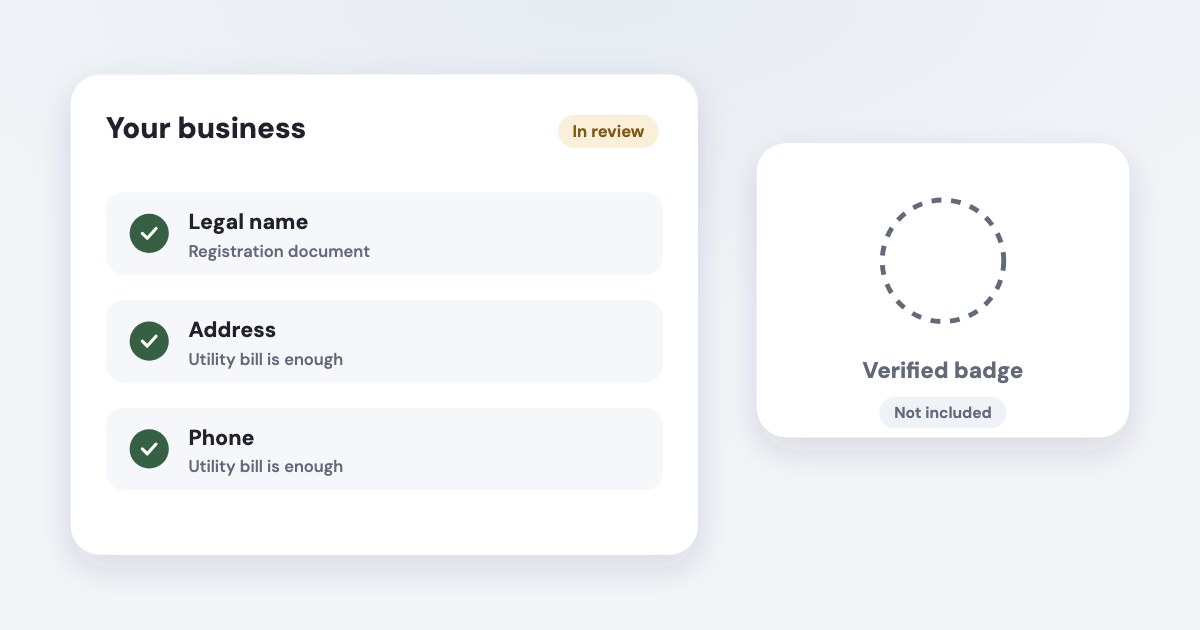
Meta business verification checks that your business portfolio represents a legitimate registered business and that you are authorized to represent it. If Meta asks you to verify, use Security Center in Meta Business Suite, enter details that match your legal records and complete the offered confirmation method. It does not give you a verified badge or guarantee that an advertising restriction will be removed. [1] [2] [6]
On this page10 sections
Check whether you actually need verification
Start with the product or notice asking for verification. Meta lists examples across advertising, developer, billing and spending features, including Advanced Access for developer permissions and some WhatsApp Business Platform features; it does not say every advertiser must verify before running any ad. [1]
For a small service business, the useful question is “Which feature is waiting for this?” Record that answer before gathering documents, so a missing button does not turn into an afternoon of changing settings that were already correct.
Meta also says some advertisers may increase a Meta-set daily spending limit more quickly through verification. That is a conditional option, not a promise of a specific limit or a reason to confuse verification with the account spending limit you set yourself. [1]
If you see Ineligible for verification in Security Center, Meta says you do not need to complete verification there. A different product may send its own instructions by email or notification, so follow the relevant product’s request rather than manufacturing a new developer app to force a button to appear. [2]
Use the business portfolio setup guide if you are unsure which business owns the assets. Verification should describe the business you are authorized to represent, not whichever agency portfolio happens to be easiest to open.
Prepare a consistent business record
Put your registered name, mailing address, business phone number and website beside the records you intend to submit. Meta’s verification procedure says entered details must exactly match the legal entity and that the business website must load over HTTPS. [2]
Make one comparison sheet before starting: the legal record, the portfolio entry and the public contact details. A trade name may be familiar to customers, but you should not assume it is interchangeable with the legal name in a verification field.
Assign someone who can receive the offered business confirmation message. Meta lists email, phone, text message, WhatsApp message and domain verification as possible methods, and says email confirmation may also require proof of website domain ownership. [2] [3]
Check the site as a visitor before submitting. Open the exact URL, confirm it loads securely and follow its important links; Meta’s rejection guidance specifically includes a site that fails to load, lacks HTTPS or contains a link leading to an error. [4]
November 2026 labels
This article uses the English documentation read November 4, 2026. The verification procedure says “full control,” while Meta’s permissions overview calls the highest access “full access,” formerly “full control”; check the required portfolio permission, not just the wording. [2] [5]
Choose documents for what they prove
Meta says documents should validate the legal business name and the official mailing address or phone number. Read that as an evidence requirement: a document useful for one field is not necessarily accepted for another. [3]
| Document | What Meta documents |
|---|---|
| Certificate or articles of incorporation | A supported primary document type. [3] |
| Business registration or license | A supported primary document type. [3] |
| Government-issued business tax document | Supported; self-filed tax documents are not accepted. [3] |
| Business bank statement | A supported primary document type. [3] |
| Utility bill | Address or phone only, with the legal business name present; not legal-name proof. [3] |
Use unexpired documents issued by the relevant authorities, and cover unnecessary personal information such as a personal identification number. Meta lists supported document languages and asks for an English translation with an official translating-agency stamp when the original language is unsupported. [3]
Do not upload a larger pile of records just because the first attempt failed. Connect each requested field to clear evidence, then use the rejection message to identify what is missing or inconsistent.
Keep business-verification evidence separate from ownership-dispute evidence. A business license can establish a legal entity without, by itself, settling who should control an existing portfolio; access recovery has a different process in the agency access guide and Meta’s ownership guidance. [7]
Complete the documented submission flow
Use a desktop browser and the intended portfolio. The following labels come from Meta’s verification instructions as of November 2026; this is a documentation-based procedure, not a claim that we submitted a verification in your account. [2]
STEPS: 1. Go to Security Center in Meta Business Suite. [2] 2. Select Start verification if it is offered. [2] 3. Enter the legal business name, address, phone number and website. [2] 4. Confirm the matching business record if Meta finds the correct one. [2] 5. Select My business isn’t listed or None of these match if no record matches. [2] 6. Upload the official documents requested by the flow. [2] [3] 7. Choose one of the offered methods to confirm your connection to the business. [2] 8. Complete that confirmation and select Done. [2]
If you cannot access Security Center, check portfolio control before troubleshooting documents. An employee or agency with permission to create ads may still lack the portfolio permission needed to start verification. [2] [5]
There is a separate documented route for businesses paying through monthly invoicing: Meta says they can submit credit-line information without uploading verification documents. That option depends on a credit line the portfolio owns, rather than one shared by another business; do not expect every account to show it. [2]
Fix a rejected or stalled submission
Read the status where you started the process. Meta says a decision may take up to 14 business days and that it sends a notification when review finishes; that is the published review allowance, not a guaranteed completion appointment. [2]
If rejected, compare the message with the evidence you submitted. Meta’s reasons include false or misleading information, lack of authority over the claimed business, attempts to circumvent review and website problems. [4]
For a mismatch, we suggest you correct the source of the inconsistency before trying again. If the legal registration is current but the portfolio uses an old address, explain the business change and follow the requested correction route instead of editing a document to fit a field.
Meta says you may be eligible to appeal, with status information in Security Center or the platform where the process began. It does not promise an appeal button for every rejected submission, so use the option shown for your case. [4]
Business-detail changes
Meta’s verification page says editing business details requires completing verification again. Coordinate changes to verified business information with the person responsible for the affected product. [2]
Understand what verification does not unlock
Verification is separate from Meta Verified for businesses and does not award a verified badge. Do not treat a subscription checkout, a personal identity check or an advertising-policy appeal as interchangeable with this legal-business verification. [1] [2]
No checked official source guarantees that verification restores a restricted personal account, approves a rejected ad or produces a fixed spending allowance. If the actual problem is a restriction, follow the restricted account guide and the actions Meta provides for the affected asset. [6]
Keep the original business objective visible after approval. Return to the developer permission, billing option or other feature that requested verification, and check its remaining requirements instead of assuming the verification status completes the entire setup.
Save the submission date, the portfolio ID and the person responsible for receiving notices. That small record is useful when a future colleague asks whether the business was verified, which legal entity was used and what still needs attention.
What to do next
Identify the exact feature asking for verification and confirm that you control the right portfolio. Then compare its legal details with your evidence and complete the documented flow without changing unrelated assets.
If your application was rejected, fix the stated discrepancy or website problem before using an offered appeal. Keep the submission record with the business’s access and ownership records so the next check starts from evidence.
Where Variafy fits
Variafy cannot submit or approve Meta business verification; complete that process in Meta first. Afterward, it can connect your ad accounts to an AI assistant for free data reading, with ad account changes previewed and made only after confirmation. It is in a free beta by invitation. Join the waitlist.
How we checked
Checked on 4 November 2026 against the pages below, read in English; Meta’s pages were read in a browser. We checked the documentation only: we did not run these steps in a live ad account.
- www.facebook.com/business/help/1095661473946872 — Purpose, eligibility, products that may require verification and distinction from Meta Verified
- www.facebook.com/business/help/2058515294227817 — Exact submission labels, control requirement, confirmation methods, review allowance, monthly invoicing and editing caveat
- www.facebook.com/business/help/159334372093366 — Accepted documents, utility-bill restriction, languages, translations and redaction
- www.facebook.com/business/help/2342133782492969 — Rejection reasons and conditional appeal
- www.facebook.com/business/help/442345745885606 — Full access terminology and distinction between portfolio and asset permissions
- www.facebook.com/business/help/530209463124901 — Separate review process for advertising restrictions
- www.facebook.com/business/help/474856681929983 — Separate ownership and full-control recovery requirements
What we could not confirm
- A universal requirement for every advertiser
- A badge
- Guaranteed approval
- Guaranteed restriction removal
- A fixed spending-limit increase
- Country-specific document acceptance beyond Meta’s published list
- A live verification submission. The checked pages do not establish which rejection reason is statistically most common
Variafy is our product.
Questions
Do I need to verify my business with Meta?
Not every business needs it, and not every business has the option to start it. If Meta asks you to verify, or you see the option in Security Center in Meta Business Suite, you need portfolio control and an eligible business to begin.
What does Meta business verification prove?
It checks that your business portfolio represents a legitimate registered business and that you are authorized to represent it. It does not give you a verified badge, and it does not guarantee that an advertising restriction will be removed.
Can I use a utility bill to verify my business?
A utility bill can support the address or phone number, but it cannot prove the legal business name. Meta’s documentation lists which documents prove which detail.