Meta business portfolio setup: what can’t you undo?
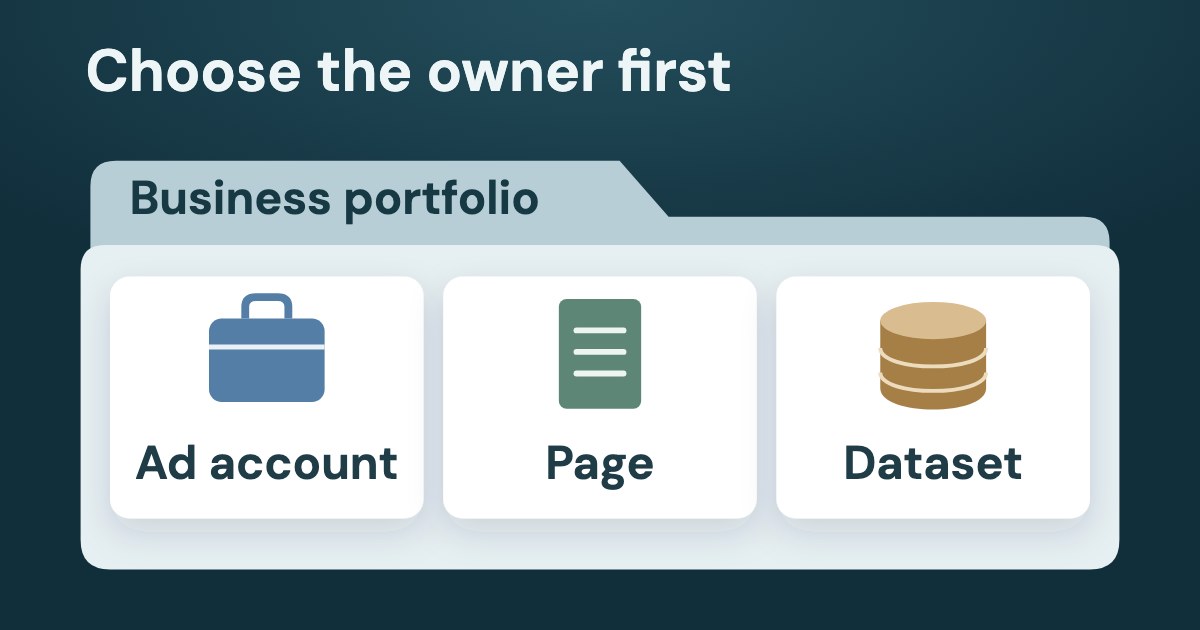
A Meta business portfolio groups business assets such as an ad account, Facebook Page and Meta Pixel through a dataset. Create a new ad account in the intended business’s portfolio: Meta says it stays there permanently, while a dataset cannot be deleted or transferred to another portfolio. For an account another portfolio owns, request shared access instead of planning a transfer.
On this page9 sections
What does a Meta business portfolio own?
A business portfolio groups assets; it is not interchangeable with one ad account, Page or dataset. Meta’s creation guidance, checked 19 Oct 2026, lists Facebook Pages, Instagram accounts, ad accounts, apps and Meta Pixels as business assets.
Business assets can only belong to 1 business portfolio.
Use this map to distinguish the owning portfolio from another business’s access. The change rules have different scopes:
| Ownership or control to record | Can you undo it? | |
|---|---|---|
| Ad account | Record the intended owning portfolio, rather than treating shared access as ownership. | A new account created in a portfolio stays there permanently. Claiming an existing account may permanently move it into that portfolio; closing does not delete it or remove it from the limit (Meta). |
| Meta Pixel / dataset | Record the portfolio containing the dataset; the Pixel enters the portfolio through its dataset. | You cannot delete the dataset or transfer it to another portfolio (Meta). |
| Facebook Page | Adding a Page makes your business its owner (Meta); record ownership separately from shared access. | Meta says you can remove a Page from the portfolio at any time (source). Its deletion guidance also describes moving Pages to another portfolio or back to the Page owner’s personal profile. This is a Page rule, not a transfer rule for ad accounts or datasets. |
| Business portfolio itself | Record which business it is for and who has full control; full control is required to delete it. | Deletion cannot be reversed. Meta gives a 24-hour pending period, after which the deleted business cannot be reopened (Meta). |
Choose the business before the asset
Our suggestion: agree which business should own each asset before creating or claiming anything. For the steps to give a contractor access, use the agency-access guide; access sharing is a separate task from choosing the owner.
The statement “an ad account cannot move” needs context. Meta offers a claim route for an existing account to enter a portfolio; that does not establish a route for taking an account out of another portfolio.
How do you create a Meta business portfolio and check the setup?
Follow Meta’s portfolio-creation instructions with the intended business details, then verify where the assets belong before creating duplicates. As of 19 Oct 2026, Meta gives this creation path:
- Go to business.facebook.com and log in using your Facebook profile or managed Meta account.
- Open the dropdown menu below Home in the top left, then choose Create a business portfolio.
- Enter a portfolio name, then choose Create or Create portfolio.
The requirements listed on that page are:
- Name the business: use its public business name without special characters.
- For a Facebook-profile sign-in: provide your first name, last name and work email, then confirm the email Meta sends.
- For a managed Meta account: the creation guidance requires organization management permissions in Organization Manager.
- Check availability: Meta says a new portfolio or account may not have every advertising feature available; check Business Support Home.
Meta says a person can create up to 2 business portfolios, with no limit on how many portfolios they can belong to. That is a personal creation limit, not an instruction to create another portfolio to evade a restriction.
Where does the Pixel’s dataset fit?
Meta’s dataset instructions give the path Settings → Data Sources → Datasets & pixels → +Add and a limit of 100 datasets per portfolio. Our suggestion is to check the intended portfolio and whether the business already has the required dataset before using that path.
Remember that you can’t delete a dataset or transfer it to another business portfolio.
This setup check concerns ownership and creation, not installation or event testing. For a dataset that already exists but is not reporting, use the Pixel troubleshooting guide.
Should you create, claim or request an ad account?
Create for a genuinely new account, claim an eligible existing account into the intended portfolio, or request access when another portfolio should remain the owner. Meta’s adding instructions, checked 19 Oct 2026, distinguish these three options:
| When to choose it | Consequence to accept | |
|---|---|---|
| Create a new ad account | The business needs a new account in this portfolio. | It permanently becomes part of that portfolio and cannot be deleted or transferred from it. |
| Claim an existing ad account | An existing account is eligible to enter this portfolio; confirm ownership and the conditions before claiming. | Meta says it may permanently move into the portfolio, with no deletion or transfer to another portfolio. |
| Request to share an ad account | The account belongs in another portfolio, such as a client’s. | It remains in that portfolio; access is shared after the required approval. |
All three start at Settings → Accounts → Ad accounts → + Add. The choices and checks Meta lists are:
- Create: choose Create a new ad account; enter the name, time zone and currency, then Next. Choose My business or Another business or client as appropriate, agree to Meta’s Terms of Service and Advertising Standards on behalf of the portfolio, then Create ad account.
- Claim: choose Add an ad account, enter its ID, confirm the claim and agree to Meta’s Terms of Service and Advertising Standards on behalf of the portfolio, then Claim ad account. If another person owns it, that person must approve before you can access or use it; if you own it, Meta says no approval is required.
- Request: choose Request access to an ad account in another business portfolio, enter its ID, choose partial access/tasks or full control, then Confirm. Approval must come from the account owner or someone with full control of its owning portfolio.
Meta lists these claim blockers: no full control of the destination portfolio, an account already in another portfolio, reaching the account limit, or a prepaid account with a remaining balance. For an account already in another portfolio, request access instead. Our reading: a claim is not a way to recover someone else’s assets or bypass restrictions.
How many ad accounts can you create or manage?
Do not confuse management limits with creation limits. Meta’s limits page gives 25 ad accounts per person and 25 people per ad account, while the creation guidance describes different conditions:
| What the page says | How to use the statement | |
|---|---|---|
| Ad account limits | Businesses begin with a creation limit of one until a confirmed payment (source). | This page does not supply the same next-limit wording as the adding page. |
| Add an ad account · Create | New portfolios can create one; this goes up to 3 when a campaign delivers and a payment is made (source). | Keep both campaign delivery and payment conditions; do not promise three accounts at signup. |
| Add an ad account · Claim | The account limit shown as Ad account creation limit increases based on advertising spend (source; limit screen). | This is not one universal creation allowance or a guaranteed increase on request. |
To see the actual creation limit on desktop in Meta Business Suite, use Settings → Business info → Ad account creation limit with full control of the portfolio (Meta’s instructions); if Business info is missing, Meta says you may not have full control.
The pages differ in their conditions and detail; this guide does not collapse them into one universal creation limit. Closing an account does not free a slot: Meta says a closed account remains in the portfolio and still counts toward the limit.
Can you close an ad account or delete the portfolio?
Closing an ad account and permanently deleting a portfolio are different actions. Meta says closing does not delete the account or remove it from the account limit; its deletion troubleshooting page offers ad account deactivation as an alternative to permanent portfolio deletion.
Once a business portfolio is deleted, this action can't be reversed.
As of 19 Oct 2026, Meta’s deletion instructions require full control and use Settings → Business info → Permanently delete business, followed by the on-screen instructions. The business remains pending deletion for 24 hours; after that, a deleted business cannot be reopened.
Meta lists event source groups, the asset library, projects and content created or used in the portfolio among what is removed. It also removes access to other businesses’ assets and permissions granted to other businesses.
For Pages, Meta describes moving them to a different portfolio or back to the Page owner’s personal profile. It separately says all people in the portfolio retain their assigned access level to each Page and ad account, and should use their personal Facebook profile to keep working on them.
Do not infer an ad account transfer from portfolio deletion
Meta’s cited deletion instructions do not explain what happens to the ad accounts themselves. Our reading: deleting the portfolio is not a documented method for removing or transferring those accounts, and the Page rule does not answer that question.
Why can’t you delete a business portfolio?
Check the relevant blockers in Meta’s troubleshooting guidance before proceeding:
| What Meta identifies | What to check | |
|---|---|---|
| Ad account balances and standards | Outstanding balances; all ad accounts must also follow Advertising Standards. | Resolve the balance or compliance issue identified for the account; do not assume deletion bypasses it. If you have balances to pay, Meta says it can take up to 2 weeks to process. |
| Payment methods and apps | Connected payment methods or apps. | Remove all payment methods added to the business, and remove all apps added to the portfolio. |
| Pages and people | Each Page needs at least one person with full control; otherwise everyone loses access to that Page. | Verify the full-control person for every Page before deletion. |
| System users | A portfolio with system users cannot be deleted. | Check whether system users are present; their presence blocks deletion. |
| Instagram professional account | Meta says you must have at least one portfolio if you have an Instagram professional account. | Check that requirement before attempting to delete the portfolio. |
| A connected WhatsApp Business account with at least one linked phone number must be removed first, along with all partners who have access to it. | Meta says deletion does not delete connected WhatsApp business profiles, but requires removing them from the portfolio first (deletion page). | |
| Customized lead access | The troubleshooting page names Restore default access. | Its path is Integrations → Leads access; check whether customized lead access is the blocker. |
| U.S. social issues, elections or politics ads | A disclaimer created through the portfolio prevents deletion; removing it from all Pages still does not make the portfolio deletable. | Treat this as the specific U.S. disclaimer case, not a rule for every advertiser or country. |
Our suggestion: resolve the named blocker and record the asset/access outcome before taking the irreversible step. For an advertising restriction, use the restricted-account guide rather than treating portfolio deletion or a fresh portfolio as a fix.
Which identity and access level are you using?
Accept a portfolio invitation using the intended identity and check the portfolio-level access, not just access to one asset. Meta’s invitation guidance, checked 19 Oct 2026, allows a Facebook account, Instagram account or managed Meta account and requires identity verification by logging into Meta Business Suite.
If you enter one portfolio with Facebook and another with Instagram or a managed Meta account, Meta says a different user profile is created for each identity. The profile switcher is at the top right of the Business Suite home page. Our suggestion: record the sign-in identity alongside the portfolio to avoid mistaking a different profile for lost ownership.
Meta distinguishes full and partial access at portfolio and asset level, and the adding instructions state:
Permissions assigned at the portfolio level override asset-level permissions.
Our setup check is therefore to record the level at both places; an asset-only view is incomplete. Use the agency-access workflow for detailed partner assignment, task selection, leads and offboarding.
What can Variafy check after setup?
Variafy can read the ad accounts accessible to the connection and their reported status. The implementation checked on 19 Oct 2026 discovers accounts through owned and shared-client paths when available; access to an account is not a certificate of ownership of the business’s Page or dataset.
Use that list to compare the returned account IDs and names with your setup record, and mark anything absent as needing investigation rather than proof of deletion. This reading check does not create a portfolio or assets, transfer ownership or change permissions.
A prompt for a read-only setup check
“List the Meta ad accounts this connection can access, with their IDs, names and reported statuses. Compare them with my setup record. State what is missing or cannot be established from the returned data. Do not change anything.”
Account changes require human approval. Variafy is in the free beta: join the free beta.
What should your finished setup record contain?
Keep a short asset record that distinguishes ownership, access and a proposed action before someone creates or claims anything. This is our suggested handover note, not an additional Meta form or a claimed ownership-report feature.
| Write down | Completion check | |
|---|---|---|
| Business and identity | Intended business, portfolio name, person with full control and sign-in identity. | The business can enter the intended portfolio with the intended identity. |
| Asset map | Ad account, Page and dataset identifiers/names; owning portfolio versus access shared with another business. | Each proposed create/claim/request decision has a stated reason and intended owner. |
| Irreversible choices | Which ad account will become permanent; which dataset cannot move; whether deletion is actually intended. | The person approving the step understands its asset-specific consequence. |
| Unresolved evidence | A missing ownership detail, creation-limit message or deletion blocker; person responsible for checking it. | No missing fact is silently replaced by a new asset, transfer promise or deletion assumption. |
Keep an identifier with each asset so the next person checks the same object rather than relying on a similar name. For a wider handover after setup, use the Facebook Ads audit checklist.
How we checked
Checked on 19 Oct 2026 against the Meta Business Help Center pages linked in each section: portfolio creation, adding, claiming and requesting ad accounts, datasets, account limits, permission levels, portfolio deletion and its blockers, and invitations. Those pages were read in the browser on that date; interface labels and limits use their wording as of then, and no advertising account was opened.
The editorial comparison used a review of six published guides and an AI search answer. The asset record and the check order are our proposals; no client data was used. Product statements were checked against the implementation; Variafy is our product.
Questions
What is the difference between a business portfolio and an ad account?
A Meta business portfolio groups business assets such as ad accounts, Facebook Pages and Meta Pixels through datasets. An ad account is one asset, not the whole portfolio; shared access to it is different from owning it.
How do I create a Meta business portfolio?
Follow Meta’s portfolio-creation instructions with the public business name, without special characters. With a Facebook-profile sign-in, provide your first and last name and work email, then confirm the email; a managed Meta account requires organization management permissions. Check the intended ownership before creating ad accounts or datasets.
Can I delete a Facebook ad account?
Meta says closing an ad account does not delete it from the business portfolio, and the closed account still counts toward the account limit. An account created in a portfolio stays there permanently and cannot be deleted or transferred from it.
Can I move an ad account to another business portfolio?
Meta offers claiming an eligible existing account into a portfolio, but an account already in another portfolio cannot be claimed into yours; request shared access instead. Creating an account in a portfolio is permanent, and claiming an existing account may permanently move it there. A dataset cannot be deleted or transferred to another portfolio.
Why can’t I delete my Meta business portfolio?
Meta lists balances, connected payment methods/apps, system users and Page access among the blockers. An Instagram professional account requires at least one portfolio; WhatsApp, customized lead access and the specific U.S. political-disclaimer case have additional conditions. Deletion requires full control and is irreversible, with a 24-hour pending period before the deleted business cannot be reopened.
How many Meta business portfolios can I have?
Meta says you can personally create up to two business portfolios, with no limit on how many portfolios you can belong to. This is separate from ad account management and creation limits; Meta’s pages give different payment, campaign-delivery and spend conditions for increasing account creation capacity.