Retarget website visitors on Facebook: audience rules
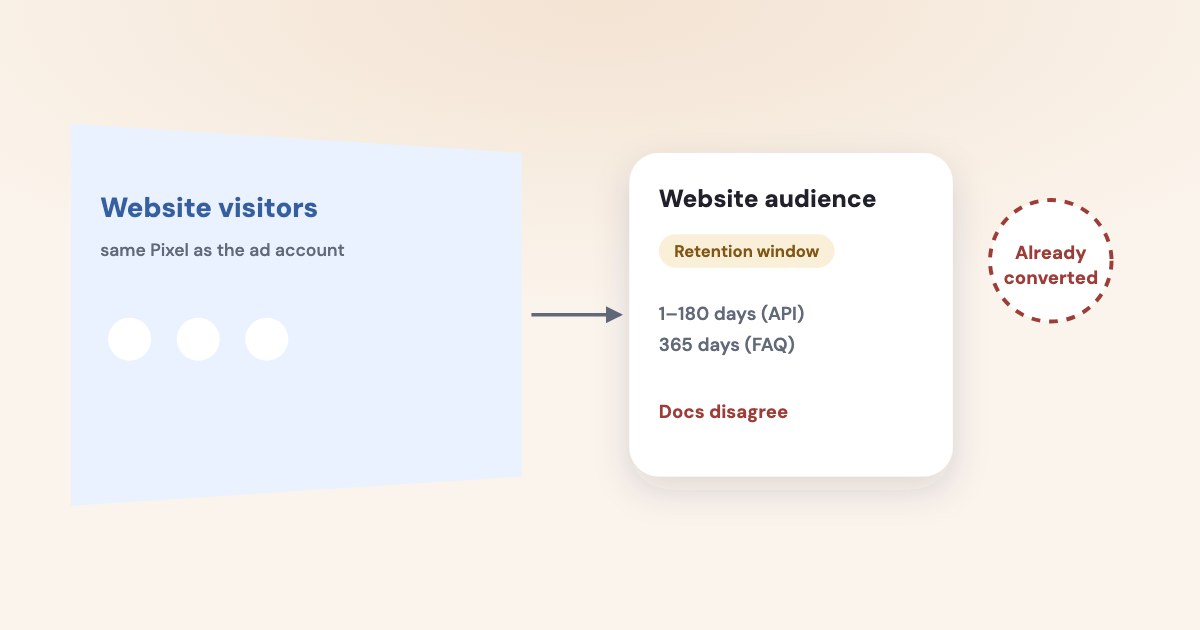
To retarget website visitors on Facebook, create a Website custom audience from the right Pixel, choose the visit or event rule, and exclude people who already completed the action you are asking for. Check the retention available in your own builder: Meta’s developer page currently gives conflicting maximum durations, so a universal limit would be misleading. [1] [2] [6]
On this page10 sections
What should your audience rule actually say?
Start with an unfinished action rather than everyone who happened to reach your site. For a service business, that could mean visitors to a relevant service page who have not yet submitted an inquiry.
Meta documents website custom audiences based on website activity and audience rules, including URLs and events. You can use the same Pixel data to define different audiences rather than treating every visit as the same level of interest. [1]
Write the proposed rule in one sentence: “People who visited the commercial service page recently, excluding people who completed our inquiry.” This is your campaign hypothesis, not a Meta-recommended universal audience.
Choose a page that matches the offer in the ad. Someone researching a job opening should not enter a sales reminder simply because both pages belong to your company.
Before building the audience, confirm what the relevant conversion event means in your business. An exclusion based on an unreliable success signal can remove people who still need help or leave completed inquiries inside your reminder campaign.
For the broader differences among customer lists, website audiences, and lookalikes, use the custom and lookalike audience guide. This article focuses on visitors who have already interacted with your site.
How do you create the website audience?
These names follow Meta’s help page read November 4, 2026, as of November 2026. Meta says your Pixel should be active before you begin. [2]
STEPS: 1. Open Audiences. 2. Select Create audience. 3. Select Custom audience. 4. Select Website. 5. Select Next. 6. Choose whether to Include Meta Accounts meeting Any or All of your criteria. 7. Choose the correct Pixel under Source. 8. Choose Events and the visit or event condition you need. 9. Set Audience retention in days. 10. Use Exclude people for the completed action you want excluded. 11. Enter an Audience name. 12. Click Create audience. [2]
Use a name that explains the rule, window, and exclusion to your future self. “Service page visitors; recent; inquiry excluded” is easier to review than an internal nickname with no definition.
Meta’s help page says a website audience starts populating when created and does not backfill. The API documentation separately describes a `prefill` option for previously recorded activity, so do not assume the API behavior and the documented Ads Manager workflow are identical. [1] [2]
Keep a note of the actual rule saved in your account. That is the evidence you need when someone later asks who the campaign was intended to reach.
How long can people remain in the audience?
The current developer page is internally inconsistent: its `retention_days` parameter allows 1–180 days, while its FAQ says the longest duration is 365 days. Both statements were visible on the page read November 4, 2026. [1]
Do not silently choose one number and describe it as the limit for every account. Check what Audience retention accepts in your current builder, and record the value you save. [1] [2]
For your campaign, choose a window that fits the decision you are supporting. A reminder about a near-term appointment has a different purpose from a message to someone comparing a substantial service purchase.
You can begin with a recent-visitor group and compare it with an older-visitor group if there is enough useful activity. Treat the windows as business choices, and do not present a suggested duration as Meta’s proven best setting.
Meta’s Business Tools Terms separately say it may retain Event Data for up to two years and may retain audiences until you delete them. Those provisions concern data and audience storage; they do not mean every visitor remains eligible in your chosen audience for that entire period. [3]
Different clocks
Your rule’s membership window, an audience object’s existence, and Meta’s retention of event data answer different questions.
What does an audience size tell you?
Your audience is not a list of every site visit. Meta says visitors must be users of its technologies, excludes accounts that opted out of online behavioral advertising, and explains that multiple Pixel fires can come from the same person. [4]
Meta’s troubleshooting page suggests waiting until you have several hundred people, simplifying conditions, or increasing the window if the audience is too small. It does not establish a universal hard minimum of 100 or 1,000 people for website retargeting. [4]
In Audiences, check Status for Ready. Meta also documents Estimated audience size through Columns and warns that the estimate may show Unavailable or Populating even when the audience is Ready because of privacy limits. [2] [4]
Do not convert an unavailable estimate into a diagnosis of a broken Pixel. First separate a missing estimate from a rule that receives no relevant activity.
If you suspect the underlying event is missing, use the Pixel troubleshooting guide. If the event arrives but your narrow rule yields little activity, reconsider whether a separate reminder campaign is useful at this stage.
How should you exclude converters?
Choose the completed action that makes the current message unnecessary. For an inquiry ad, you might exclude completed inquiries; for an appointment reminder, you need a different definition that matches the booking journey.
Meta documents Exclude people in the audience builder and exclusion targeting when using custom audiences. That gives you a way to avoid asking the same audience for an action they have already completed. [2] [6]
Check the exclusion’s window as carefully as the inclusion’s window. If your business serves returning customers, an exclusion that is too broad for your purpose could hide relevant repeat-service messages.
When a sale happens through your team rather than on the website, review how that outcome reaches the audience process. Do not assume the website’s inquiry event tells you who later became a customer.
For customer-list maintenance and the separate problem of excluding existing customers from acquisition, use the customer exclusion guide. Keep the website reminder’s rule focused on the action its ad requests.
What are the privacy and interpretation limits?
Meta’s terms require appropriate rights, permissions, and a lawful basis, and necessary consent for device storage or access where required. They also restrict sensitive information in data, event names, and audience criteria. [3]
Meta documents consent controls that can pause and resume Pixel transmission. Review your consent implementation with the person responsible for your site rather than trying to enlarge an audience by ignoring a visitor’s choice. [5]
Do not place sensitive details in audience names, page-based rules, or event parameters simply because the audience is small. An internal label can still disclose what you are inferring about the people it contains.
Treat your audience definition and your campaign’s actual delivery settings as separate review items. Before calling a report “website retargeting only,” check the saved audience setup and any audience expansion or suggestion settings visible in your own ad set.
Then judge the message by the next useful business action. A person returning to your site is an opportunity to help them decide, not proof that the campaign created the eventual sale.
What to do next
Write one inclusion rule, one converter exclusion, and a window you can justify from your sales process. Build that audience, record the accepted retention value, and check its status before relying on it.
Review the ad’s message and your current delivery settings together. If the audience is too small, simplify the business question before adding more rules or promising results from a tiny group.
Where Variafy fits
Variafy can connect Meta ad data and your CRM deals and payments to an AI assistant, helping you assess business outcomes after the reminder runs. It does not establish consent or guarantee that every visitor joins an audience; resolve those details in your website and Meta setup. Reading data is free in the invitation beta; sign-up is closed. Join the waitlist.
How we checked
Checked on 4 November 2026 against the pages below, read in English. We checked the documentation only: we did not run these steps in a live ad account.
- developers.facebook.com/documentation/ads-commerce/marketing-api/audiences/guides/website-custom-audiences — Activity rules, API prefill, and conflicting 180-day/365-day statements; read in browser November 4, 2026.
- www.facebook.com/business/help/1474662202748341 — Exact creation labels, no-backfill guidance, exclusions, and audience status; read in browser November 4, 2026.
- www.facebook.com/legal/businesstech — Rights, consent, sensitive-data restrictions, and distinct data/object retention provisions; read in browser November 4, 2026.
- www.facebook.com/business/help/237515166435276 — Audience-size limitations and “several hundred” recommendation; read in browser November 4, 2026.
- developers.facebook.com/documentation/meta-pixel/implementation/gdpr — Pixel consent controls; read in browser November 4, 2026.
- www.facebook.com/business/help/572787736078838 — Use of custom audiences and exclusion targeting; read in browser November 4, 2026.
What we could not confirm
- A single universal maximum website-audience duration, because Meta’s developer page conflicts with itself
- A numeric hard minimum for delivery
- Guaranteed inclusion of all visitors
- Guaranteed historical backfill in the documented UI workflow
- That selecting an audience proves exclusive delivery. No audience was created or tested in a live account. The cited Meta content was read successfully in a browser after text-browser access failures
Variafy is our product.
Questions
How do I build a website retargeting audience on Facebook?
In your audiences tool choose Create audience, then Custom audience, then Website. Select the right Pixel, set the visit or event rule, and exclude people who already completed the action you want.
How long can people stay in a website audience?
Meta’s documentation conflicts: the API field says 1–180 days while the FAQ on the same page says 365 days. Use the value your own audience builder accepts.
How many people does a website audience need?
Meta recommends several hundred people when an audience is too small, but does not state a hard minimum. A missing size estimate alone does not prove a broken Pixel.