How to connect Meta Ads to Mistral Vibe (Le Chat)
Mistral’s assistant — Le Chat, renamed Vibe in May 2026 — can read and manage your Meta ad account once you add a connector. Its connector marketplace has no Meta Ads entry, so you add one under Context → Connectors → Add connector → Add a custom connector. It works on the free plan.
On this page7 sections
Le Chat is now Vibe
Mistral renamed Le Chat to Vibe on 28 May 2026 and split it into two modes, Work and Code. Accounts, chats and
plans carried over, and the web app is still at chat.mistral.ai.
Connectors belong to Work mode. Mistral’s announcement describes Vibe as one agent for everyday work and for code.
How to add a Meta Ads connector
On chat.mistral.ai in a browser:
- Open the connectors. In the left menu choose Context → Connectors, then Add connector.
- Choose Add a custom connector. It is at the top of the marketplace, and at the bottom of an empty search.
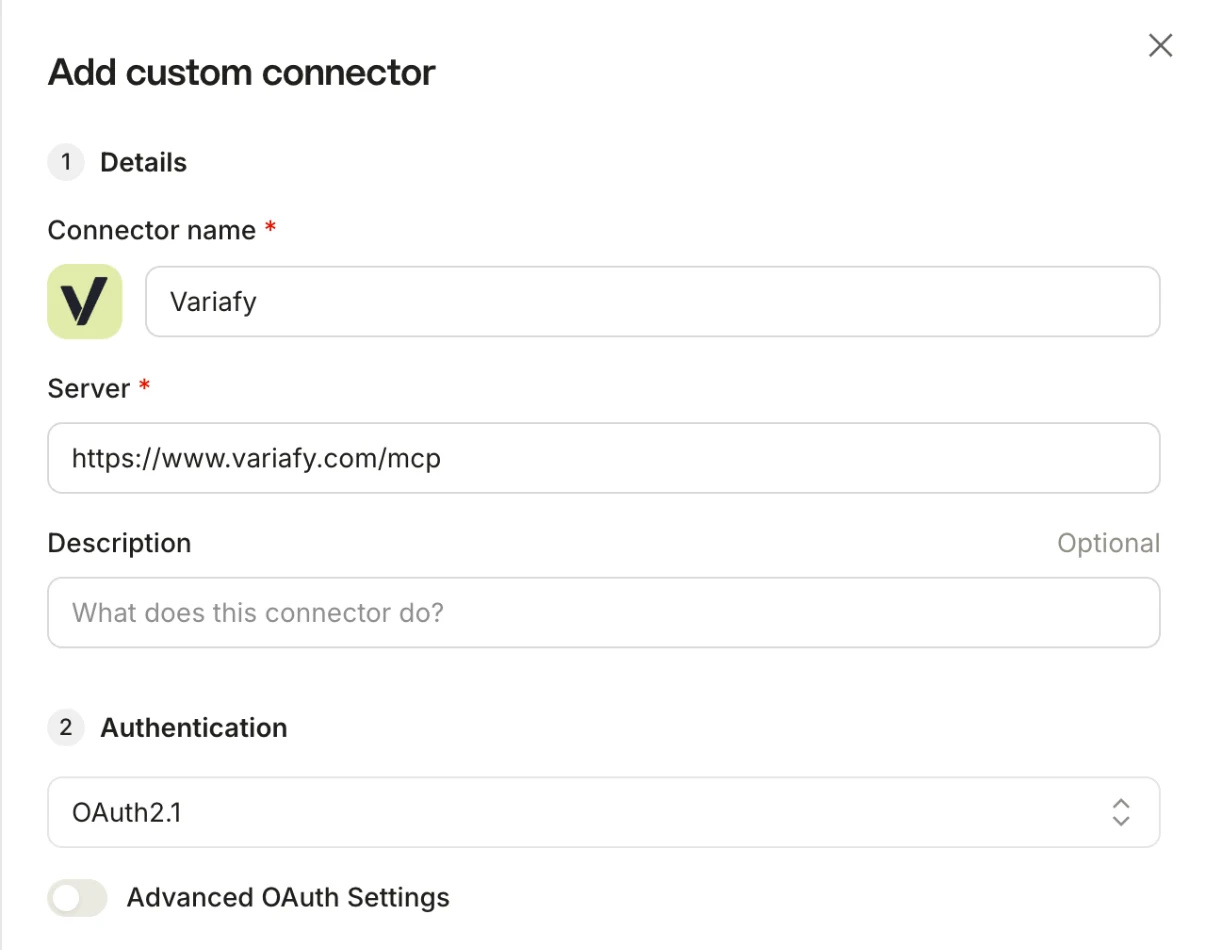
- Fill in the name and the server. A name, for example Variafy, and the server
https://www.variafy.com/mcp. The description is optional. Under Authentication Vibe detects OAuth2.1 by itself — leave it. - Choose Add connector and sign in. A Variafy window opens: sign in with an email code, pick the account and choose Allow connection. Untick Prepare and run changes first if Vibe should only read.
- Check it. The connector appears under My connectors with a tick. In a new chat ask: “Use the Variafy connector: which Meta ad accounts are connected, and what campaigns do they have?”
We checked it on a free account
On 18 October 2026 we added Variafy to a free Mistral account, read our test ad account, created an alert after a preview and deleted it again. Vibe also showed Variafy’s own start window inside the chat.
Mistral’s documentation on MCP connectors has the current steps and says:
Any service that exposes an MCP server — whether built by a third party or by your own team — can be plugged into Work.
What the marketplace has for ads
We searched the marketplace for “ads” on 18 October 2026 and found nothing for advertising. Its Marketing section had Brevo, Close, HubSpot and Salesforce; there was no connector for Meta Ads, Google Ads or TikTok Ads.
So for Facebook and Instagram ads in Vibe, a custom connector is the way in today.
Two checks before a change
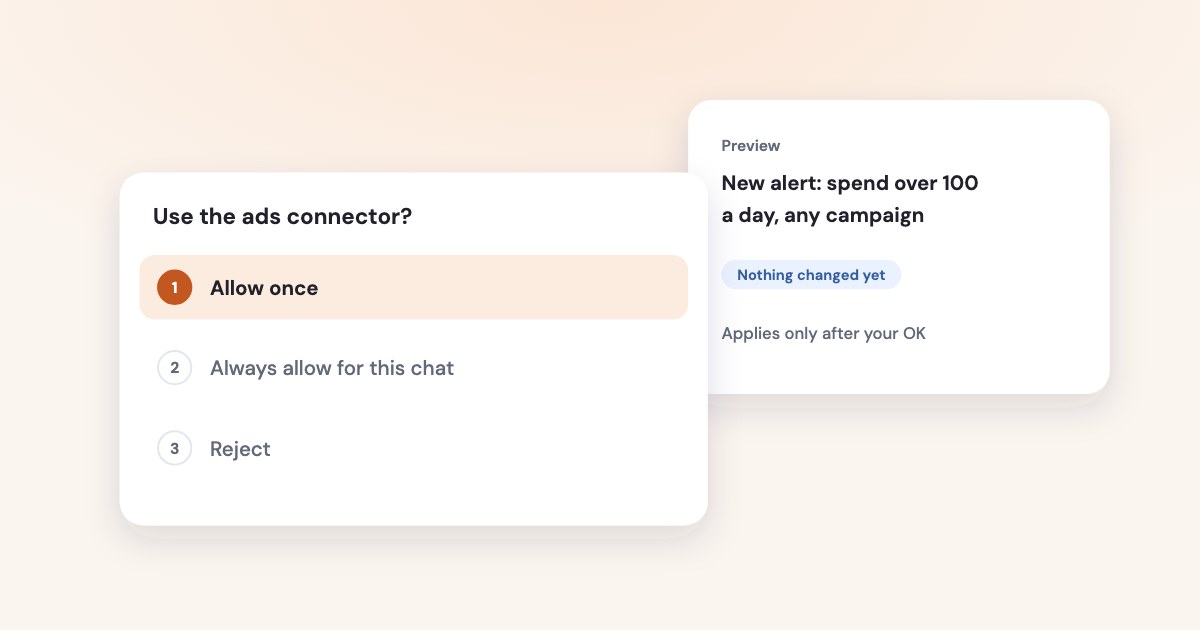
Reading ran without a prompt. Before every change, Vibe stopped and asked:
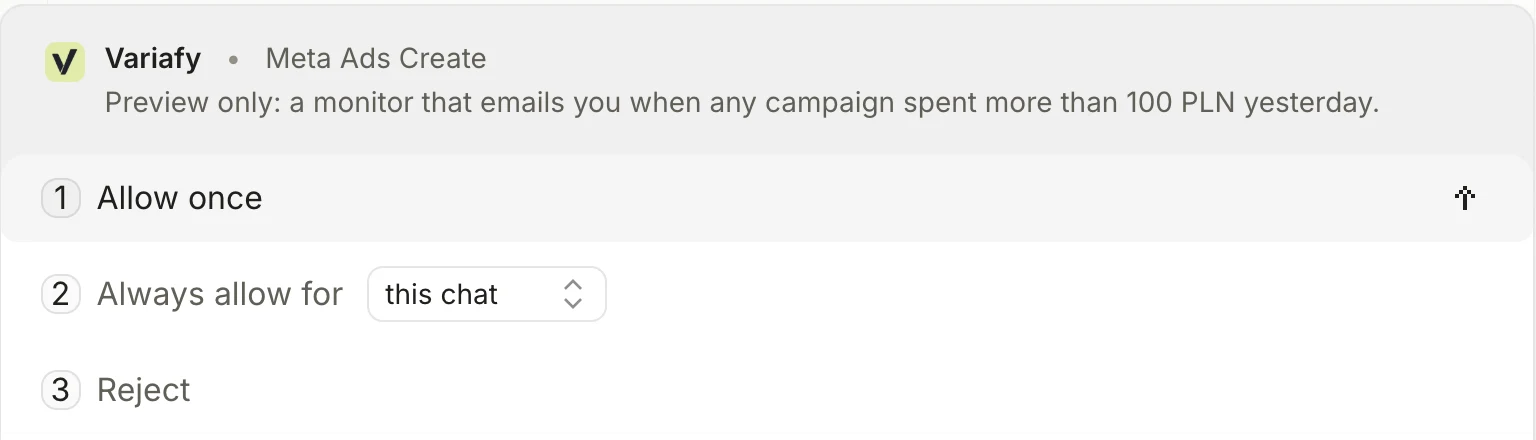
- Allow once — this call only.
- Always allow for this chat — no more prompts in this conversation.
- Reject — the call does not run, and Vibe is told not to retry it.
Variafy adds its own check behind that. A change first comes back as a preview with the ad account and the effect on spend, and runs only on a second, confirming call. The account owner can also require that anything raising spend is approved in the Variafy console.
Keep “Always allow” for reading
“Always allow for this chat” removes Vibe’s prompt for that tool for the rest of the conversation. For tools that change budgets or switch ads on, Allow once is the safer habit — see is it safe to let AI change your Facebook ads.
What to ask first
- “Which campaigns spent money yesterday without a single result?”
- “Compare cost per lead this week with the previous four weeks, by campaign.”
- “Which ads brought paying customers last month?” — needs your sales connected, see ads and CRM sales.
- “Email me when any campaign spends over 100 a day — show me the preview first.”
If a call fails because a field name is wrong, ask Vibe to read the tool’s schema first; Variafy names the right field in its error. To take access back, revoke it under Connected apps in the Variafy console, or remove the connector in Vibe.
How we checked
Checked on 18 October 2026 on a free Mistral account in a browser (chat.mistral.ai, English interface), connected to a Variafy test account with a test Meta ad account: we read the account, created an alert after a preview, deleted it, and searched the marketplace for “ads”. The screenshots are from that session. We did not test Meta’s official ads server in Vibe. Variafy is our product.
Questions
Can I connect Meta Ads to Mistral Le Chat (Vibe) for free?
Yes. We added a custom connector on a free account on 18 October 2026, under Context → Connectors → Add connector → Add a custom connector.
Is Le Chat the same as Mistral Vibe?
Yes. Mistral renamed Le Chat to Vibe on 28 May 2026 and added Work and Code modes; accounts and chats carried over, and the app is still at chat.mistral.ai.
Does Vibe ask before changing my ads?
In our test it asked before every change: Allow once, Always allow for this chat, or Reject. Variafy then shows a preview and applies the change only after you confirm it.
Is there an official Meta Ads connector in the Mistral marketplace?
No. On 18 October 2026 a search of the marketplace for “ads” found no advertising connectors, so Meta Ads is added as a custom connector.