Facebook ad comments: find them, hide them or turn them off?
Our reading: the Meta pages we checked do not describe a step to turn comments off on a Facebook ad; they describe hiding, reporting and Page filters. Check your own Ads Manager for the controls available to you. To handle existing comments, find the ad’s comment tools, then assign each question or complaint an action, owner and date.
On this page9 sections
Can you turn off Facebook ad comments, or only hide them?
The checked ad-comment instructions describe viewing comments and using Like, Reply, Hide comment and Report comment on Facebook. They also describe word and profanity filters. They do not give a Facebook-ad “turn off comments” step.
To identify the post behind an ad and what Meta documents about its engagement, see using an existing post in a Facebook ad.
Some third-party guides report a per-ad “Turn off comments” option in the ad preview menu, reportedly with limited rollout; the Meta Help pages we checked on 20 Oct 2026 do not describe it, so confirm it in your own Ads Manager.
Our reading: that is the boundary of these checked pages, not proof that no account or interface has any other control. Do not describe hiding an existing comment or applying a word filter as a verified method to disable every new comment.
| What the checked pages describe | Boundary to keep visible | |
|---|---|---|
| Hide / report | Use the menu beside an existing inappropriate comment in the ad-comment tools. | A moderation action on a comment; the checked instructions do not describe this as switching off comments for the ad. |
| Page filters | Hide comments containing selected words or profanity using Page-level settings. | These extend to ads from that Page; they are not documented as a per-ad turn-off switch. |
| Delete | The best-practices page says to check hidden comments and decide whether to keep, unhide or delete them. | This mentions deletion, but it is not a step-by-step ad-comment deletion path. |
The best-practices page, checked 20 Oct 2026, warns that some features are released gradually in specific regions and may not be available yet. Preserve that availability condition rather than assuming another account’s menu is identical to yours.
The same limit applies to the Instagram-ad question: these checked pages do not establish a turn-off procedure. We do not infer an advertising control from a setting for an organic post. The confirmed Instagram information below concerns finding the account connection needed to reply.
How do you find, hide or reply to comments on the ad?
Open the intended ad’s comment tools in Ads Manager, then act on the actual comment. Meta’s instructions make the available menu conditional on the objective, where the ad runs and whether it has comments.
- Open Ads Manager → Ads and find the intended ad.
- Select Edit under its name.
- In the left column, select … to the right of the ad’s name, then More options.
- Where available, choose Manage Facebook comments.
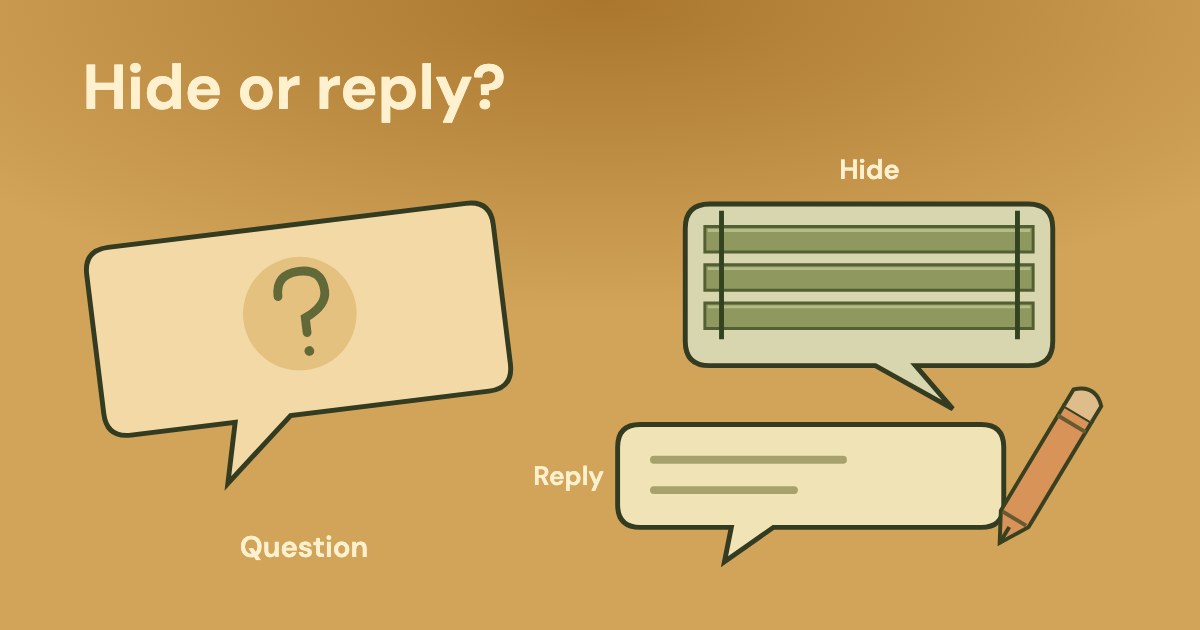
- In the comment window, use Like or Reply for Facebook comments. For an inappropriate comment, select … beside it and choose Hide comment or Report comment.
Meta says for most advertisers, anyone who can see the Facebook, Instagram or Threads ad can react or comment. This is the page’s qualifier, not a promise that every format and account has the same commenting or moderation controls.
The page also describes access through Facebook notifications. Our suggestion: whichever entry you use, record the ad’s identity and the exact comment before assigning a task. An absent menu alone does not establish that the ad has no comments; check the page’s objective, placement and existing-comment conditions.
Keep two pieces of Meta guidance distinct. The menu instructions above explicitly list Hide and Report. The separate best-practices page mentions deciding whether to keep, unhide or delete hidden comments, without supplying a deletion procedure for this ad window. Do not turn that sentence into an unverified “click Delete here” instruction.
A comment is also different from an ad-approval decision. If the ad itself has a delivery or rejection issue, use the rejected-ad guide; this workflow concerns the conversation attached to the ad.
How do Page word and profanity filters apply to ads?
Meta describes these as Page-level settings. Its ad-comment and best-practices pages say that the filters extend to ads from the Page. They do not describe a separate filter that affects only the one ad you are currently inspecting.
You must have Facebook access to a Page to use these comment moderation tools.
As Meta describes in Page moderation guidance, checked 20 Oct 2026:
- From your profile, choose See all profiles, then select the Page.
- Select the Page photo, then Settings and privacy → Settings.
- Open Followers and public content → Public posts.
- For selected words, open Hide comments containing certain words from your Page. Add words, phrases or emojis separated by commas, then Save.
- For the profanity setting, use Hide posts and comments with profanity, then Save.
Our suggestion: have the Page owner approve the intended word list and inspect the comments it affects. A broad word can occur in a genuine service question, so an unexamined list can hide material the team still needs to answer.
The best-practices page advises addressing positive and negative comments when possible and checking hidden comments. Our reading: filter setup and handling a customer’s unresolved complaint are separate tasks; filtering alone does not establish that a service issue was answered.
What does a completed comment handover look like?
Our suggested ledger is entirely invented, including the business, ad label, comments, people, replies and dates. It shows a service team assigning and checking work, not activity performed in a real account or a Meta moderation rule.
The example business is Harbour Repairs; the team has identified the Facebook ad “Autumn assessment”. It distinguishes a useful question, a service complaint and an unknown promotional message before choosing an action.
| Classification and evidence | Owner, action, date and verification | |
|---|---|---|
| Question · 20 Oct 2026 | “Do you take Saturday appointments?” The office has confirmed that assessment visits are available on 24 and 31 Oct 2026 by appointment. | Maya, the office owner, confirms the dates. Jules, the Page operator, replies on 20 Oct: “We have assessment appointments on 24 and 31 Oct. Please call our office to arrange a slot.” Maya checks the visible reply against the schedule and marks the question answered. |
| Service complaint · 20 Oct | “Your team missed the appointment we agreed.” The comment is a service allegation; the job record has not yet been matched. | Jules acknowledges the issue without claiming it is resolved and asks the person to contact the office through the business’s established contact route. Maya checks the job record. At the 21 Oct checkpoint, the public acknowledgement is present but the service outcome remains open. |
| Unknown promotional message · 20 Oct | “Pay this unrelated account for your repair slot.” The team has not established who posted it; the office confirms it is not its booking instruction. | Jules classifies the message as inappropriate for this thread and uses the available Hide comment action on 20 Oct. The operator records the selected action and confirms the tool showed it as applied; no claim is made about visibility to every viewer or the author’s identity. |
| Next check · 21 Oct | One question answered; one service complaint open; one inappropriate message acted on. | Maya owns the unresolved service outcome. Jules checks the actual thread for any follow-up needing an answer and records what remains open. This date is an invented team checkpoint, not a Meta processing deadline. |
A reply being present is not proof that the underlying complaint is resolved. In the example, Jules can verify the acknowledgement while Maya still needs the service record. Our suggestion: keep those two statuses separate rather than closing the whole case after posting a polite sentence.
Likewise, hiding the promotional message does not prove who wrote it, what every viewer can see or how the ad’s performance will change. The completed record establishes the team’s action and the outstanding customer work, not a causal effect on delivery or cost per acquisition.
What can Variafy show about the ad?
Variafy is in the free beta, with Meta Ads support live. It can read returned ads—their IDs, status and creative—and available performance results, subject to coverage limits. That can help identify which ad a person should open in Ads Manager.
It does not read the text of ad comments or reply, hide, report, delete or moderate them. The comment inspection and filled handover above are manual work. Advertising metrics do not establish which comment needs an answer or prove that a comment caused a change in acquisition cost.
How we checked
Checked 20 Oct 2026 against 4 different Meta Help documents: manage comments on ads, comment-moderation best practices, Facebook Page moderation and Instagram and Threads reply troubleshooting.
The absence of a described Facebook-ad turn-off step is our reading of these pages, not a claim about every account. The menu and gradual-rollout conditions are retained.
The best-practices mention of deleting hidden comments is distinguished from the menu’s confirmed Hide/Report steps; no deletion procedure is inferred. The ledger, people, comments, replies and owner dates are invented.
Questions
Can I turn off comments on a Facebook ad?
Some third-party guides report a per-ad option with limited rollout. The Meta Help pages checked on 20 Oct 2026 do not describe it; they describe hiding, reporting and Page filters. Our reading: this does not establish availability in your account, so confirm the controls in your own Ads Manager.
How do I hide a Facebook ad comment?
Meta describes Ads Manager → Ads → Edit under the ad name → the left-column … menu → More options → Manage Facebook comments, where available. In the comment window, select … beside an inappropriate comment and Hide comment. Menu availability depends on objective, where the ad runs and whether comments exist.
Can I delete a comment from a Facebook ad?
Meta’s best-practices page mentions checking hidden comments and deciding whether to keep, unhide or delete them. The checked ad-comment menu instructions explicitly describe Hide and Report, without a step-by-step deletion procedure. This guide does not infer a Delete button or promise that action in a particular ad window.
Do Facebook Page word filters affect ads?
Meta says Page-level word and profanity filters extend to ads from that Page. The Page guide requires Facebook access and describes the settings under Followers and public content → Public posts. These are Page controls, not a verified switch to turn off comments for one ad.
Why can I not reply to Instagram ad comments?
Meta says to add the Instagram account to the business portfolio or through the Page’s settings, then check that you are logged in if replies still fail. The management page also rules out managing Instagram comments when using only a Facebook Page identity without an Instagram profile. These conditions do not establish an Instagram-ad turn-off procedure.
Can Variafy answer or hide ad comments?
No. It can read returned ad IDs, status, creative and available performance results, but it does not read ad-comment text or reply, hide, report, delete or moderate comments. A person must open the ad’s comment tools and check the actual conversation.
How do you check that the right answer was actually given?
Our suggestion: check the visible response against the business fact that supports it, then keep any service outcome open until its owner confirms it. “Comment handled” is too vague to distinguish a correct answer, an acknowledgement and a moderation action.
Copyable comment handover
Platform / ad identity / comment: __. Classification: question / service complaint / unknown. Verified business fact or missing information: __. Chosen reply or moderation action: __. Responsible person and date: __. Visible response/action checked by: __. Service outcome still open: __. Next action, owner and date: __.
For interpreting advertising attention, use the CTR guide. For whether enquiries become suitable customers, use the lead-quality guide. Neither replaces checking the actual comment and the business’s response.
In the filled ledger, the Saturday question has a verified answer, the complaint has only an acknowledgement, and the unrelated payment message has a recorded moderation action. Those are three different outcomes; retaining the distinction gives the next person something concrete to finish.