Facebook ads change history: find and read what changed
To see Facebook ads change history, select the campaign, ad set or ad in Meta Ads Manager and open Activity history on the right. Use Activity types and Changed by to inspect what changed, when and the identity or source Meta displays. Our reading: a change before a result drop is evidence of sequence, not proof of the cause.
On this page9 sections
Where is Activity history in Meta Ads Manager?
Open the history of the specific campaign, ad set or ad you are investigating. Meta’s Activity history instructions, checked 20 Oct 2026, describe this object-selection route rather than a procedure for a whole-account archive.
- Go to Ads Manager.
- Select Campaigns, Ad sets or Ads.
- Select the campaign, ad set or ad you want to inspect.
- Click Activity history on the right to open the side panel.
- Choose Activity types and Changed by from the drop-down menus to narrow the history.
Scroll down to see additional rows of your activity history.
The activity-type list includes Account, Ads, Ad sets, Audience, Bid, Budget, Campaigns, Run status, Schedule and Targeting. Match the filter to the question rather than treating one filtered view as every action on the object.
For example, Meta describes Run status as changes when an ad is paused, resumed or deleted. Budget includes changes to an ad set’s budget and changes to the account’s payment method, such as removing an expired card. Our suggestion: read the actual entry before assuming every Budget row is a spending increase.
Record the selected object and displayed time alongside the entry. An ad name alone is a weak handover: another person needs enough identity information to open the same campaign, ad set or ad and inspect the same evidence.
What does Changed by actually tell you?
The Changed by label identifies the person or source Meta displays; it is not always a named person. Meta’s definitions distinguish the following cases.
| Meta’s documented meaning | Our suggested next check | |
|---|---|---|
| Your name | Your own changes display your name. | Match the entry to the action you intended to publish. |
| Admin or advertiser name | Changes by someone with an admin or advertiser role display that person’s name. | Ask the responsible person for the reason and intended scope; the entry alone is not that explanation. |
| Automated rules and settings | Changes made by automated rules display the rule name. Meta points to the Manage rules table. | Inspect that rule rather than treating the word automation as a complete diagnosis. |
| Business identity | An authorised business identity that has or had an ad-account role; its name is shown if available. | Keep the if-available condition and record the identity actually displayed. |
| Meta | Can mean Meta’s ad-checking system, someone who left or was removed from the account, or certain ad-status changes. | Do not identify this label as one particular rule or person without further evidence. |
Meta advises checking ad-account permissions when you see an unrecognised change, because admins and advertisers can make campaign changes. That is a reason to check access, not evidence that an unknown entry proves misuse.
Our reading: “Meta changed it” is too specific when the label has several documented meanings. Preserve the label and uncertainty in the handover; do not invent the former person’s identity or infer that a named person intended the resulting performance.
For rule configuration and its limits, use the automated-rules guide. This article concerns finding and interpreting the event, rather than choosing a rule threshold.
Can history explain where the ad was created?
Yes, Meta documents a creation-route check: select Ads, open the ad’s Activity history, find Ad created below Activity, then hover over the name below Changed by.
In that instruction, Using: Power Editor means the ad was created from Ads Manager; Using: Boosted Page means it was created from a Facebook Page. These are the labels Meta documents, even if the wording looks older than the current product name.
The route can matter when editing fails. Meta’s editing-troubleshooting page says an ad created from Meta Business Suite or a Facebook Page cannot be edited, deleted or duplicated in Ads Manager; it directs editing to Business Suite or the Page.
Do not treat a draft as a published change. The campaign-editing page says drafts are highlighted in green and must be published for the edits to become active.
You must click Publish for your edits to become active.
The same page says a changed published campaign’s new version replaces the old one, with no reversal option and no distinction between metrics from before and after the edits. Our suggestion: preserve your own dated context before another change; history is not a promise of an automatic undo button.
Does a history entry mean learning restarted?
No blanket conclusion follows from an edit appearing in history. Meta’s editing page says changing certain details of a campaign, ad set or ad may restart learning or cause the ad to be checked again. Keep both “certain” and “may”.
Only a significant edit causes an ad set to re-enter the learning phase.
The significant-edits page includes changing ad creative and adding an ad to an ad set. It qualifies budget and bid changes by magnitude. This does not support a universal safe percentage or the idea that every visible change resets learning.
The shorter Last significant edit definition describes a pause without the longer page’s “seven days or longer” condition. It also describes bid-strategy changes as potentially significant, while the longer list treats them as significant. The pages differ in wording; do not silently make the shorter description a rule for every pause.
Our reading: use the specific event and the fuller significant-edit guidance, keep the scope difference visible and inspect the actual delivery context. For the adjacent status question, see learning limited; a chronology still does not establish why enquiries changed.
A website release, a broken form or a different set of recorded business outcomes also needs its own evidence. Our suggestion is to ask their owners what changed, rather than claim that the Meta history proves or excludes an external fault.
What does a useful incident timeline look like?
This Harbour Repairs example is entirely invented: account objects, names, dates, changes and results. It shows how to preserve an observation and an unanswered question without pretending to have diagnosed a real account.
The team compares 5–11 Oct with 12–18 Oct 2026. The earlier period has $210 spend and seven recorded enquiries; the later has $220 and four. Those are costs per recorded enquiry of $30 and $55. Suitability and completed work have not been matched, so neither figure is a cost per customer.
| Observed entry and source | Result context and what remains unknown | |
|---|---|---|
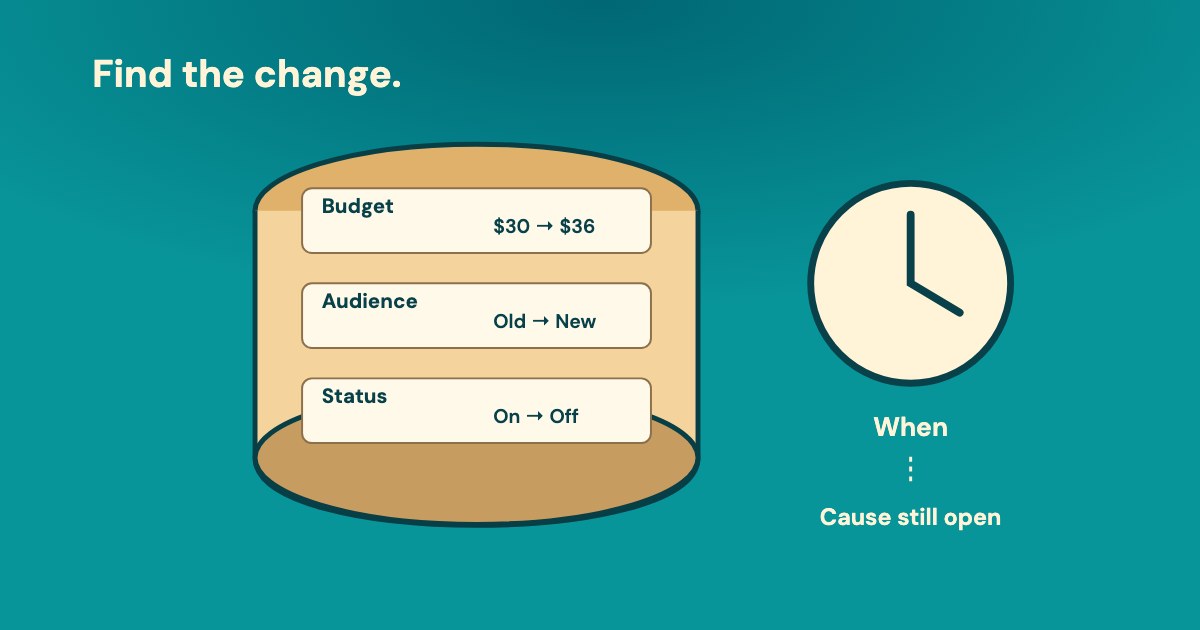
| Ad set East · 12 Oct, 10:14 | Daily budget $30 → $36. Changed by displays Maya. The person confirms the edit was published. | The budget rose 20% in this invented example; 20% is not a Meta threshold. The record does not establish an effect on enquiry quality. |
| Ad A · 13 Oct, 09:20 | A status entry displays Meta. The team has not established which of Meta’s documented meanings applies. | Do not relabel it as an automated-rule action. Jules must inspect the actual entry and related object before the next decision. |
| Website · 13 Oct, 11:00 | The website owner reports a form release outside the advertising history. Its test record is still missing. | This is separate team evidence, not a Meta event. Maya owns a submission test and matching the recorded enquiries to the office’s log. |
At the invented 20 Oct checkpoint, Jules owns the unresolved status entry and Maya owns the form test and enquiry matching. The team has a next action and an owner, not a conclusion that a budget increase or form release caused the change.
Our suggestion: keep observation, explanation and action in separate fields. “Budget changed” is an observation. “That caused the rise” is a hypothesis. “Inspect the form and mature the enquiry outcomes before another test” is a proposed next step, not a Meta instruction.
What can Variafy read, compared with Meta’s interface?
Variafy is in the free beta, with Meta and Google Ads support live; Google access is read-only. For Meta, it can read returned campaign and ad-set changes, including budget, targeting, bids, optimisation goal, status, schedule and creation.
It can return old and new values where Meta provides them, the application used and a Meta-provided indication about learning. It also exposes incomplete coverage. The requested window and its maximum are implementation limits, not a statement about how long Meta stores history.
The difference matters: Meta’s interface can show names in Changed by and has an Ads-level history path. This product’s history read returns neither people’s names nor ad-level events. A person must inspect the missing information in Meta; an empty or partial result is not proof that no change occurred.
Our suggestion for an assistant: “For this account and period, list returned campaign and ad-set changes, old/new values, application and incomplete coverage. Keep the result context separate. Do not name a person, infer missing ad events or claim that an edit caused the outcome.”
What should you save before deciding on another edit?
Our suggestion: save the object, event, displayed source and the evidence still needed to make a decision. Do not close an incident because a plausible edit happened first.
Copyable change-history handover
Account and object: __. Period and displayed time basis: __. Activity / old → new / Changed by exactly as shown: __. Published or draft: __. Result period and business-outcome maturity: __. Other change evidence: __. Explanation still unproven: __. Next check, owner and date: __.
The Activity history page used here does not specify a retention period, export procedure or completeness guarantee. That is a limit of these instructions, not proof that every Meta interface lacks other features. This guide does not establish a whole-account history route or a Business History download procedure.
For a broader check use the account audit; for interpreting a rise use cost per lead. The history adds a dated observation to those checks, while the owner still needs to establish the cause.
How we checked
Based on 5 different Meta Help documents: Activity history, editing campaigns, editing troubleshooting, significant edits and Last significant edit.
Activity-history and editing guidance checked 20 Oct 2026; significant-edit material checked 19 Oct 2026. The pause and bid-strategy wording differences are retained. Missing retention/export details are limited to these pages.
The timeline, numbers, people and handover are invented. Product scope was checked against the implementation; its requested history window is not Meta’s retention policy.
Questions
Where can I see Facebook ads change history?
In Meta Ads Manager, select Campaigns, Ad sets or Ads, select the object and click Activity history on the right. Use Activity types and Changed by to filter the side panel; scroll for additional rows.
Can I see who changed a Facebook ad?
Meta’s Changed by definitions include your name, an admin or advertiser name, a rule, a business identity if available, or Meta. The Meta label has several meanings, so it does not always identify one person or an automated rule.
Why does Changed by say Meta?
Meta says this can represent its ad-checking system, someone who left or was removed from the account, or certain ad-status changes. Our reading: the label alone does not establish which explanation applies to your entry.
Does every edit restart the learning phase?
No. Meta says editing certain details may affect learning, and its significant-edits page says only a significant edit causes re-entry. Budget and bid changes are qualified by magnitude; the shorter Last significant edit description and fuller list also differ in scope.
How long does Meta keep activity history, and can I undo a change?
The Activity history page used here does not specify retention or an export procedure. Meta’s campaign-editing page says the new published version replaces the old and provides no reversal option. Do not assume the history is an automatic undo facility.
Does Variafy show people’s names or ad-level changes?
No. Its Meta history read covers returned campaign and ad-set events, old/new values where available, the application and coverage limits. People’s names and ad-level events are not returned; a person must inspect those in Meta’s interface.