Facebook instant forms: More volume vs Higher intent
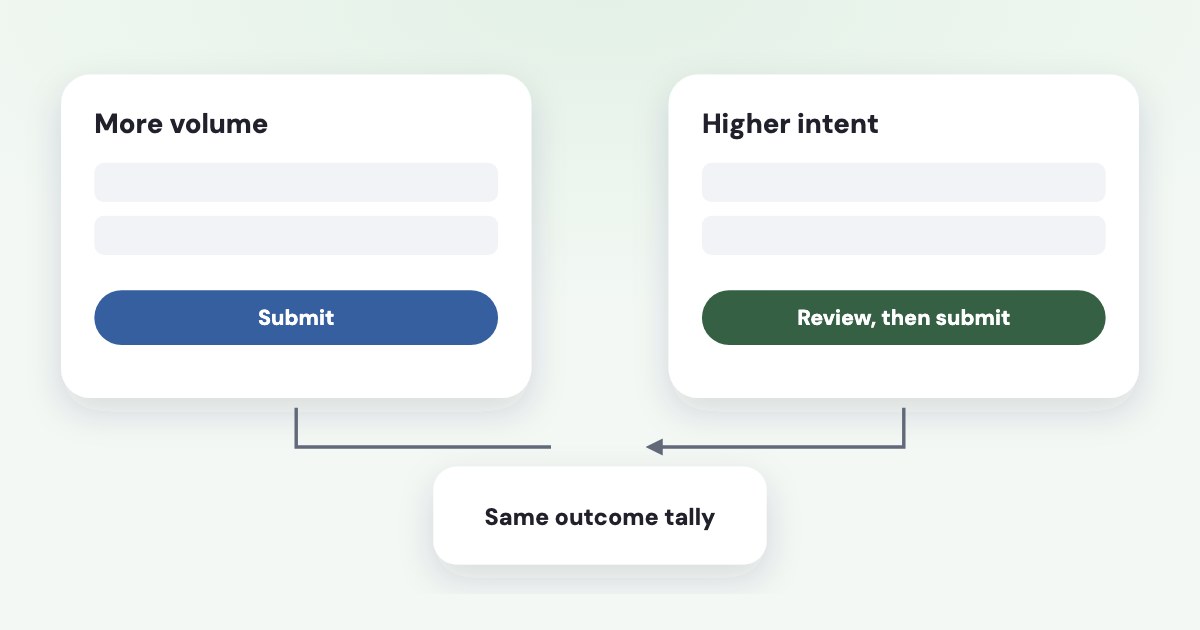
Choose More volume when you want a quick mobile submission; choose Higher intent when you want Meta’s extra confirmation step before the person submits. Higher intent adds contact-field context and a review screen, but its name does not guarantee qualified buyers or a particular improvement in your results. [1]
On this page10 sections
What actually changes between the two types?
As of November 2026, Meta describes More volume as a form designed to generate a larger number of leads through quick mobile completion. Higher intent adds inline context under contact fields and an additional review screen where people can confirm their information. [1]
| Form type | Documented distinction |
|---|---|
| More volume | Designed for fast mobile submission |
| Higher intent | Follow-up context plus an additional confirmation screen |
The added screen is a change to the submission process, not evidence that someone can afford your service or meets your requirements. You still need to decide what makes an inquiry useful to your business.
Meta also documents Rich creative as another form type. This article keeps the comparison to More volume and Higher intent; the Facebook lead form guide covers the broader choice between instant forms and your website. [1]
Different question
Choosing a form type changes the form experience. Choosing what your campaign should optimize for is a separate decision, even when both affect the results you see.
What does Meta say about lead quality?
Meta says the Higher intent features help attract more intentional submissions and reduce submissions from people with only marginal interest. It suggests the type may make sense when each submitted lead needs follow-up or further qualification. [1]
That is Meta’s stated rationale, not a quantified promise for your account. The form-type help page does not establish a percentage increase in sales, a fixed reduction in bad numbers, or a universal increase in cost per lead.
For your own comparison, define quality in terms your sales team can record consistently. You might count reachable inquiries, people inside your service area, suitable projects, attended appointments, or paid customers.
Choose one primary outcome before looking at the results. Otherwise, it is easy to declare the winner using whichever number happens to look better after the campaign runs.
Do not describe a valid phone number as a qualified lead unless that is your actual qualification rule. A person can provide accurate contact information and still need a service you do not offer.
For a broader diagnosis of unsuitable inquiries, use the Facebook lead quality guide. Keep this comparison focused on what the added confirmation step changes for your business.
When should you start with each type?
Start with More volume if your proposed next step is simple and your team can handle the resulting inquiries. For example, a request for a basic service brochure may not need the same confirmation process as a consultation that requires staff preparation.
Start with Higher intent if each inquiry creates meaningful follow-up work and you want the additional confirmation. Treat that as a reasonable starting hypothesis, then measure whether it improves the outcome you chose.
Consider delivery eligibility before comparing results. Meta’s form-type page indicates Higher intent is limited to certain mobile feed placements. We could not confirm the exact placement list on Meta’s own page, so check it in your account, because the comparison may also change where your ads can appear. [1]
That means you should describe the result carefully: “This Higher intent setup worked better for this offer and eligible placements.” Do not claim that the review screen alone caused the difference if placement eligibility changed too.
Keep a separate note about your sales capacity. More submitted forms may help when you can answer them well, while fewer inquiries may be manageable for a small team; neither situation proves one type has a universal quality advantage.
Where do you choose the form type?
The labels below follow Meta’s official creation instructions read November 4, 2026, as of November 2026. These are documentation-based steps, not a walkthrough tested inside your ad account. [2]
STEPS: 1. In Meta Ads Manager, open your lead ad setup. 2. At the ad set level, select Instant forms as the conversion location. 3. At the ad level, click Create form. 4. In Form type, choose More volume or Higher intent. 5. Click Next. 6. Complete the Intro and Questions sections for your offer. 7. Complete the Privacy policy and Ending sections as applicable to your form. 8. Click Create form when your content is ready. [2]
Before running the comparison, read the preview through from the person’s point of view. Confirm that it explains what they are requesting and what your business will do after submission.
Do not assume that changing a form’s content necessarily changes its identifier in every workflow. Compare the actual form selected by each ad and by your CRM connection, and keep those identifiers with your comparison notes.
If the screen differs from the documented route, use the labels visible in your account and record the difference. Avoid rebuilding an established campaign merely because another guide shows an older arrangement of the editor.
How do you compare results fairly?
Keep the offer, qualification questions, creative message, and sales handling as similar as your setup allows. If you change the price explanation, introduce a new question, and switch the form type together, you cannot isolate what helped.
Record the form used for each inquiry alongside its later outcome. Your comparison should follow the people who submitted, rather than mixing one period’s leads with another period’s appointments or payments.
Use cost per qualified lead as spend divided by leads that meet your written qualification rule. Use the same rule for both types, and keep inquiries that have not yet received a decision visible instead of treating them as failures.
Allow comparable follow-up time for each group before deciding. A recently submitted inquiry and an older inquiry that has already completed your sales process do not offer the same opportunity to become a customer.
Meta recommends testing form lengths against completion rate, cost per lead, and cost per conversion. Apply that outcome-based approach here, while recognizing that this proposed comparison is editorial guidance rather than a Meta promise about form-type results. [3]
If you need a formal experiment, use the Facebook ads A/B testing guide. Set your decision rule before the comparison starts, including what you will do if there is too little evidence to choose.
What if neither type fixes the problem?
Check whether you are asking the right question. A review screen is not a substitute for explaining your service area, the nature of your offer, or the next contact someone should expect.
Meta recommends a clear introduction, questions aligned to your goal, and testing the amount of information requested. Use those suggestions to remove ambiguity before adding more friction just to make the form feel selective. [3]
Conditional logic is another tool, with a different purpose: Meta documents routing answers and closing the form for responses you classify as non-leads. It also warns that using conditional logic may increase cost per lead. [4]
Do not add that filtering while trying to measure the review screen in isolation. Make it a separate decision with its own rationale, such as excluding projects outside the services you can supply.
If submissions exist in Meta but never reach your sales team, the form comparison is premature. Use the missing Facebook lead ads guide to separate delivery problems from unsuitable inquiries.
What to do next
Write your definition of a useful lead and choose the form type that best fits your starting hypothesis. Keep the offer and questions stable, then make sure the selected form sends usable records to the place your team actually works.
Review qualified inquiries and sales after comparable follow-up, including unresolved leads. Keep the winning setup only when the improvement matters to your business; an inconclusive comparison is a reason to gather better evidence, not invent a winner.
Where Variafy fits
Variafy can bring your CRM deals and payments into reports alongside Meta ad data, helping you judge what submitted inquiries become. It does not make the review step a qualification guarantee; use your own sales definitions. Reading data is free, and access is through a free invitation beta with sign-up closed. Join the waitlist.
How we checked
Checked on 4 November 2026 against the pages below, read in English. We checked the documentation only: we did not run these steps in a live ad account.
- www.facebook.com/business/help/252352181957512 — Form types, review screen, contact context, Meta’s intent claims, and Higher intent placement limits; read in browser November 4, 2026.
- www.facebook.com/business/help/791294492679966 — Current form creation sections and button names; read in browser November 4, 2026.
- www.facebook.com/business/help/435270316658768 — Clear offers, form questions, and outcome-based form-length testing; read in browser November 4, 2026.
- www.facebook.com/business/help/3373123166040766 — Conditional logic, non-lead routing, and possible increase in cost per lead; read in browser November 4, 2026.
What we could not confirm
- A guaranteed improvement in qualified leads, phone validity, sales, or cost
- A universal cost penalty
- That a review screen alone explains a comparison with different eligible placements
- That editing always creates a new form ID. No form experiment was run. Initial text-browser requests to Meta returned login screens
- The cited documents were subsequently read successfully in a browser
Variafy is our product.
Questions
What is the difference between More volume and Higher intent?
More volume is the quick-submission form type, built for fast mobile submission. Higher intent adds contact-field context and a screen where the person confirms their information before submitting. Check which type your form builder preselects.
Will Higher intent bring better leads?
Meta describes the intention, but your own results decide. Compare the two with the same offer, questions, follow-up and outcome definitions before choosing.
Where does Higher intent run?
Meta’s form-type page indicates it is limited to certain mobile feed placements. We could not confirm the exact list on Meta’s own page, so check the current placements in your account before relying on it.