How long do leads take to pay? A case study of 1,598 CRM payments
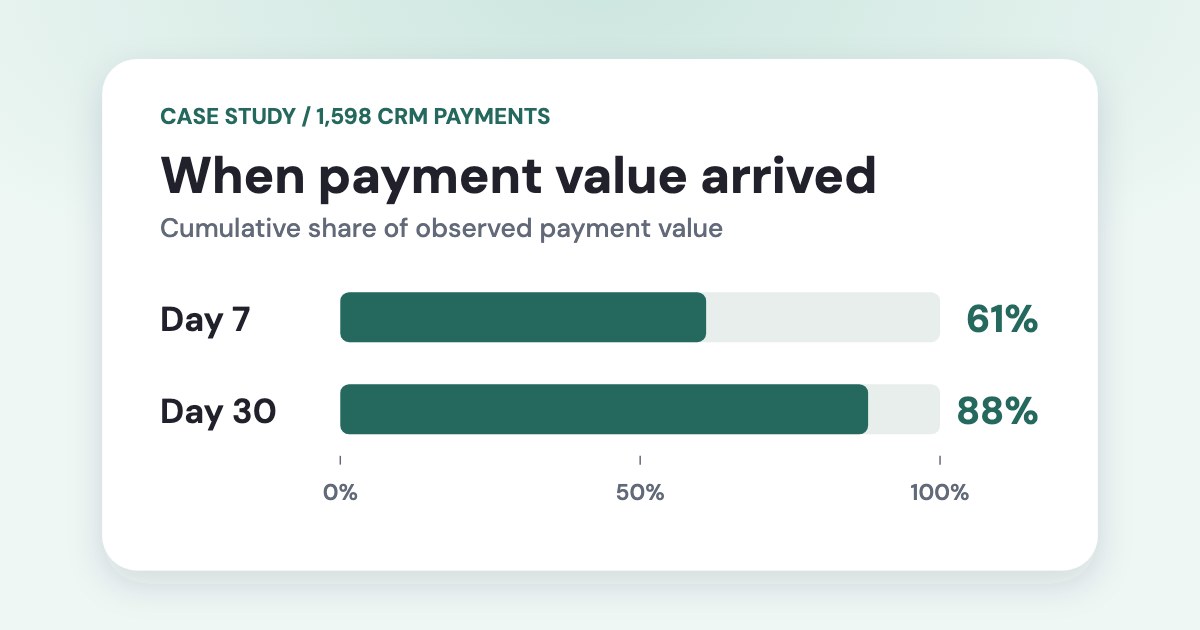
In a September 2026 analysis of 1,598 CRM payments at one business that sells through leads, payments received within 7 days of lead creation made up 61% of the total payment amount, and payments received within 30 days made up 88%. These are shares of the amount, not of the number of payments. The median payment arrived about six days after the lead.
On this page5 sections
How much payment value arrived by day 7 and day 30?
| Time since the lead | Cumulative share of observed payment value |
|---|---|
| Within 7 days of lead creation | 61% |
| Within 30 days of lead creation | 88% |
On a scale of 100 units of recorded payments, 61 arrived by day 7, another 27 arrived after day 7 through day 30, and 12 arrived after day 30. These are shares of payment value across the sample. The median of about six days and the 61% share by day 7 measure different things: the median counts payments equally, while the share counts amounts. The two numbers do not have to match. A business can collect a large part of its revenue late even when the median payment arrives in under a week.
How to use payment lag in campaign reviews
- Start with the lead date. Group leads into weekly cohorts and carry the ad or campaign ID into the CRM. Attach each recorded payment to the cohort that produced it. The guide to matching CRM payments to ads shows how to handle missing or ambiguous IDs.
- Compare cohorts at the same age. Compare the first seven days of payments for each cohort. Revisit both at a later checkpoint based on your own payment history. A cohort that has yet to reach that checkpoint should be marked as still collecting payments.
- Keep two views. Use payment date to see what came in this month. Use lead date and a fixed follow-up window to compare what the leads from different campaigns paid. Keep payments with unknown campaign attribution visible separately.
Pick review windows from older cohorts with enough follow-up to capture late payments. Keep recent cohorts out of the historical timing calculation until they have the same follow-up. The sample behind the figures in this article did not do this, so read its 7-day and 30-day shares as a first estimate. For campaigns that produce few payments, review a longer period or a broader group before judging individual ads.
If your exports include the ad ID, check which payment rows match an ad before building a revenue report. To compare weekly Meta Ads cohorts using your own spend and CRM payments, copy the free CRM revenue report template. It shows payments by day 7 and day 30 once each cohort has had enough time to pay.
What the sample can tell you
The sample describes when recorded payments arrived at a single business. Leads that never paid are outside the sample, so the figures cannot tell you the chance that a lead will convert. The analysis was at business level. Campaign comparisons require reliably matched payments and spend for the same lead cohorts.
How we checked
We analyzed 1,598 recorded CRM payments at one business in September 2026. For each payment with a usable lead timestamp, we measured elapsed time from lead creation to payment. Records with a missing lead timestamp or a payment timestamp earlier than the lead were excluded. The median gives each eligible payment equal weight. At each checkpoint, we summed the eligible payment value received by that day and divided it by the total eligible payment value in the observed sample. The reported percentages are rounded. The sample includes payments from leads of all ages, including leads created shortly before the analysis. For those leads, later payments had not been recorded yet, so the 7-day and 30-day shares may be higher than they would be with full follow-up.
The company and the records behind these aggregates are private. The sample reflects payments recorded at the time of analysis. Later payments can change the observed shares, particularly for the youngest cohorts.
Questions
How long should I wait before judging lead generation campaigns by revenue?
Set a review window using your own historical lead-to-payment timing. At each review, compare cohorts at the same age and flag those that still need time. In this case, the 30-day view captured 88% of observed payment value compared with 61% at day 7.
How do I calculate the share of revenue collected within seven days?
For each recorded payment, calculate elapsed time since the lead was created. Sum payments received within seven days and divide by the total recorded payment value in the same eligible sample. Use a consistent follow-up period when comparing different cohorts.