Free Meta Ads CRM revenue report template for Google Sheets
Compare Meta Ads spend with CRM payments from the same lead cohorts. The workbook calculates receipts by day 7 and day 30, counts paying customers, and shows unmatched payments separately. Make a copy in Google Sheets.
On this page5 sections
Open the template in Google Sheets
Sign in to Google and choose Make a copy to save your own editable spreadsheet. Use the sample rows to try the report, then replace the yellow cells on both tabs with your own data.
Download the free report template (.xlsx) to use it in Excel. You can also import that file in Google Sheets via File → Import → Upload. Google Sheets import instructions
What the report looks like with sample data
These fictional campaigns show why cost per lead and cost per paying customer can point to different decisions. The report is dated October 20, 2026, and uses USD.
| Lead week and campaign | Ad spend | Leads | Paid by day 7 | Paid by day 30 | Day-30 customers | Cost per customer |
|---|---|---|---|---|---|---|
| Sep 7 · Campaign A | $360 | 24 | $240 | $560 | 2 | $180 |
| Sep 7 · Campaign B | $300 | 15 | $200 | $400 | 2 | $150 |
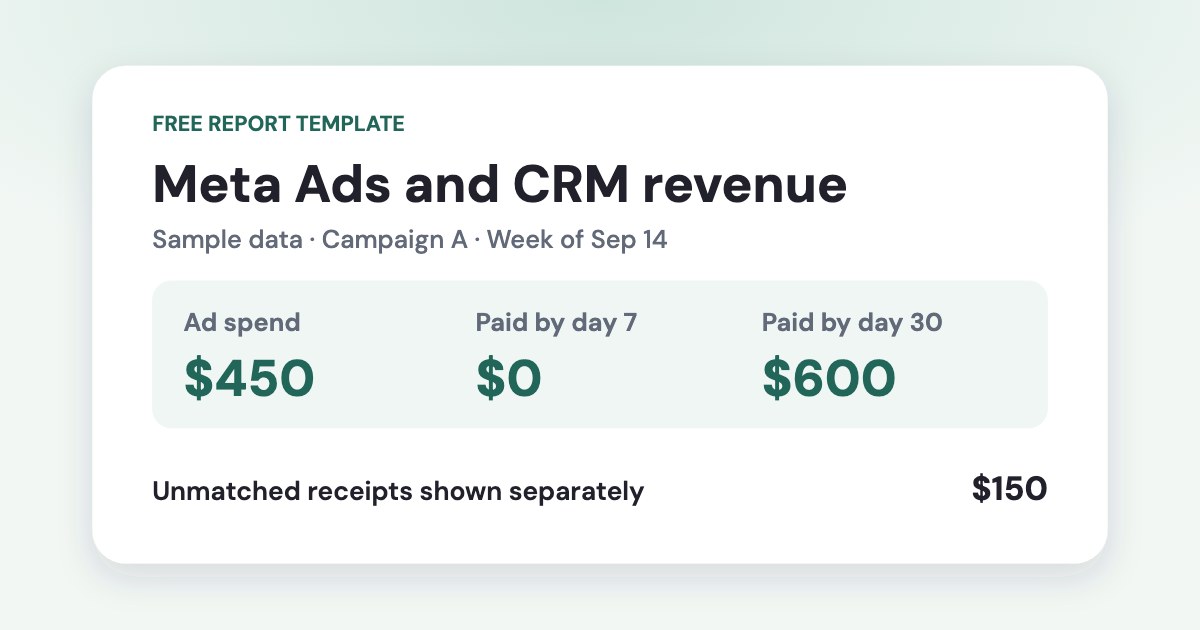
| Sep 14 · Campaign A | $450 | 30 | $0 | $600 | 2 | $225 |
| Oct 12 · Campaign A | $120 | 8 | Still collecting | Still collecting | Still collecting | Still collecting |
In the September 7 cohort, Campaign A cost $15 per lead and $180 per day-30 customer. Campaign B cost $20 per lead and $150 per day-30 customer. The September 14 cohort had zero receipts by day 7 and $600 by day 30. The October cohort still needs follow-up.
The report also shows $150 of unmatched receipts through the as-of date. One payment has a blank campaign key. The other has a key absent from the report for that lead week.
To see how the same comparison works at the ad level, open the Meta Ads revenue report example.
What to export from Ads Manager and your CRM
- Enter spend and leads by campaign and week. Use the Monday of each lead week. Keep one row for each campaign and week.
- Paste one row per payment. Use a unique payment key, a stable customer key, campaign ID, lead date, payment date and gross amount. Give the same customer the same acquisition campaign and lead date across installments.
- Use the same campaign key in both tabs. Prefix IDs with
meta-so the spreadsheet treats them as text. Leave the campaign key blank when it is unknown. Follow the CRM-to-ads matching guide to carry the source into new deals. - Set the as-of date. Use one currency and time zone throughout. Correct duplicate keys and flagged input rows before sharing the numbers. Keep the data within the 50 campaign-week and 300 payment rows prepared in the file.
If your CRM is HubSpot, follow a test lead from the ad to its first payment and check your export against this template’s sample data.
If both exports also include ad IDs, use the free attribution checker to spot missing or unmatched ad IDs before rolling up the payments by campaign.
How the cohort formulas work
- Paid by day 7 or 30 adds matched gross payments received within 7 or 30 calendar days of each lead date, including day zero.
- Day-30 paying customers counts each customer key once within the campaign and lead week, even when the customer pays in installments.
- Cost per day-30 customer divides that campaign week’s spend by its day-30 paying customers. The cell stays blank if there are zero paying customers.
Each cohort window closes only when the last day of the lead week has reached that age. The workbook leaves open windows blank. Totals for matched and unmatched receipts cover valid payments through the as-of date, including payments beyond 30 days.
See how much payment value can arrive between the two checkpoints in the lead-to-payment case study of 1,598 CRM payments.
The workbook measures cash received before refunds. Use a separate refund ledger for net revenue. For the broader client report, see what to send each week.
Questions
Can I use this Meta Ads report template in Google Sheets?
Yes. Sign in to Google and use the Make a copy link to save an editable copy. You can also import the downloaded Excel file via File → Import → Upload.
Does the template count installment payments as new customers?
Each installment adds to gross receipts within its payment window. The workbook counts the customer once per campaign and lead week when all installments use the same customer key and acquisition details.
Why are some day-30 results blank?
A cohort has a day-30 result after every lead in its week has had 30 calendar days to pay. Cost per customer also stays blank when the completed cohort has zero paying customers.