Google Ads offline conversions: send CRM sales back
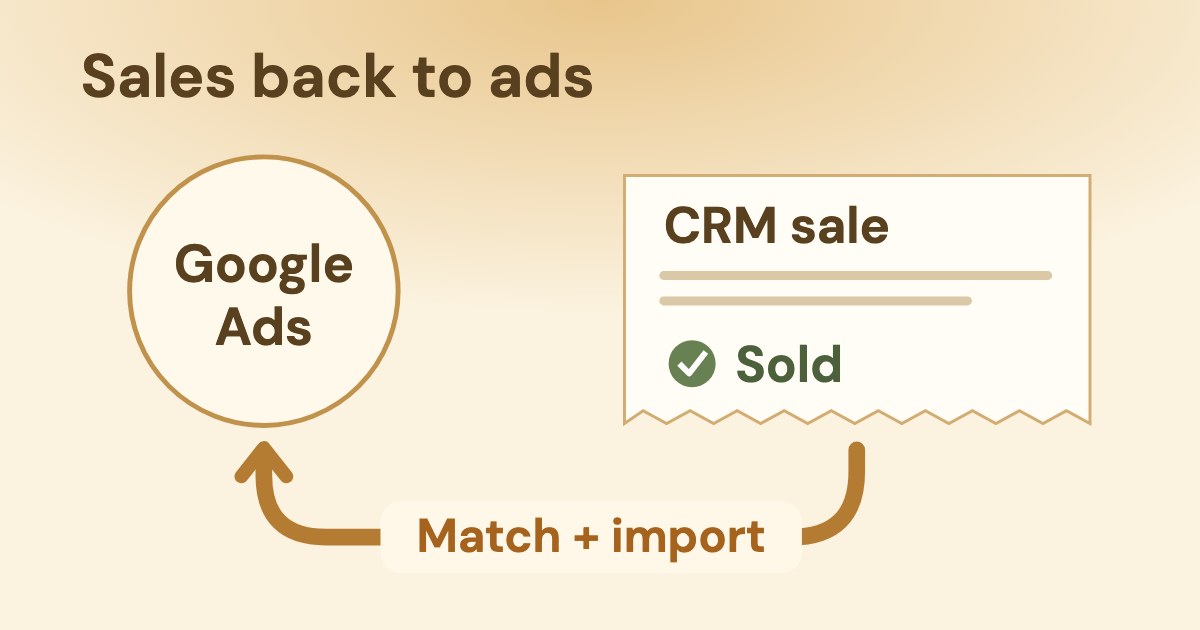
To send CRM sales back to Google Ads, retain the lead’s click identifiers, record its later outcome and import that outcome into a matching conversion action. Google recommends enhanced conversions for leads through Data Manager, combining website tagging with first-party customer data. Check data policy before uploading: hashing does not make sensitive conversions eligible.
On this page9 sections
Which route should a small business use in October 2026?
Start with enhanced conversions for leads through Google Ads Data Manager when you can meet its tagging, customer-data and policy requirements. Google’s offline-import overview recommends that route for new adopters; GCLID-only import remains a distinct matching option.
Enhanced conversions for leads is the matching setup; Data Manager, Zapier and an API are ways to deliver the outcomes. They are not mutually exclusive alternatives. As of 19 Oct 2026, this is the practical choice:
| What it requires and suits | Risk to check | |
|---|---|---|
| GCLID-based import | Auto-tagging, a website/form that captures the case-sensitive GCLID, and a CRM record that retains it until the outcome. Use a supported Data Manager source (setup). | No captured click identifier means this path cannot match that record by GCLID. A CRM name alone is insufficient. |
| Enhanced conversions for leads | A Google tag or Google Tag Manager setup capturing first-party lead data, plus imports with matching customer data. Keep existing GCLIDs whenever possible (requirements). | Collecting an email in the CRM alone does not complete the website-tag setup or establish permission to share it. |
| Data Manager direct connection | Google lists Salesforce, HubSpot, Zoho CRM and Google Sheets among direct sources. Choose the source that already contains your outcomes. For unlisted sources, Google also documents a partner route through Data Manager. | Map the relevant stage and fields. For HubSpot, Google says all conditions must use the Lifecycle Stage field unless combined with another condition using AND; Zoho CRM needs history tracking for stage changes. |
| Zapier | An eligible CRM supported by Zapier and a paid Zapier account; Google documents GCLID or hashed first-party-data uploads (Help). | Check the actual CRM trigger, fields and recurring cost. Do not assume every CRM has a native Google connector. |
| Data Manager API | A developer responsible for authentication, destinations, formatted events and diagnostics (current offline-events guide). | It is an integration project, not a CSV pasted into an API. Use its own schema rather than copying Google Ads API field names. |
Why older instructions can mislead
The overview announces migration of offline/enhanced-lead uploads from Google Ads API to Data Manager API starting 15 June 2026, with legacy access tied to developer-token request history during January–June 2026.
The API warning specifically says upload requests fail for developer tokens without prior upload requests. This is not a claim that every historical integration stopped on that date; use Data Manager API for a new build.
The file-import page is labelled legacy and says enhanced conversions for leads supports Data Manager files, requiring an upgrade from legacy file formats.
Google also differs on the settings timeline: the overview describes a combined web/leads setting starting in April 2026; the detailed settings update dates simultaneous data acceptance to April and the single on/off switch to June.
Both describe automatic migration of existing users, with the detailed page conditioning it on prior acceptance of customer data terms.
- Define the outcome and check policy before connecting. Decide which CRM change represents a qualified or converted lead.
- Create the action and attach its source. Google’s GCLID Help path starts Goals → Summary → + Create conversion action → Conversions offline → Add data source; it then offers a new source and a connection method. Its final step is Agree and finish (full instructions).
- Map, inspect and schedule. Match outcome time, identifiers and the intended action; refresh the source before each run. A created action without a connected source cannot receive outcomes (data preparation; setup).
Those are Help’s labels, not a live-account walkthrough: HubSpot and Zoho’s connector pages describe different setup sequences. Follow the instructions for the source you selected.
Which lead stages and values should you send?
Create a separate conversion action for each funnel stage, then select the stage the campaign should optimize toward. Google’s offline-import FAQ recommends separate actions and says you would usually bid toward one stage. Our example names and definitions are:
| Our suggested definition | Measurement decision | |
|---|---|---|
| Lead | A genuine new enquiry received by the business. | Keep it visible, but do not treat every form submission as a sale. |
| Qualified | An enquiry that meets the business’s written qualification criteria. | A possible bidding target when it represents meaningful progress. |
| Sold | The agreed sale or paid outcome, defined consistently in the CRM. | Keep the actual outcome and value distinct from earlier estimates. |
Primary actions appear in Conversions and are used for bidding when their standard goal is used for bidding.
Secondary actions are for observation in All conversions, except that actions in a custom goal are used for reporting and bidding regardless of primary/secondary status. Check the campaign’s goals as well as the action label. To agree how a Performance Max result is accepted, see Performance Max for lead generation.
Worked values — illustration only
Suppose 10 of 40 qualified leads buy, and a sale is worth $200 on your chosen business basis: 10 ÷ 40 × $200 = $50 per qualified lead as an estimate. The later $200 sale is a different outcome. Adding $50 and $200 does not mean the customer generated $250 of revenue.
This is our arithmetic example, not a Google benchmark or client result. Define whether your values mean revenue, margin or a relative score before using them to steer bidding; do not mix those meanings.
There is no universal “30–50 CRM conversions a month to switch on imports” rule here.
Google’s Smart Bidding page says you can turn Smart Bidding on without prior data, but recommends meeting certain conversion baselines that vary by strategy.
It separately recommends evaluation periods containing at least 30 conversions (50 for Target ROAS). Those are evaluation guidance, not a general import eligibility threshold.
Use lead economics to choose the business target. For the other advertising platform, use the separate Meta CRM integration guide; its fields and requirements are not Google’s.
What must survive from the click to the CRM sale?
Preserve the identifiers actually received with the lead and attach them to the later outcome; never reconstruct an identifier from a campaign name. For enhanced conversions for leads, also keep the permitted first-party data used by the website tag so the imported outcome can match it (Google’s explanation).
| What to retain or prepare | What breaks the match | |
|---|---|---|
| GCLID | Keep the original case-sensitive value from the landing page through the form into the CRM (Help). | A hidden field that is empty, a redirect that drops the value, or an integration that changes its case. |
| GBRAID / WBRAID | Preserve whichever parameter arrives under its own name. The API guide defines GBRAID for web-ad → iOS-app and WBRAID for iOS-app-ad → webpage. | Swapping the two fields or assuming every ad visit must carry a GCLID. |
| For your own hashing: lowercase and trim whitespace; apply Gmail/Googlemail normalization before SHA-256 (Data Manager API format). | Hashing first, then trying to fix the email; stripping dots or plus suffixes from every email provider. | |
| Phone | For your own hashing: E.164, including + and country code, followed by digits; then SHA-256 (format). | A local number without country code, or hashing spaces and punctuation as if they were the canonical number. |
| Outcome | Keep the action, actual event time with timezone, and an optional unique transaction reference; map value to the same business basis (source schema). | A current CRM snapshot that has lost when the stage changed, or changing timestamps merely to make a rejected row pass. |
The iOS measurement Help page describes WBRAID for affected website measurement and GBRAID for app conversions.
Google’s pages describe the two parameters by where the ad click starts and where the conversion happens, so treat each as its own field.
The Gmail trap, before hashing
For gmail.com and googlemail.com only, remove dots in the username and the first plus sign with everything after it up to @.
Google’s format guide gives cloudy.sanfrancisco+shopping@gmail.com → cloudysanfrancisco@gmail.com; for another domain, user.name+NYC@Example.com becomes user.name+nyc@example.com, retaining dots and the suffix.
Encoding is route-specific: the Google Ads API instructions specify lowercase SHA-256 hexadecimal output of 64 characters.
The Data Manager API guide accepts hex or Base64 for unencrypted hash bytes. The Data Manager interface can normalize and hash customer data for you; this is not a requirement to hash every field manually or to hash click IDs.
For the tagged enhanced-leads setup, Google says to import available eligible outcomes even when GCLID is absent, including outcomes that may not have come from Google Ads; keep GCLID when it is available (best practices). Without a tag collecting user-provided data, Help requires GCLID. “Send all” is not an exception to consent or sensitive-data policy.
Google’s GCLID advice differs by context
The enhanced-leads overview recommends retaining existing GCLIDs; the legacy-file troubleshooting page suggests trying only hashed user-provided data when mixed uploads have matching problems. Do not turn that troubleshooting suggestion into a rule to discard GCLID from your CRM. Check the actual import route and diagnostic error.
What do 63 days, 90 days and 14 days actually limit?
The click window, upload deadline and source retrieval horizon constrain different parts of the process; a reporting delay is a separate wait. As of 19 Oct 2026, Google documents these boundaries; practical consequences are our reading of the stated scopes.
Google’s GCLID setup prerequisites include a click-to-conversion cycle that is less than 14 days or 90 days, depending on the data source
.
In its offline-import FAQ, Google says: We retain the GCLID for only 90 days.
| Rule and scope | Practical consequence | |
|---|---|---|
| Click → conversion window | The conversion-window page gives a default click window of 30 days and settings up to 90 days depending on the conversion source. | Inspect the particular action. A maximum available setting is not proof that your action is configured to use it. |
| Last click → upload | The import guidelines reject standard offline imports uploaded more than 90 days after the associated last click; enhanced-lead imports have a 63-day limit. | This measures the upload’s age from the last click, not just the time between a CRM sale and the next run. |
| Files/object storage → Data Manager | Setup Help says GCS, Amazon S3, HTTP, SFTP and Google Sheets import conversions from the past 90 days in every run. | Refreshing the source and including an old row cannot override the applicable conversion-window/upload rules. |
| Salesforce / HubSpot → Data Manager | The first successful run imports the last 14 days; subsequent runs import changes that occurred and were reported between the last successful run and the current one (Help). | The later-run rule concerns reported changes, not a blanket 14-day expiry for every CRM record. Check that the connector retrieves the outcome; attribution still has its own limits. |
| Databases → Data Manager | BigQuery, Amazon Redshift, Snowflake, MySQL and PostgreSQL import the last 14 days in every run (Help). | Do not apply the Salesforce/HubSpot incremental rule to these sources, or assume an older event will be retrieved. |
| New action → first upload | Setup Help says wait 4–6 hours after creating the action; uploading during those first hours might delay reporting by 2 days. | This is a setup wait, not a recurring sales-cycle or attribution window. |
| Upload → visible reporting | Import guidelines say about 3 hours; file Help says 24–48 hours for full processing/reporting. The Ads API guide says up to 3 hours for last-click attribution, longer for other search models. | Google’s descriptions differ. Do not promise one universal deadline; inspect processing results and use the timing for the actual route. |
more than 63 days after the associated last click
The commonly quoted “up to 63 days” needs that qualification: Google’s rule is real, but it is an enhanced-leads upload cutoff from the associated last click.
It does not replace the action’s conversion window or the connector’s retrieval horizon. Our reading: a record must pass each applicable boundary; a 90-day source scan does not extend the 63-day enhanced-leads cutoff.
For example, if an enhanced-leads outcome is uploaded on day 70 after its associated last click, Google’s 63-day rule excludes it even if a source can still retrieve the row.
This is an illustration of the documented boundary, not a client measurement. For changing the action’s own window, Help uses Goals → Conversions → Summary → Edit settings → Settings → Click-through conversion window (instructions).
Can clinics and schools send patient or student outcomes?
Do not upload sensitive conversion information to enhanced conversions; hashing and neutral stage names do not create an exception. Google’s customer data policy explicitly applies to enhanced conversions for web/leads, store-sales uploads and Google-engaged audiences.
You may not upload conversion information related to sensitive categories.
The sensitive-category list includes health or medical information, such as purchases of medical services, prescription drugs or medical devices.
It also prohibits data known to relate to children under 13, or collected from a site/app directed to children under 13. A school’s adult-course enquiry and a child’s student record are not interchangeable cases.
A clinic sale remains medical in context
Our suggestion is to use simple stage names for ordinary permitted business outcomes and keep unnecessary details out of the feed. That does not make a medical-service purchase permissible after renaming it “Sale”; removing a diagnosis or hashing an email does not settle what the conversion reveals.
Our reading: this page does not establish a GCLID-only workaround for sensitive outcomes. Keep an unresolved patient/student case in internal reporting until you have established which data and measurement are allowed.
The policy generally permits only first-party customer information, with a specific retailer-collected exception for advertisers selling through retailers.
It requires disclosure of third-party sharing for measurement, consent where legally required, compliance with applicable law and Google’s applicable EU consent policy, and approved upload methods. Authorized uploaders also have written compliance requirements.
For serious or repeated violations, Google says suspension may be immediate and without notification. These are policy requirements, not legal advice or a promise that consent alone makes every upload acceptable.
The clinic tracking discussion explains the same need to inspect what an event reveals; apply Google’s own policy when choosing a Google feed, rather than transferring another platform’s permission.
How can Variafy help check offline uploads?
Variafy offers read-only Google Ads access after your beta invitation. The implementation checked on 19 Oct 2026 reads conversion settings, customer-data-terms acceptance and the offline-upload summaries Google returns.
For available upload summaries, it reads the action, status, successful/pending counts, last-upload time and alerts. An unavailable optional read is reported as missing evidence. These readers do not send CRM data or create conversion actions; an upload-health result does not certify consent, policy compliance or attribution.
A prompt for the reading workflow
“Read the conversion settings and offline-upload summaries. For each available action, show status, successful and pending events, last-upload time and alerts. State whether customer data terms are accepted, identify missing reads, and separate accepted uploads from proven attribution. Do not change anything.”
This is a reading workflow. Variafy does not change Google Ads. Variafy is in the free beta: join the free beta.
How do you know the import is working?
Check processing, attribution and reporting separately before changing the campaign’s goal. A successful request is not proof that the outcome was attributed: the Google Ads API guide says so explicitly; the Data Manager API guide tells implementers to retain the request ID and inspect diagnostics and warnings.
- Compare the source with accepted outcomes. Refresh the source, inspect import results and diagnose rejected rows. For file imports, Google names Goals → Conversions → Uploads and the action’s Diagnostics tab (Help).
- Compare the same action and time basis. Google’s offline-import FAQ recommends All conv. (by conv. time) in the Campaigns report, segmented by conversion action, against the upload results. That is different from reporting against the original ad interaction. To compare business outcomes with platform credit without forcing them to match, see Google Ads vs GA4 conversions.
- Keep retries consistent. Google’s guidelines deduplicate the same identifier, conversion name, date and time. Preserve the real event time and stable transaction reference; do not invent a new event to bypass an error.
- Approve any bidding change separately. Confirm that the selected stage means what the business expects and that the campaign uses its intended goal. Upload success alone does not justify promoting every stage to primary.
Our suggested handover note records the source, action, stage definition, timezone, applicable upload/retrieval limits, last successful run and unresolved errors. For a broader measurement problem, use the Google Ads audit checklist; keep unmatched or policy-excluded outcomes visible in the business’s internal totals.
How we checked
Checked on 19 Oct 2026 against raw HTML from 20 public Google sources covering import setup and routes, matching, lead stages, conversion goals, timing and customer data policy. Sources are linked at the relevant claims.
Interface labels are the pages’ wording; no advertising account was opened. Google’s differing settings dates, GCLID troubleshooting advice and reporting delays are stated explicitly; the 63-day cutoff is verified against the import guidelines.
The editorial comparison used a review of five published guides and an AI search answer. Stages, arithmetic and handover sequence are our proposals, not Google benchmarks or client measurements.
Product claims were checked against the implementation on the same date. Variafy is our product; Google Ads access is read-only and available after your beta invitation.
Questions
What is Google Ads offline conversion import?
It records an outcome that happened after the ad interaction, such as a later qualified lead or sale. The business retains matching identifiers and imports the actual outcome into a Google Ads conversion action; a CRM sale is not automatically known to Google Ads.
What are enhanced conversions for leads?
An upgraded offline-import setup using first-party customer data alongside available click identifiers. Google recommends website tagging and automated imports with matching customer data, subject to its customer data policies. It does not mean every hashed CRM record is permitted.
How do I send CRM sales back to Google Ads?
Define the sale and its conversion action, establish permission to transmit the outcome, preserve identifiers and event time, then connect a supported source in Data Manager and check the import results. Google also documents paid Zapier integration and Data Manager API for custom development.
What is the difference between GCLID, GBRAID and WBRAID?
They are different ad-interaction parameters. The API guide defines GBRAID for a web ad leading to an iOS app and WBRAID for an ad in an iOS app leading to a webpage; preserve each under its own name. A missing GCLID does not by itself rule out a tagged enhanced-leads match using permitted customer data.
Is the offline conversion import window 63 or 90 days?
Google’s import guidelines reject standard offline uploads more than 90 days after the associated last click and enhanced-leads uploads more than 63 days after that click. The action’s configured conversion window and the source’s retrieval horizon are separate constraints; a 90-day source scan does not extend the enhanced-leads cutoff.
Can I send patient or student data to enhanced conversions?
Google prohibits sensitive conversion information, including purchases of medical services. It also prohibits data known to relate to children under 13 or collected from sites/apps directed to them. Hashing, consent or renaming a medical outcome Sale does not override those restrictions; establish whether the actual data and context are allowed before uploading.