Google Ads Search partners: separate the network from lead quality
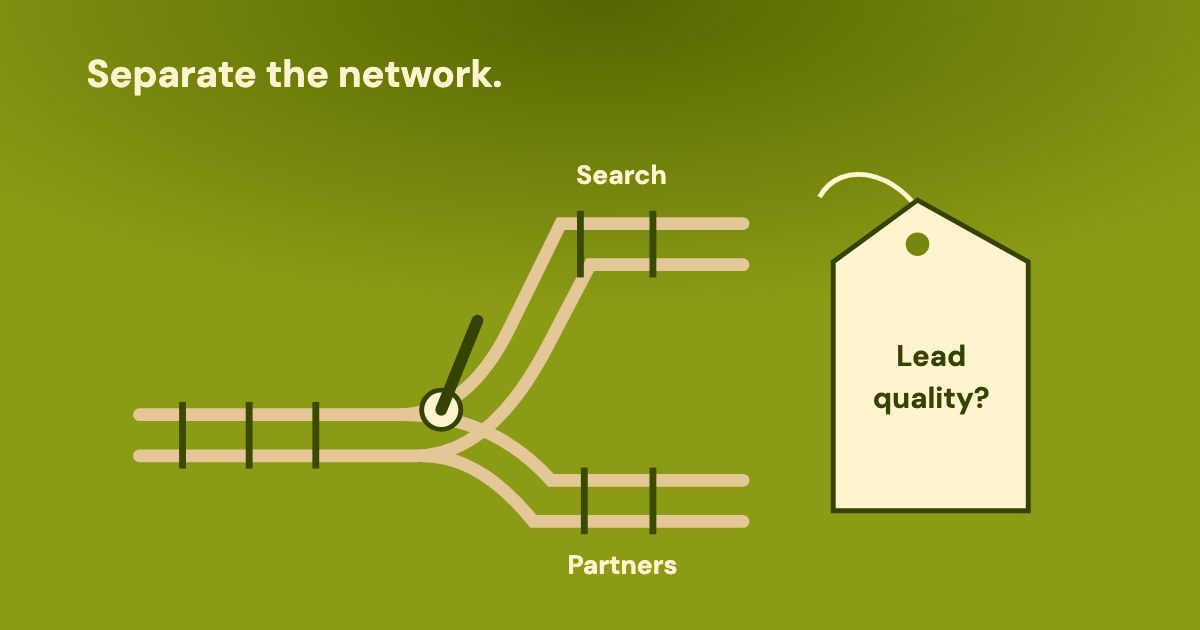
Google Search partners are sites within the Search Network that partner with Google to show ads. For a keep-or-test decision, separate network settings, reported performance and the business’s assessment of enquiries. A cheaper conversion on search partners does not, by itself, establish better or worse lead quality.
On this page9 sections
What are Google Search partners?
Sites in the Search Network that partner with Google to show ads.
Google’s definition includes search results, directories, product detail pages, YouTube search results and Watch pages. The term describes advertising inventory, not an agency accreditation. Our reading: a network label identifies a delivery context; it does not classify the person who submits your form.
The useful question is whether that delivery supports your business outcome. Our suggested check separates the evidence below before choosing to keep the setting or test a change. The Google Ads audit checklist covers the wider account; this decision concerns the network specifically.
| What it establishes | What still needs evidence | |
|---|---|---|
| Campaign setting | Whether search partners are currently included. | Actual delivery during the period being assessed. |
| Network performance | Reported results split by network, where available. | Whether those conversions became suitable enquiries. |
| Placement reporting | Listed sites and their reported impressions, within the report’s limits. | Individual business outcomes or site-level qualified-lead costs. |
| Business assessment | Accepted, rejected and unresolved enquiries under an agreed rule. | A verified connection to network labels before assigning quality to a network. |
How do you turn Search partners on or off?
For an existing Search campaign, use the campaign’s network setting. Google’s Search Network instructions, checked 20 Oct 2026, give this route. Checking the box enables that campaign’s ads on partner websites; unchecking it disables that campaign’s ads there.
- Open Campaigns within the Campaigns menu.
- Hover over the campaign you intend to change, then select the gear beside its name.
- Expand Networks.
- Check or uncheck Include Google search partners.
- Select Save.
Google says search partners are included by default when creating a campaign for the Search Network. That default does not establish the current state of an existing campaign. For ads only on Google Search, its instruction is that only the Google Search Network checkbox should be selected.
Our suggestion: record the campaign, observed setting and inspection date before changing anything. Keep configuration separate from historical delivery: a missing partner row in an earlier reporting period does not establish that today’s checkbox is off. The operator should inspect both.
Which report separates Google Search from search partners?
Google documents a Network (with search partners) segment for comparing network performance. Its table-segmentation guide gives individual ads on the Ads tab as an example. Open the relevant table, select the segment icon and choose the available network split.
Availability matters: Google says segment choices depend on the table. Some segments appear only on particular tabs, and some require a downloaded report. Our suggestion: ask the operator for the available split with the campaign filter, dates and conversion definition attached; do not promise one identical screen for every campaign type.
There is also query context. The search terms instructions give Campaigns → Insights and reports → Search terms, with a Segment button offering Networks. Use the returned rows to investigate what people searched for, rather than treating a campaign total as an explanation.
Google explains that partner queries from directories or related pages can be longer or formatted differently. Our reading: that appearance alone does not prove an invalid enquiry. Some low-activity queries are omitted for privacy; the visible list is incomplete. The search terms guide covers interpretation in detail.
Our suggestion: compare reported cost and conversions on the same basis, then inspect the business outcomes separately. A network’s recorded conversion can be a counted form event without establishing that the office accepted the enquiry. The cost-per-lead guide explains that denominator distinction.
Can you see the Search partner websites?
Google has a dedicated Search Partner Network placement guide, but its English Help pages disagree about visibility. All the documents below were checked on 20 Oct 2026. Their wording does not establish which page was updated first, or guarantee what a particular account will expose.
Google’s placement guidance differs
The Search Partner Network (SPN) full placement guide describes site reporting for Search, Shopping and App campaigns. Its listed contents are placements and impressions for the selected period.
The Search Network page instead says website details are unavailable “unless you are running a Performance Max campaign”.
The Content suitability page includes the Search Partner Network in its introduction. Its placement definition describes the websites where ads showed on that network.
Its campaign-reporting FAQ nevertheless excludes Search campaigns. In an answer comparing Content suitability with the Performance Max placement report, it also says the report does not show search-partner placements on the Google Search Network. These statements conflict with the dedicated SPN guide.
The dedicated guide gives Campaigns menu → Report editor → When and where ads showed → Content suitability. Our suggestion: ask the operator to check that route for the intended campaign and period, then record what is actually available. If it is unavailable, retain that limitation rather than inventing a site list.
The SPN guide calls the report “complete transparency”, yet lists a site only when it meets at least one condition in the selected period: 5 or more impressions, or more than 0 clicks, video views or conversions. These are alternative inclusion conditions, not requirements to satisfy together.
Those conditions do not promise those interactions as site-level performance columns: the guide lists placements and impressions. The Content suitability FAQ describes a brand-suitability purpose, says counts may include invalid traffic and are not final billed impressions. Do not turn this report into a qualified-lead or billing ledger.
Our reading: an absent placement is not proof that no delivery occurred. Reporting thresholds and the documentation conflict limit that conclusion. Keep a separate campaign-type check for Performance Max lead campaigns; do not substitute their reporting for an ordinary Search campaign.
What does a completed keep-or-test record look like?
The Cedar Repairs example is entirely invented: company, people, dates, settings and figures. It demonstrates our suggested record, not a Google benchmark. Owner Amina wants to know whether to keep search partners in the fictional Emergency repairs Search campaign before increasing its budget.
Operator Leo records search partners enabled on 20 Oct 2026. The fictional performance period is 1–14 Sep 2026, with the same campaign and Repair enquiry conversion definition for both network rows. These are reported advertising results, not office-qualified outcomes.
| Google Search · invented | Search partners · invented | |
|---|---|---|
| Reported cost | $1,200 | $300 |
| Reported conversions | 30 | 15 |
| Cost per reported conversion | $40 | $20 |
| Network-linked accepted enquiries | Unknown | Unknown |
The partner row looks cheaper: $300 divided by 15 reported conversions is $20. Google Search shows $1,200 divided by 30, or $40. That comparison establishes the invented reported conversion costs. It does not establish the cost of accepted enquiries on either network.
For this example only, the team has reconciled the campaign’s 45 recorded conversions with 45 distinct enquiries. Office manager Ruth classifies 18 as accepted, 17 as rejected and 10 as unresolved. She has no verified network label for individual enquiries; these outcomes remain campaign-wide.
Ruth’s invented acceptance rule is a genuine request for an offered repair service in the service area, accepted for follow-up. Accepted does not mean a sale. She retains reasons for rejection and keeps unanswered cases unresolved. None of these classifications is assigned to a network using its share of clicks or conversions.
| Completed entry · invented | Meaning for the decision | |
|---|---|---|
| Question | Keep search partners, or propose a controlled comparison? | The cheaper reported CPA is insufficient to settle lead quality. |
| Known evidence | Current inclusion setting; the two reported network rows; campaign-wide office counts. | The advertising figures and qualification counts answer different questions. |
| Missing evidence | Network labels for individual enquiries and the outcomes of 10 unresolved cases. | No accepted-enquiry cost or quality verdict by network can be calculated. |
| Decision on 20 Oct | Amina keeps the present setting temporarily and defers the budget increase. | This is an evidence-gathering decision, not an endorsement of partner quality. |
| Next owner and checkpoint | Ruth resolves outstanding cases; Leo checks what network evidence can be established. Amina decides the next step on 27 Oct. | If the gap remains, a partner-off comparison needs its own agreed scope and outcome rule. |
Our reading of this example: the team can choose its next action without pretending to know which network the accepted enquiries came from. The invented checkpoint is an appointment, not a recommended test duration. Keeping the checkbox temporarily does not establish that it should remain enabled permanently.
What can Variafy help check?
Variafy is in the free beta, with Meta and Google Ads support live; Google access is read-only. It can read returned campaign network settings and ordinary campaign performance metrics. These can establish a settings snapshot and campaign totals for the requested period.
Our suggested request: “Show this campaign’s returned network settings and ordinary results for the selected period. Keep today’s settings separate from historical performance. List the network-report and business-quality evidence a person still needs before making a keep-or-test decision.”
The product does not return the network performance segment or the Search Partner Network placement report. It does not join individual CRM enquiries to networks or classify them as accepted. The operator obtains those missing reports and business records separately; Variafy cannot change the Google Ads network checkbox.
Should you keep Search partners or test turning them off?
Our suggestion is to decide from the business outcome and the strength of the evidence. Keep the setting when the business accepts the outcome on adequate evidence. Propose a bounded comparison when the outcome is doubtful and the team can assess the alternative consistently.
Before that comparison, name the campaign, conversion definition, enquiry-quality rule, responsible person and assessment checkpoint. Record other deliberate changes. Changing matching, landing pages and the network together leaves several possible explanations for the result. A before-and-after difference alone does not establish that the network caused it.
Leave the network-quality conclusion open when individual outcomes cannot be connected to networks. Campaign-wide rejected enquiries may justify investigating the campaign, but they do not identify search partners as the source. Lower CPC, cheaper reported conversions or an unfamiliar query format cannot supply that missing connection.
Finish with a saved decision: setting observed, network figures, business assessment, missing evidence, proposed action, approver and checkpoint. The useful result is an accountable keep-or-test choice with clear limits, rather than a universal recommendation to enable or disable partners for every lead business.
How we checked
Based on 6 different Google Help documents: Search partners definition, Search Network, table segments, search terms, Search Partner Network (SPN) full placement reporting and Content suitability. Google Help pages read on 20 Oct 2026; their placement-report conflict is retained.
The decision framework is our suggestion. Cedar Repairs and all people, figures, dates and decisions in its record are invented teaching inputs. No advertising account or CRM was accessed. Product capabilities described here are current at 20 Oct 2026.
Questions
What are Google Search partners?
They are sites in the Search Network that partner with Google to show ads. Google includes search results, directories, product detail pages, YouTube search results and Watch pages. The network label describes delivery, not whether an enquiry qualifies for your business.
How do I disable Search partners in Google Ads?
For an existing Search campaign, open Campaigns within the Campaigns menu, hover over the campaign and select the gear beside its name. Expand Networks, uncheck Include Google search partners and select Save. Inspect the intended campaign rather than infer its setting from a missing historical report row.
How do I compare Search partners with Google Search?
Google documents Network (with search partners) segmentation, giving individual ads on the Ads tab as an example. Segment options vary by table. Its Search terms instructions also offer Networks segmentation; retain the campaign, date range and conversion definition with the returned figures.
Can I see which Search partner sites showed my ads?
The dedicated Search Partner Network (SPN) guide describes site and impression reporting for Search, Shopping and App, subject to inclusion thresholds. Other current Google Help wording conflicts about Search visibility. Ask the operator to check Content suitability through Report editor and retain any availability limits; do not promise a complete site list.
Do Search partners cause poor-quality leads?
A network conversion count does not establish lead quality. Assess accepted, rejected and unresolved enquiries consistently; without verified network labels for individual enquiries, campaign-wide rejection counts cannot identify the network responsible. A cheaper reported conversion or unfamiliar query format alone is insufficient evidence.
Should I turn off Search partners because their CPA is lower?
Lower reported CPA is not a reason by itself either to disable partners or to increase their exposure. Check the counted outcome and business assessment. Our invented record keeps the setting temporarily while missing evidence is gathered, without claiming that either network has better accepted-enquiry economics.