ChatGPT and Claude for ad agencies: manage multiple client ad accounts safely
An agency can use one AI assistant across every client’s Meta, Google, LinkedIn and Microsoft ad accounts, as long as the access starts where the platforms expect it: client-owned accounts shared with your agency, not client logins. Then keep that separation in the chat: one project per client, read-only by default, and every request naming the account.
On this page12 sections
Can one AI assistant work across all my clients’ ad accounts?
Yes. A connector (an MCP server) signs in to each platform as a person on your team and gives the assistant the accounts that person can already open. It does not get access a login does not have, so the real setup work happens on the platforms, not in the chat.
The rule that keeps you out of trouble
Each client owns its ad accounts and shares them with your agency. Your people sign in as themselves. Nobody logs in as the client, and no shared passwords sit in a chat or a connector.
The sister guide covers this in depth for Meta alone: managing many client Facebook ad accounts with Claude or ChatGPT. Here we line up all four ad platforms plus GA4 and Search Console.
How does an agency get access on each platform without taking ownership?
Every platform has an agency route where the client keeps the account and approves the link. Use it before connecting any assistant.
| How the agency gets access | What to watch | |
|---|---|---|
| Meta | The client shares its ad account with your business portfolio as a partner, using your portfolio ID. | Only the business that owns the ad account can share it with another portfolio. Partial access limits what you can pass on to your staff. |
| Google Ads | Your manager account invites the client account; after the client accepts, the accounts link automatically. | Only the client’s Admin users can accept manager links. Your API calls through the manager need its customer ID in login-customer-id. |
| Microsoft Advertising | Your agency sends a client link; an authorized user at the client accepts it. You set who pays, per link. | Links expire after 30 days without action. On a customer-level link, the “Standard” link permission limits what your Super Admins can do. |
| LinkedIn Ads | The client gives each of your people a role on the ad account, or shares it with your Business Manager as a partner. | API access follows the member who signed in. To stop a Business Manager share, the client must contact LinkedIn support. |
| GA4 | The client adds your users or a user group at property level. | Property-level access covers only that property; roles inherit downward. |
| Search Console | The client adds your Google accounts as Full or Restricted users. | Restricted users have “simple view rights on most data” and only a fetch-only URL inspection; Full users get the full inspection. |
Sources: Meta partner access, Google manager accounts and access levels, Microsoft account hierarchy, LinkedIn Business Manager partners, GA4 user access and Search Console users and permissions, all checked 23 Oct 2026.
Which role should the person who connects the assistant have?
The lowest role that answers your questions. For reporting and analysis, every platform has a read-only role.
| Read-only role | Role that can change things | |
|---|---|---|
| Google Ads | Read-only: “Can view campaigns and use planning tools”. | Standard or Admin. |
| Microsoft Advertising | Viewer: “This role has read-only permissions.” | Standard user, Advertiser Campaign Manager, Super Admin. |
| LinkedIn Ads | Viewer: no ability to create or edit campaigns or ads. | Campaign manager, Account manager, Billing admin. |
| GA4 / Search Console | Viewer in GA4; Restricted or Full user in Search Console. | Editor or Administrator; Owner. |
Our suggestion: connect analysts with read-only roles, and keep changes with the people who already make them in each platform’s own interface. LinkedIn’s user roles make the same point from the API side: the connection sees the accounts of the member whose token is used.
What do the platforms’ terms say about tools working across clients?
They expect the tool to act for each client separately and the agency to have the client’s authority.
You will ensure that Platform Data you maintain on behalf of one Client is maintained separately from that of other Clients
- LinkedIn lets you combine reporting across clients only if “you maintain the specific, segregated data regarding each Account Manager’s LinkedIn Accounts as confidential” (LinkedIn Marketing API terms).
- Microsoft makes the agency warrant that it is authorized to act on behalf of the advertiser (Microsoft Advertising Agreement).
- Google asks anyone using the Ads API for an entity to have authority to bind it (Google Ads API Terms).
In practice: one client’s numbers go into that client’s report, chat and folder, never into another’s. The next section turns that into chat settings.
How do you keep Client A out of Client B’s chat?
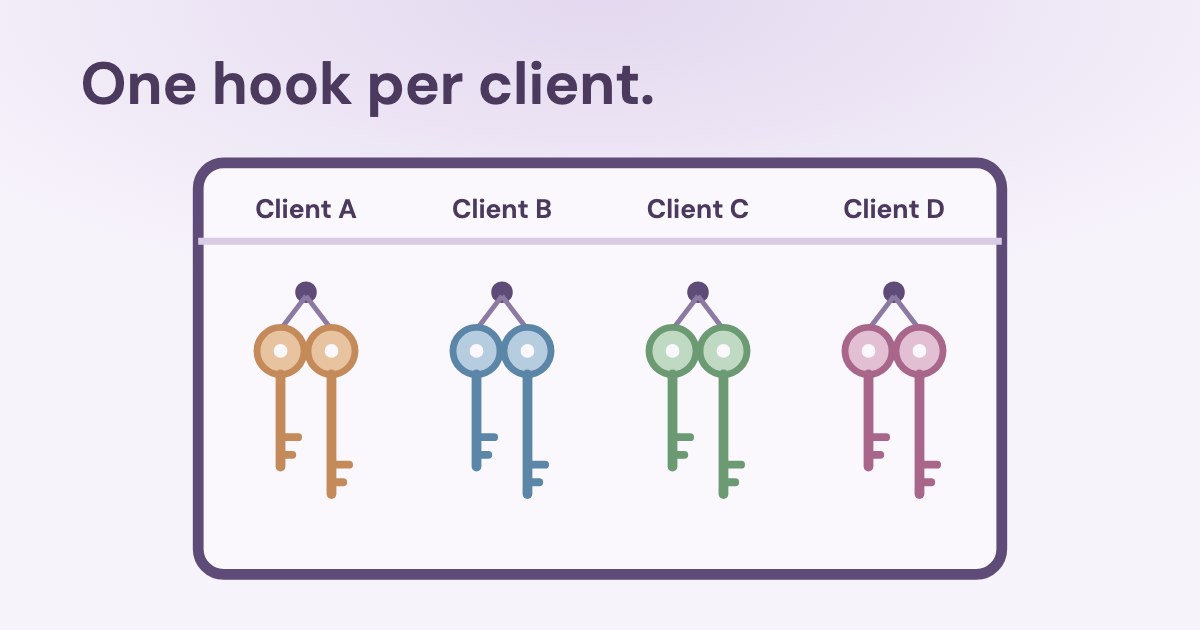
Give each client its own project, and name the account in every request.
Chats cannot reference conversations outside the project, such as general ChatGPT conversations or conversations in another project.
- One project per client. Claude projects are self-contained workspaces with their own chats and knowledge; in ChatGPT, choose project-only memory when you create the project or later in its settings, and check the client projects you already have. Shared ChatGPT projects always use it.
- Project instructions with the IDs. Write the client’s ad account IDs, currency and goal into the project instructions, so the assistant starts in the right account.
- Name the account in the prompt. When a connector sees many accounts, ask about one by name and ID, and check the account in every answer.
- Turn off connectors you don’t need in that chat. Claude lets you enable or disable each connector per conversation.
Cross-client questions (“which client’s cost per lead rose most this month?”) belong in an agency-level project, with numbers only, not client files.
Why IDs, not names
In one workspace we work with, anonymised with the owner’s permission, a single Google sign-in brought in six GA4 properties. One belonged to the business; the others were sites the same Google user could also see, including a test copy. Two of its Meta ad accounts have names that differ only in a two-digit suffix.
A connector sees everything the signed-in person sees. The project instructions should carry the IDs, and the first answer should name the account it read.
Will ChatGPT or Claude train on your clients’ data?
Not by default on business plans. Check which plan your team actually uses.
| Business plans | Personal plans | |
|---|---|---|
| ChatGPT | “By default, OpenAI does not use content from ChatGPT Business, Enterprise, Edu, or ChatGPT for Healthcare workspaces to train its models.” | Free, Plus and Pro follow each user’s “Improve the model for everyone” setting. |
| Claude | “By default, we will not use your inputs or outputs from our commercial products … to train our models.” | Free, Pro and Max follow each user’s model training setting. |
Sources: OpenAI projects help and Anthropic’s training policy for commercial products, checked 23 Oct 2026. For client work, a business plan is also where admins control connectors, which is the next point.
Who on your team should add and connect the assistant?
On business plans an admin adds the connector once, and each person connects with their own platform logins.
- Claude Team and Enterprise: Owners add a custom connector for the organization; members then connect individually. Anthropic warns that a connector using a shared API key gives everyone that key’s access (connector guide).
- ChatGPT Business: only admins and owners can create and publish plugins for custom MCP servers; full MCP support is for Business and Enterprise/Edu on the web, and Pro gets read and fetch tools only (OpenAI help).
Content can carry instructions
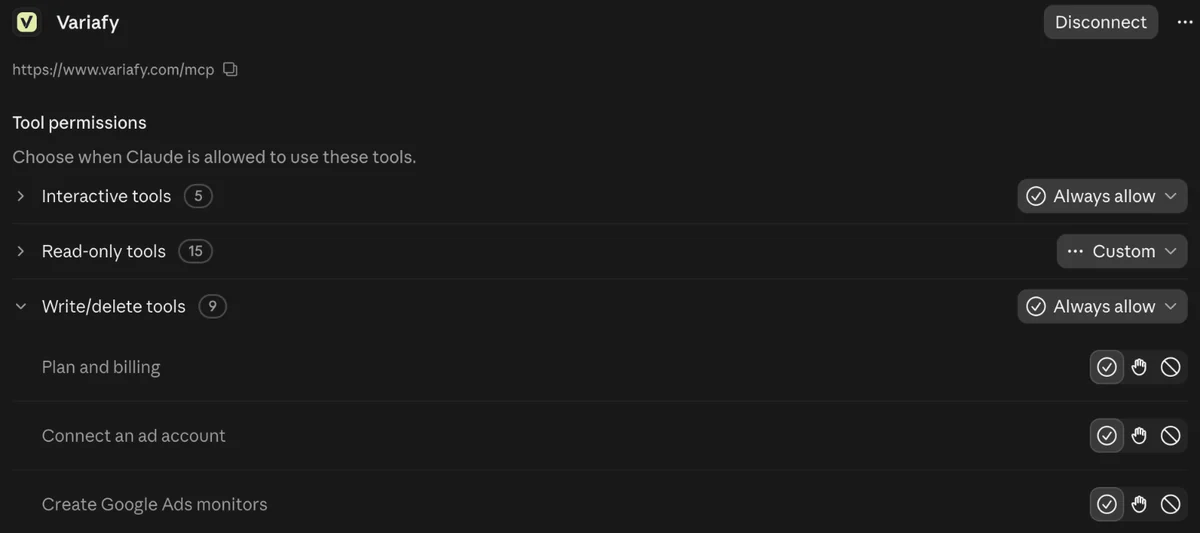
Ad comments, landing pages and lead form answers are written by strangers. OpenAI describes prompt injection as instructions hidden in ordinary content, “such as in a comment on a listing or on a review”. Keep write tools off for analysis chats, and confirm every change yourself.
What does a weekly agency routine look like?
- Monday, per client project: last week against the week before, on closed days, by platform and campaign. Check each answer names the account and period.
- Agency project: one table of every client’s spend and cost per result, to decide where to spend your team’s time.
- Before any change: ask for a preview naming the account, what changes and whether spend can grow; confirm only that change.
- Monthly: compare platform conversions with the client’s CRM, so the report is about customers, not clicks. See what to send clients every week.
Platform-specific setup is in our guides for Google Ads, Microsoft Advertising, LinkedIn Ads and Meta.
Which prompts work for agencies?
Copy them into the right project: the first and third into an agency-level project, the rest into each client’s project. Replace the parts in brackets.
Access audit: list every ad account you can see across the connected platforms, with platform, account ID, name and currency. Do not read performance yet.
Client [name], accounts [IDs]. Compare the last 7 full days with the 7 before, by platform and campaign: spend, results and cost per result. Flag anything that moved more than 20%. Do not change anything.
For every connected account, show spend and cost per result for the last 7 full days against the 7 before, one row per account, sorted by the change in cost per result. Numbers only.
Prepare, but do not apply, a pause of ad [ID] in account [ID]. Show the account, what changes and whether spend can grow.
Write five bullets for client [name] about last month, using only numbers from the tools, and state the dates and time zone of each figure.
Check the account and period in every answer before it goes into a client report.
How does Variafy work for an agency?
Variafy is one hosted connector for Meta, Google Ads, Microsoft Advertising, LinkedIn Ads, GA4 and Search Console. Your account owner connects each platform once with the agency’s logins; every client account those logins can open appears, and you choose which to connect.
- Each request names its account, and a confirmed Meta change runs only on the account it was previewed for. Google, Microsoft, LinkedIn, GA4 and Search Console are read-only.
- Roles: an operator reads everything and approves changes in the console; a buyer can also build and change Meta campaigns from the chat, each change previewed first. Every call is written to a journal.
- Spend increases can require a signed-in person’s approval instead of a chat confirmation.
- Scheduled briefs cover each connected account and go only to people with access to it.
The free beta allows 3 connections per platform. Managing many client accounts? Join the free beta and tell us how many accounts you work with in the form.
How we checked
Checked on 23 Oct 2026 against Meta’s partner-access help and Platform Terms, Google Ads help on manager accounts and access levels and the Google Ads API call structure, Microsoft Learn on account hierarchy and permissions, LinkedIn Help on Business Manager partners and the LinkedIn Marketing API terms and user-role docs, GA4 and Search Console help on users, Anthropic’s help on projects, connectors and model training, and OpenAI’s help on projects and custom MCP servers and its prompt-injection guide. We also read the pages that rank for these searches.
The example of six GA4 properties and look-alike account names comes from a workspace we work with, anonymised with the owner’s permission. The screenshot of Claude’s tool permissions comes from our own account on 23 October 2026.
Variafy is our product.
Questions
Can ChatGPT or Claude manage multiple client ad accounts?
Yes, through a connector that signs in to each platform as someone on your team. The assistant sees the accounts that person can open, so set up agency access on each platform first and name the client account in every request.
Does the client have to approve before my agency can see their Google Ads?
Yes. Your manager account sends an invitation, and after the client accepts, the accounts link automatically. Only the client’s Admin users can accept manager link requests.
Who pays when an agency manages a Microsoft Advertising account?
It is set per client link: the agency specifies whether the client or the agency is billed. In the standard model the client owns the account and Microsoft bills the client directly.
How do I stop one client’s data showing up in another client’s chat?
Use one project per client. ChatGPT’s project-only memory stops chats from referencing conversations in other projects, and Claude projects keep their own chat history and knowledge base.
Do ChatGPT Business or Claude Team train on our client data?
Not by default. OpenAI does not use content from Business, Enterprise or Edu workspaces to train models by default, and Anthropic does not use inputs or outputs from its commercial products by default.
Can a comment or landing page hijack the assistant?
It is a known risk called prompt injection: instructions hidden in ordinary content such as a review or comment. Keep write tools off for analysis chats, turn off connectors you don’t need, and confirm every change yourself.