Google Ads Auction Insights: what can you infer about competitors?
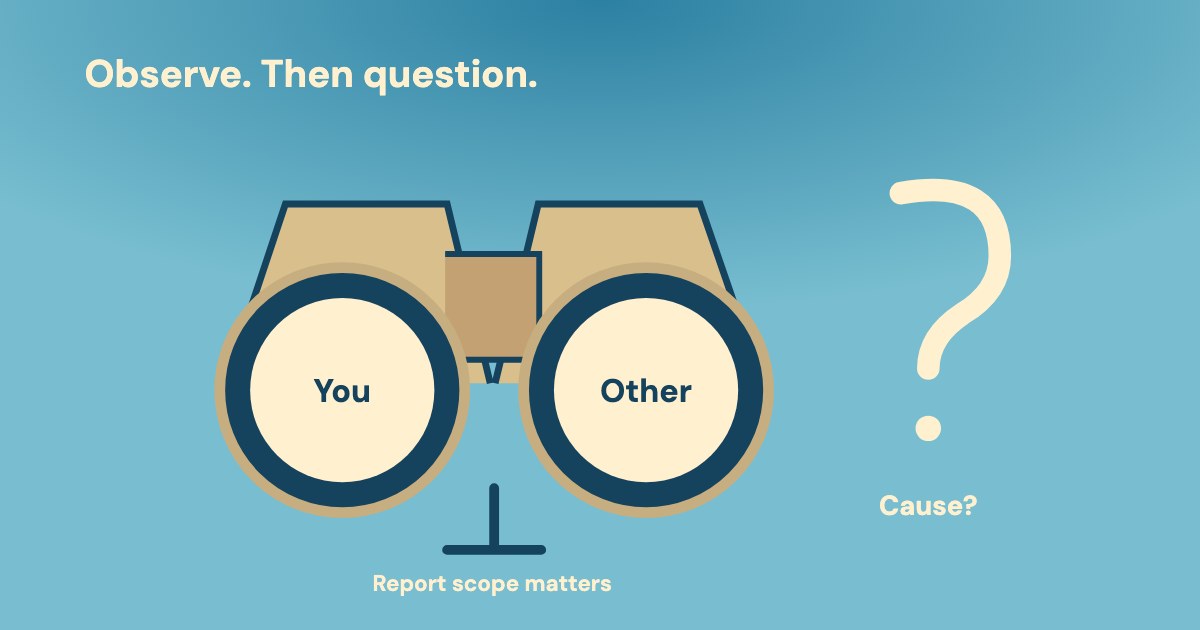
Google Ads Auction Insights compares your performance with other advertisers participating in the same auctions. Its visibility and position metrics do not establish a competitor’s budget, CPC, CPA or intentions. Use the report to choose your next internal check, rather than treat a changing competitor row as the cause of your results.
On this page8 sections
Where is Auction Insights, and which campaigns support it?
Auction Insights is available for Search, Shopping and Performance Max campaigns, with different levels and statistics. Google’s report instructions, checked 20 Oct 2026, require enough activity in the selected period.
Separately, Google notes that the report does not show insights when impression share is below 10%. The note does not specify whose share this is or explain why a particular advertiser row is absent.
| Supported report scope | What to retain before comparing | |
|---|---|---|
| Search | Six statistics; one or more keywords, ad groups or campaigns. Time and device segmentation are documented. | Keep the selected objects, dates and segments with the report. Do not read a keyword selection as the whole account. |
| Shopping | Three statistics: impression share, overlap rate and outranking share. Ad-group or campaign level; Search Network data only. | Do not add Search-only position-above or top-rate columns to a Shopping interpretation. |
| Performance Max | Search and Shopping ad data on the Search Network, segmented as Search or Shopping. Google’s page does not list which statistics Performance Max provides. | The overview names account and campaign levels; the Find instructions describe a campaign-level report. Do not extend this to every Performance Max channel or keyword-level reporting. |
Use the documented route for the appropriate object and campaign type:
- Within the Campaigns menu, open Campaigns, Ad groups or Search keywords.
- Check the relevant campaign, ad group or keyword. For Performance Max, Google’s Find instructions specify campaigns.
- Select Auction insights.
- For a mixed campaign selection, use the Search campaigns or Shopping campaigns dropdown; retain the displayed Search or Shopping scope.
For keywords, Google limits a selection to one page unless the report is for All. The page also excludes search partners from Auction Insights data. Our reading: an absent advertiser row is not proof that the advertiser never competes with you.
The same page gives a minimum-activity condition without a universal click count or spend minimum. Our suggestion: preserve unavailable data as unavailable. Do not invent a spending threshold, replace a missing rate with zero or treat a different date range as an equivalent comparison.
What can each Auction Insights metric actually tell you?
Read the metric’s basis before interpreting its movement. Google’s six Search statistics describe different relationships; Shopping has only the three identified in the scope table. Our suggested checks below concern your own evidence, rather than hidden facts about another business.
| Supported meaning and unsupported conclusion | Our suggested next internal check | |
|---|---|---|
| Impression share | Received impressions divided by estimated eligible impressions. For competitors: a proportion of the auctions in which they were eligible to show, in Google’s wording. Our reading: not their share of the entire market. | Confirm your report scope. Investigate your own coverage separately; the competitor percentage is not its budget or total demand. |
| Overlap rate | How often the other advertiser received an impression when your ad also did. It does not establish identical keyword targeting or intent. | Compare the same objects, dates and device scope; inspect changes in your own query mix. |
| Outranking share | Your ad ranked higher, or yours showed when theirs did not. It is not automatically 100 minus position above rate. | Keep the reported measure. Do not reverse another column or calculate a rival’s CPC from it. |
| Position above rate · Search only | How often the other advertiser appeared higher when both ads showed. It does not show why the other ad was ranked higher. | Check your own delivery and ad-quality evidence before assigning a cause to the relative position. |
| Top of page rate · Search only | Google’s example divides top-of-page impressions by the ad’s impressions (20 of 100); the definition does not name a further base. | Retain the advertiser row and read the organic-position wording difference below. A higher rate alone does not establish better lead economics. |
| Absolute top of the page rate · Search only | In Google’s example, 10 absolute-top impressions out of 100 ad impressions gives 10%. The definition does not name a further base. | Check your own enquiry outcomes before treating first position as the business objective. |
For overlap, the reference is when your ad showed. For position above, the condition is that both ads showed. In Google’s top-rate examples, the base is the selected advertiser’s impressions. Those examples do not establish a universal denominator; do not simply subtract one column from another.
Google’s outranking definition includes your ad showing without the other ad. Its following example describes auctions entered together and ads showing together. Our reading: retain the broader definition, but do not invent an exact denominator to reconcile that wording or turn it into a reverse position-above calculation.
Google places a further eligibility warning in its Shopping notes: a competitor’s eligible impressions may only partly overlap yours, so its share in your report can differ from its own report. Keep that Shopping context; do not present the percentage as a universal measure of the competitor’s reach.
For your own diagnosis, use the budget and rank checks for missing delivery and the Quality Score guide. Our suggestion is to investigate those questions separately; Auction Insights does not establish that a particular rival caused your result.
Does top of page always mean above organic results?
The Google pages checked on 20 Oct 2026 use different wording. The Auction Insights page describes top of page as above unpaid results, and absolute top as the first ad above organic results. Its examples use those positions.
The separate Top ads definition instead describes adjacency to the top organic results. It says ads are generally above them, but placement is dynamic and can be below them for certain queries.
top ads may show below the top organic results on certain queries.
The Absolute top ads definition identifies the first position among top ads. Our reading: retain these definitions alongside the report’s wording. Do not promise that a top label always means above every organic result, or that absolute top means the first line in every possible layout.
Position is an observation, not a profit measure
Our suggestion: record the exact metric and selected advertiser row. A top-position rate describes advertising placement; establishing the value of the enquiries still requires your own business records.
How do you turn a changing competitor row into a useful decision?
This Harbour Repairs case is entirely invented: business, advertiser row, people, dates, figures and decisions. It demonstrates our suggested investigation, not a Google benchmark. The team wants to know why the cost of accepted enquiries rose, rather than simply restore a relative position.
The fictional comparison uses one Search campaign, all devices, account time zone and US dollars: 1–14 Sep versus 15–28 Sep 2026. The office matched the enquiries to those periods and completed its acceptance assessment by 20 Oct. The Auction Insights observations concern the same fictional advertiser row.
| 1–14 Sep · invented | 15–28 Sep · invented | |
|---|---|---|
| Own reported spend | $600 | $800 |
| Own reported clicks | 120 | 125 |
| Own average CPC | $5.00 | $6.40 |
| Office-accepted enquiries | 12 | 10 |
| Spend per accepted enquiry | $50 | $80 |
| Other advertiser’s overlap rate | 30% | 50% |
| Other advertiser’s position above rate | 40% | 60% |
The calculations are $600 ÷ 120 = $5 and $800 ÷ 125 = $6.40 per click. Dividing spend by accepted enquiries gives $50 and $80. The office defines accepted as an offered repair service in its service area, accepted for follow-up. Accepted does not mean a completed job.
The cost-per-lead guide explains why the counted outcome matters. Here, the office’s accepted counts are separate business evidence. The team has not yet matched completed-job value, and it has no evidence of the other advertiser’s costs, conversion outcomes or commercial intention.
| Supported observation and unsupported explanation | Assigned next check · invented | |
|---|---|---|
| Overlap 30% → 50% | The other ad appeared alongside ours more often when ours showed. This does not establish that its budget increased. | Daria checks the retained campaign/device scope and own query mix by 23 Oct; she keeps any composition change with the comparison. |
| Position above 40% → 60% | The other ad appeared above ours more often when both showed. This does not establish why our CPC rose. | Daria checks own delivery and relevant account changes by 23 Oct; she does not derive outranking as 100% minus 60%. |
| Accepted-enquiry cost $50 → $80 | Our defined business outcome became more expensive in the example. The simultaneous advertiser movements do not establish the cause. | Imani tests the form and documents the result by 23 Oct. Niko matches completed-job outcomes and notes any remaining unknowns by 27 Oct. |
Owner Daria records the invented 20 Oct decision: do not raise bids solely to reverse the competitor row. Finish the assigned checks, then decide whether a specific account change or bounded test is justified at the 27 Oct checkpoint. Those dates are appointments in this example, not a recommended test duration.
For query evidence, use the search terms report guide. Our reading of the example: a report can point to a question without answering it. The case leaves the cause open while giving each missing piece an owner and a date.
What can Variafy check alongside a manual Auction Insights report?
Variafy is in the free beta, with Meta and Google Ads support live; Google access is read-only. It can read returned performance metrics for your own account, campaigns, ad groups or keywords, including cost, impressions, clicks and conversions for the requested period.
For Google Ads, it does not read Auction Insights, advertiser domains, overlap or outranking data. A person obtains that report in Google Ads and provides the relevant report separately. Ordinary campaign metrics must not be presented as if the product had fetched a competitor report.
Our suggested request: “Using this manually provided Auction Insights report and my returned campaign metrics, keep each source and date range separate. List observations, unsupported explanations and next internal checks. Do not estimate another advertiser’s budget, CPC or CPA, or claim to know why it changed.”
Returned totals can cover only the returned rows when coverage is incomplete. The product does not qualify CRM enquiries or establish their completed-job value. A person provides those business records separately and makes any Google Ads changes; the product cannot raise bids to answer a competitor’s movement.
What should you save before changing the account?
Our suggestion: finish with an evidence record that another person can act on. Preserve the report scope and the business question, rather than a list of competitor percentages without a decision. The Google Ads audit checklist covers the broader account investigation.
Copyable Auction Insights handover
Campaign type / objects / dates / device scope: __. Metric and advertiser row: __. Supported observation: __. Explanation still unproven: __. Own performance and business-outcome evidence: __. Missing data: __. Proposed action or decision to wait: __. Responsible person and checkpoint: __.
Keep an absent row, an unresolved cause and an unfinished business outcome visible. None becomes zero because a decision is due. The useful result is a next check with an owner, or a justified account decision, while the competitor’s unknown economics remain unknown.
How we checked
Based on 3 different Google Help documents: Auction Insights, Top ads and Absolute top ads. Google Help pages read on 20 Oct 2026. The position wording difference and Performance Max overview/instruction scope are retained.
The investigation framework is our suggestion. Harbour Repairs, its advertiser row, people, dates, figures and decisions are invented teaching inputs. Product behaviour described here is current at 20 Oct 2026.
Questions
What is Auction Insights in Google Ads?
It compares your performance with other advertisers participating in the same auctions. Search, Shopping and Performance Max have different report scopes. The visibility and position statistics do not establish another advertiser’s budget, CPC, CPA or intentions.
Why is Auction Insights missing, and what does an absent advertiser row mean?
Google gives two report-level conditions: minimum activity for the selected period and a note that insights are not shown below 10% impression share. The page does not specify whose share that note refers to or explain an individual advertiser’s missing row. Our reading: absence from a report does not prove absence of competition.
What is the difference between overlap rate and position above rate?
Overlap concerns how often another advertiser received an impression when your ad also did. Position above is Search-only and concerns the other ad appearing higher when both showed. Their different conditions prevent treating the percentages as interchangeable.
Is outranking share the opposite of position above rate?
Do not calculate it as 100 minus position above rate. Google’s outranking definition includes your ad showing when the other ad did not, while position above is conditional on both showing. Keep the reported value rather than invent a denominator or reverse calculation.
Does top of page always mean above organic search results?
The Auction Insights page uses above-organic wording. Google’s separate Top ads definition says top ads are generally above the top organic results but may appear below them for certain queries; Absolute top ads means first among top ads. Retain that wording difference when interpreting the report.
Can Variafy fetch Auction Insights or change bids?
No. Its Google Ads access is read-only and its ordinary performance reads do not return Auction Insights. A person obtains the report separately, keeps it distinct from returned own-account metrics, provides business-outcome evidence and decides whether to make a Google Ads change.