How much should a small business spend on Google Ads?
A small business should start from the most it can afford to lose on a Google Ads test, then check capacity and an affordable enquiry cost: allowed customer-acquisition cost × enquiry-to-customer rate. Our suggestion: approve a spending ceiling and decision date before setting the campaign budget; no monthly figure is right for every business.
On this page8 sections
How do you choose a starting amount without copying a benchmark?
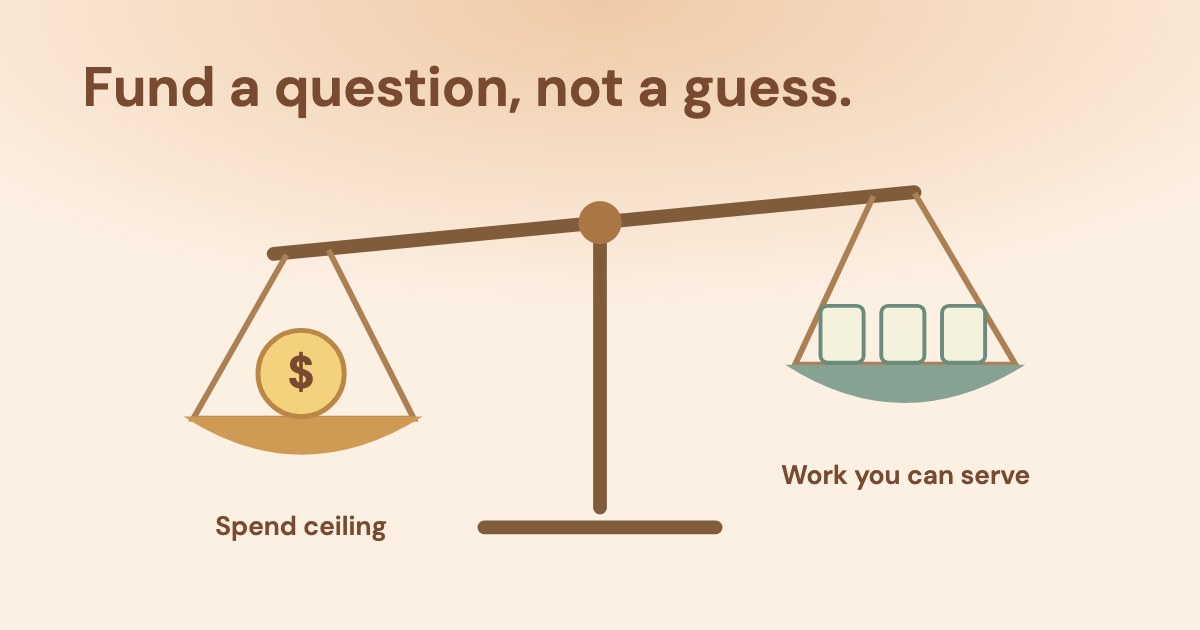
Choose a fundable question, then decide how much the business is willing to risk answering it. Our suggestion is to start with one offer and a clearly defined customer outcome, rather than borrowing an industry budget range.
“Can this service attract suitable enquiries within our acquisition allowance?” is a different question from “Can advertising fill every appointment this month?” The latter needs evidence about demand, conversion and capacity that a new campaign may not yet have.
Google’s budget guidance relates the budget to what you are comfortable spending and says actual costs may be lower. Its short advice is:
Start small.
Google also says to check performance daily after a new budget. Our reading: monitoring daily is not an instruction to change the budget daily, and “small” is not a dollar threshold that works for every business.
Before choosing an amount, confirm what the campaign measures. If a form click is being mistaken for a completed enquiry, an attractive cost figure cannot support a budget decision; use the website conversion checks first.
Which numbers belong in the budget brief?
Use separate inputs for cash, acquisition economics and the work the business can actually accept. Mark an unknown as unknown instead of filling it with an industry average.
| What to write down | Why it changes the decision | |
|---|---|---|
| Cash available | The total commitment the business can afford over the proposed test period. | Include non-media work and tools separately; do not call the whole commitment ad spend. |
| Media ceiling | What remains available to pay for advertising after other commitments and the chosen buffer. | This is the owner’s risk limit, not a promise Google will spend it or return it. |
| Acquisition allowance | What the owner is willing to spend to acquire a customer, using a defined business basis. | Revenue is not the same as contribution after delivery costs; the owner must choose the allowance. |
| Enquiry-to-customer rate | Observed comparable enquiries that became customers, or an explicit planning assumption. | It converts a customer allowance into an enquiry allowance; do not divide in the wrong direction. |
| Service capacity | Additional work the team can deliver and enquiries it can follow up. | Buying more responses than the team can serve is not a useful growth target. |
| Evidence and date | The action being measured, sales delay, decision owner and next check date. | A decision date is an agreed checkpoint, not a universal learning deadline. |
Our planning formula is: allowed cost per enquiry = allowed acquisition cost per customer × enquiry-to-customer rate. It describes the chosen allowance under those assumptions, not a predicted price from Google.
Keep this calculation separate from a bid target. The business’s chosen allowance does not establish that an automated bid strategy can obtain traffic or customers at that amount. For the meaning of the reported metric, use the cost-per-lead guide.
What would that look like for a small service business?
A local service can use the same general method; its capacity and follow-up simply make the constraints concrete. Every figure in this example is invented, with no client results or market benchmark.
An invented first-test budget
Assume the owner can commit $1,500 for one full calendar month (invented), reserves $300 for setup/work/tools and keeps a $288 cash buffer. That leaves a maximum of $912 for advertising. These allocations are assumptions, not recommended fees or percentages.
| Invented input or calculation | What it means | |
|---|---|---|
| Customer allowance | $120 to acquire one new customer. | Chosen by this imaginary owner; no profitability claim follows. |
| Close rate | 25% of suitable enquiries become customers. | An assumption that must later be checked against comparable outcomes. |
| Enquiry allowance | $120 × 25% = $30. | The allowed acquisition spend per enquiry, not $120 divided by 25%. |
| Additional capacity | 5 new jobs during the chosen period. | The team cannot use an unlimited flow of new work. |
| Enquiries for that capacity | 5 ÷ 25% = 20 enquiries. | An arithmetic planning quantity, not a lead forecast. |
| Traffic assumption | 10% of paid clicks become those enquiries; assume $3 per click. | Both are invented. No industry average has been substituted for evidence. |
| Illustrative traffic cost | 20 ÷ 10% = 200 clicks; 200 × $3 = $600. | Within the $912 cash ceiling if every assumption holds; it is not evidence that they will. |
In this invented plan the $3 click already sits exactly on the allowance: $3 ÷ 10% = $30 per enquiry, and $600 ÷ 5 customers = $120 per customer. There is no cushion on cost per enquiry, even though $312 of the $912 ceiling is unspent.
Change only the invented cost per click: at $3.30 the cost per enquiry is $33, above the $30 allowance, while total spend of $660 is still under the ceiling. At $6 it is $60 per enquiry and the same 200 clicks cost $1,200, above the ceiling too.
Our reading: the plan fits only while every invented assumption holds, and the allowance usually binds before the cash ceiling does.
Our suggestion is to narrow the business question, improve missing evidence or postpone the test when the plan cannot fit. Reducing a target in a spreadsheet does not make auction traffic cheaper, and increasing the budget does not create service capacity.
How does a monthly ceiling become a Google Ads budget?
Translate the approved amount into the relevant campaign settings without treating an average as a hard cap. As of 19 Oct 2026, Google’s daily-budget page describes an average daily budget and a monthly calculation using 30.4.
For an unchanged full-month illustration, $912 ÷ 30.4 = $30 average daily budget. This only translates the example’s ceiling; it does not recommend spending $30 a day or guarantee that every campaign spends the amount.
Google’s spending-limit page describes the monthly limit by calendar month and, for a campaign that starts mid-month, counts only the days it ran (checked 19 Oct 2026). A test that starts mid-month or spans two months needs its own calculation.
Google qualifies the daily limit of 2× and monthly limit of 30.4× as applying to most campaigns. In that scope, the example’s daily limit is $60. Its shorter overdelivery page and bid-and-budget guide state the multipliers more generally; keep the specific page’s qualification rather than making them universal.
Google also describes a campaign total budget, a separate budget type for a fixed period with no daily spending limit, and says you will never be charged more than the total. This guide covers average daily budgets only.
Google also distinguishes served costs from billed costs: served costs can exceed spending limits in some circumstances, while, for most campaigns, the amount paid does not exceed those limits. Do not call a served-cost figure the invoice. For a changed budget or a partial period, inspect the current budget report rather than reusing the constant-budget illustration.
A budget is also different from a maximum CPC bid: the bid-and-budget guide describes the latter as the most you are willing to pay for a click. Neither setting alone supplies a cost-per-qualified-enquiry guarantee.
For Search planning, Keyword Planner provides search and cost estimates and performance forecasts. Google says actual performance depends on several factors, including budget, bid, quality and location targeting. Ask the operator to state the plan’s scope and assumptions; a forecast is not a measurement of what your business has achieved.
The separate Limited by budget guide covers an already running campaign’s status and spending behaviour. That status alone is not a reason to approve a larger test.
What can Variafy help check against the plan?
Variafy offers read-only Google Ads access after your beta invitation. It reads campaign budget settings, the budget period and shared-budget indication, campaign statuses and available campaign performance.
The returned cost is a performance figure for the requested dates, not Google’s Billed cost report or an invoice.
Those readings can help compare the returned spend and settings with the owner’s written plan. They do not determine the owner’s affordable loss, customer margin, service capacity or future lead volume. A partial performance reading must keep its coverage limits; returned rows are not automatically the whole account.
Our suggested inspection request is: “State the intended account, dates and currency. Compare available campaign spend and budget settings with this approved media ceiling. Identify missing data and business inputs, and draft a decision without changing budgets.”
Variafy does not change Google Ads budgets.
What should you approve before the first spend?
Approve the ceiling, the evidence and the next decision together. Our suggestion is a short written test brief that allows three honest outcomes: continue, correct a specific problem or stop.
- Purpose: name the offer and the question this test should answer.
- Commitment: state media separately from setup, tools and the chosen cash buffer.
- Capacity: name who handles enquiries and how much additional work can be accepted.
- Measurement: define the conversion and qualification basis, and mark assumed inputs.
- Decision: agree a checkpoint that considers the observed enquiry/sales delay, plus conditions that require earlier intervention.
A broken form, unsuitable service enquiries or inability to respond are reasons to investigate before spending toward the ceiling. Our suggestion is to fix the identified problem rather than insist that any test must keep running for a generic number of weeks.
A budget sentence the owner can approve
“We authorize up to [media amount] for [offer and period], with [non-media costs] separate. We will judge [defined outcome] after [observed delay/check date], using [reporting basis]. [Owner] decides whether to continue, correct [named problem] or stop. Unproven forecast inputs remain assumptions.”
If the campaign spends but cannot produce suitable enquiries, use the search-term decisions and the wider account audit. A larger budget should answer a supported opportunity, rather than hide an unresolved measurement or service problem.
How we checked
Checked on 19 Oct 2026 against 6 public Google Ads Help pages: About average daily budgets; About overdelivery and your average daily budget; Choose your bid and budget; Use Keyword Planner; About spending limits; About campaign total budgets. The “most campaigns” qualification and served-versus-billed distinction are retained.
The approval brief and calculations are our suggestions. All service-business figures are invented assumptions, not benchmarks, forecasts or client observations. Variafy is our product.
Questions
How much should a small business spend on Google Ads per month?
Choose a test the business can afford and judge against defined outcomes. Separate media from other costs, use the owner’s customer-acquisition allowance and service capacity, and agree a spending ceiling and decision date. No monthly amount guarantees suitable enquiries.
Is there a minimum budget that guarantees Google Ads works?
This guide gives no guaranteed minimum. A workable test depends on the question, available cash, traffic cost and business outcomes. If the assumptions cannot fit the approved risk limit, change the plan or postpone it rather than treating a larger amount as the cure.
Is my Google Ads daily budget a hard spending cap?
No. Google describes an average daily budget. Its specific budget page gives a daily spending limit of twice that average and a monthly limit of 30.4 times it for most campaigns; keep the campaign scope and budget changes in view.
How do I turn a monthly amount into an average daily budget?
Google’s average-budget calculation divides the monthly amount by 30.4. For the invented unchanged full-month ceiling of $912, that is $30 per day. A changed budget or partial period needs its own current budget-report check.
Should I raise the budget when a campaign is Limited by budget?
That status alone does not approve a larger commitment. Check whether the measured enquiries are suitable, whether the costs fit the owner’s allowance and whether the business has capacity. Investigate tracking or offer problems before increasing the ceiling.
Related guides
- Google Ads cost per lead: what leads cost in 2026 and how to lower it
- Google Ads limited by budget or not spending: what it means and what to do
- Google Ads audit checklist for a lead business (with AI)
- How to split your advertising budget between Google Ads and Facebook Ads
- PPC vs SEO: how to choose the next investment for a lead-generation business
- Google Search vs Display ads: choose by the customer task, not the cheapest click
- Microsoft Ads vs Google Ads: compare customer cost before copying the budget