A new Meta ad account: your first 30 days
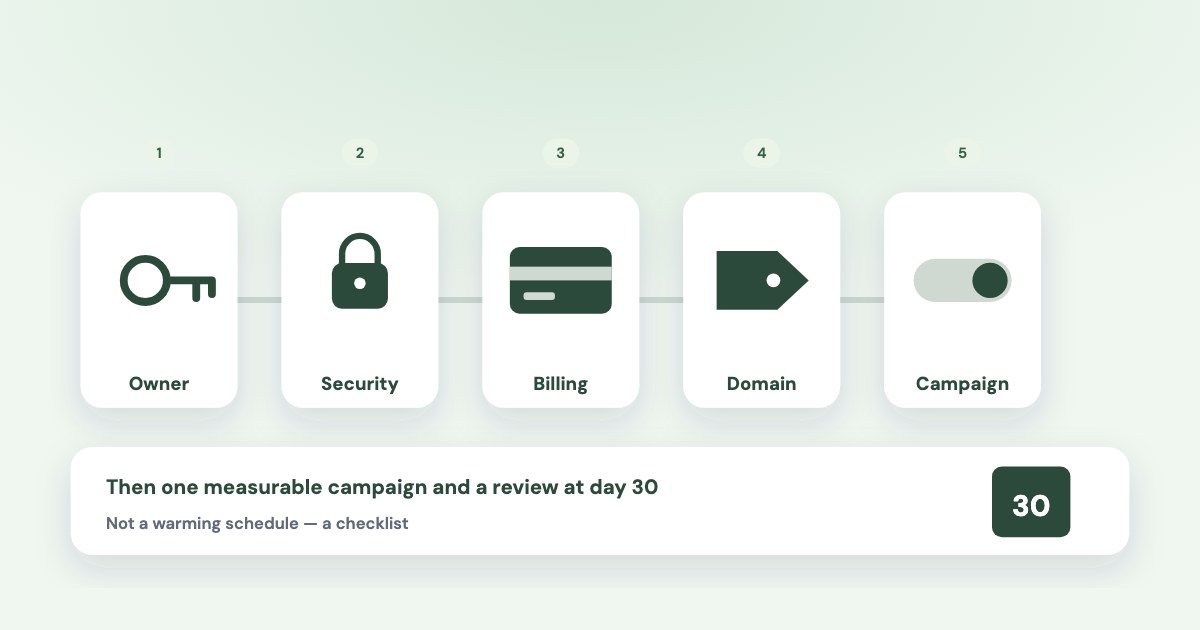
Use the first month of a new Meta ad account to establish ownership, secure access, check billing and run one campaign you can measure. There is no verified 30-day “warming” routine here that prevents restrictions or unlocks a promised spending limit. The schedule below is an operational checklist: launch when the relevant checks are complete, rather than waiting for an arbitrary account age.
On this page9 sections
The first-month map
| Suggested window | Work to complete | Evidence to keep |
|---|---|---|
| Days 1–3 | Confirm ownership, business portfolio and secure access | Asset IDs, responsible people and permissions |
| Days 4–7 | Check billing, destination, domain and enquiry handling | Correct billing setup and a working enquiry route |
| Days 8–14 | Launch one campaign after the checks pass | Saved settings, budget, review status and first outcomes |
| Days 15–21 | Review delivery and lead handling | Qualified enquiries, contact attempts and any errors |
| Days 22–30 | Review the cohort and decide the next test | Spend, sales status, pending enquiries and next action |
These windows organize the work; Meta does not prescribe this calendar. Complete the relevant checks before launch even if your business can finish them sooner.
Availability can differ for new accounts
Meta’s portfolio-creation guide says new portfolios and ad accounts may not have every advertising feature. Check Business Support Home for the features and actions available to your business.
Days 1–3: establish ownership and access
A business portfolio brings assets such as Pages, Instagram profiles and ad accounts together in Meta Business Suite. First check whether the business already has the relevant assets and owner, so you do not create another structure unnecessarily.
Business assets can only belong to 1 business portfolio.
- Identify the business owner. Record the existing portfolio, Page and ad account, or create the missing portfolio following Meta’s instructions.
- Confirm the asset setup. Distinguish owning an asset from having permission to work on it. Use the business-portfolio guide for that decision.
- Secure the people who will work on it. Turn on two-factor authentication and check requirements in the business’s Security Center. Meta’s security guidance explains possible access restrictions when requirements are not met.
- Assign collaboration access. Give a contractor or agency the needed permissions through Meta’s access tools. The agency-access guide covers partner assignment.
Keep the asset IDs and responsible people in one record. A campaign name alone is not enough to identify which business owns or operates an account.
Days 4–7: check billing, the domain and the enquiry route
Confirm the account’s business country, currency, payment setting and supported method before the first charge. Use the country and currency guide; changing currency later can create a new account and stop the old account’s ads.
For a website campaign, check the actual landing page on a phone: the offer, contact details, form and promised next step should work. If measuring website enquiries, verify the intended event at the completed action rather than assuming that a page visit represents a lead.
Domain verification establishes domain ownership and control of link-editing permissions. Meta lists three methods: a home-page meta tag, an HTML verification file or a DNS TXT record.
- Confirm access to the business and domain. Meta’s domain instructions require a business portfolio, full control and domain admin or developer access.
- Add the root domain. In Settings, open Domains under Brand safety and enter the root without a URL prefix or page path.
- Use one supported verification method. Complete Meta’s instructions, then check the verified status in Settings.
- Test the enquiry route. Confirm who receives a submitted enquiry and how sales records its status.
An instant form can collect an enquiry without sending the person to a website. Treat domain verification as the task appropriate to your assets and workflow; the sources here do not establish it as a universal prerequisite for every first ad.
Days 8–14: submit one campaign you can explain
Choose one business outcome and a budget the business can afford to test. For a small fixed allowance, the $400 monthly lead test shows the volume and learning trade-offs.
- Review the offer and destination. The ad and page or form should describe the same service and next step.
- Check the category requirements. If the offer concerns housing, employment or financial products and services, read the applicable Meta category guidance. Requirements depend on the offer and region; use the special-category guide for detail.
- Check the launch settings. Confirm the account, Page, objective, conversion location, serviceable audience, budget and dates.
- Submit and read the status. Meta’s review guidance says most ads are reviewed within 24 hours, but some take longer and live ads can be reviewed again.
Do not treat approval as a permanent policy clearance. If the ad is rejected, use the reason shown and the rejected-ad workflow before submitting repeated copies.
Days 15–21: check delivery and real enquiries
Check spend, delivery status, submitted enquiries and sales follow-up together. If nothing delivers, first distinguish a payment issue, review, schedule, spending limit or account restriction from a campaign that delivers but generates no enquiries.
Read the separate payment-failed and not-spending guides for those diagnoses. For an account restriction, open Business Support Home and use the restricted-account guide.
For a running campaign, document the reason for any edit. Meta’s significant-edit guidance distinguishes changes that restart learning from edits whose effect depends on their magnitude.
A broken setup deserves prompt action
Waiting for the end of a week is not a reason to leave a wrong destination, failed enquiry route or unauthorized spend running. Correct the problem, record what changed and interpret later results in that context.
What to avoid during the first month
Meta’s restriction guidance names policy violations, compromised assets, security requirements and unusual payment or account activity among possible causes. It does not give a universal daily spend ladder or account-age formula that guarantees unrestricted access.
- Do not invent a warming schedule. A rule such as “spend $5, then $10, and the account becomes safe” is not established by the sources checked here.
- Do not confuse authentication with approval. Two-factor authentication and domain verification serve specific purposes; neither guarantees that an ad complies.
- Do not evade a restriction. Follow the actions Meta shows for the affected asset rather than using replacement accounts as a workaround.
- Do not ignore recurring billing failures. Diagnose them from the payment error and method requirements.
No checklist can guarantee that Meta will never restrict an account. Keep the troubleshooting evidence and the next action tied to the asset and error Meta actually identifies.
Days 22–30: decide what to continue
Review the first cohort’s spend, qualified enquiries, quotes, customers and still-open opportunities. State what is known and what needs more follow-up before choosing the next offer, audience test or spending decision.
Variafy’s Meta integration is in testing and under Meta app review. Access is by manual tester invitation through the waitlist, with no guarantee that an external or client ad account can connect.
How we checked
Meta Help Center sources read in Chrome on 30 October 2026: business portfolio creation, two-factor authentication, domain verification overview, domain verification steps, instant forms, ad review, category requirements, significant edits and advertising restrictions. Billing conditions are sourced in the linked country/currency guide.
Not confirmed: a guaranteed safe spending ladder, automatic feature unlock after a fixed account age, universal verification requirements or immunity from restrictions. The 30-day sequence is our editorial workflow, not a Meta policy or a measured account experiment. Variafy is our product.
Questions
Do I have to wait 30 days before running Facebook ads?
The sources checked here do not prescribe that wait. Complete the relevant ownership, access, payment, destination and policy checks before launch; this calendar is an organizing framework.
Does verifying my domain prevent an ad account restriction?
No such guarantee is established. Domain verification confirms ownership and supports link-editing controls, while restrictions can concern policy, security, payment or unusual activity.
What should I do if a new ad account is restricted?
Identify the affected asset and follow the actions in Business Support Home. Use the restricted-account guide for the review workflow rather than creating accounts to evade the restriction.
How much should I spend in the first month?
Use an amount the business can afford to test and work backwards from the desired outcome and plausible lead costs. There is no universal safe first-month spending amount in the sources checked here.